
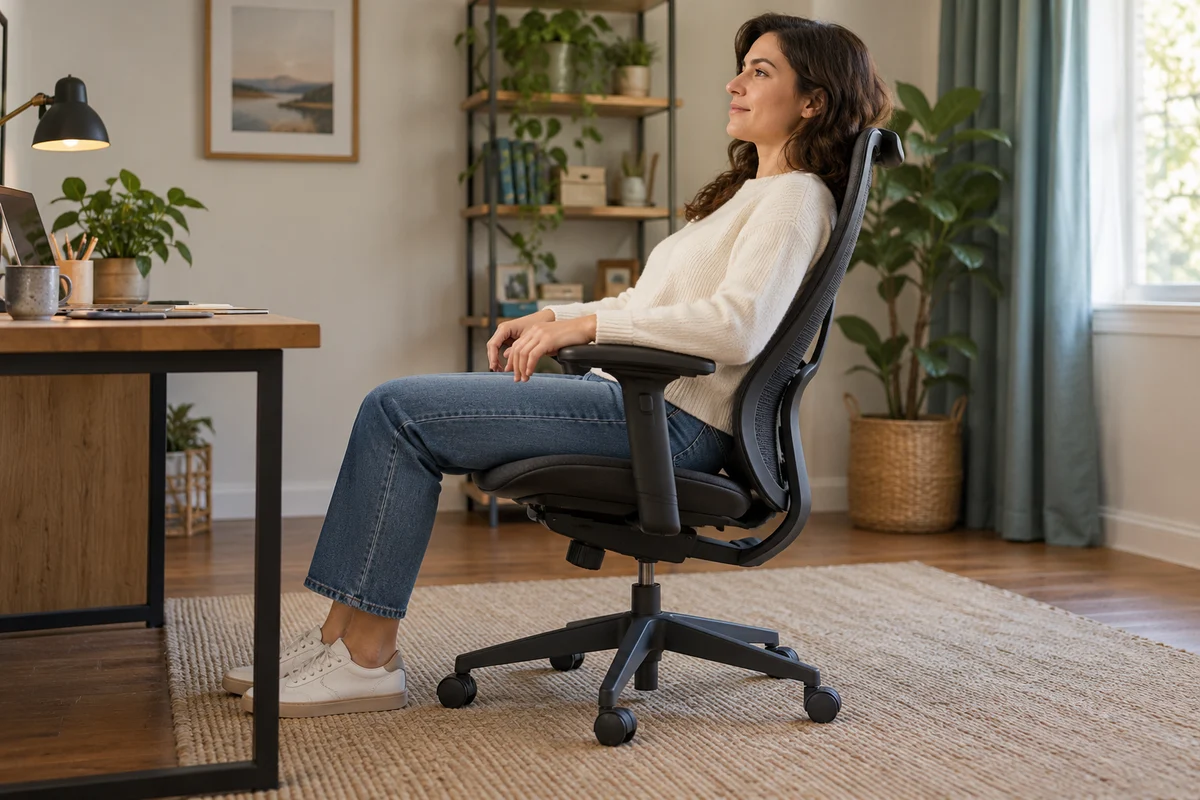
AI-generated scene illustration; not a photograph of the recommended product.
A home worker sits in a new chair and finds that leaning back takes more effort than expected. Turning a knob changes the feeling, but the backrest still does not remain at the desired position. It is easy to conclude that all of these controls perform the same job.
For ProtoArc EC200, separate reclining resistance from the backrest lock. Then decide whether the controls and supported movement suit the person and workstation. A chair’s deepest-angle photograph cannot answer those questions.
The short answer
ProtoArc’s EC200 FAQ describes a separate tension knob for reclining resistance. Its troubleshooting section says clockwise increases resistance and counterclockwise decreases it. The angle lock uses the documented side-lever sequence and is a different control.
Use the exact EC200 instructions and gentle supported movement. Do not force a stuck mechanism, keep turning beyond normal operation, or attempt internal repairs. If the chair will not operate or lock reliably, stop using the questionable function and contact support.
Contents
- The short answer
- Resistance and position
- The supported starting point
- Individual control reach
- Workstation fit
- Troubleshooting records
- Buying advice
- Frequently asked questions
- Sources and verification
Resistance and position
Resistance is the effort involved in moving through a permitted recline. A lock selects and holds a documented position. Adjusting one should not be treated as a substitute for correctly operating the other.
The EC200 FAQ describes lock positions separately from tension adjustment. Confirm the exact model and supplied guide instead of applying instructions from a chair with a similar shape.
Our EC300 control guide concerns that other model. The useful shared distinction is resistance versus position; the applicable EC200 control sequence must still come from EC200 documentation.
For a shopper, this distinction changes the question asked of a seller. “Does it recline?” establishes less than “Can this user reach and operate the correct controls within this workstation?” A feature can exist without being convenient for a particular person.
The supported starting point
Before assessing a control, make sure the chair is correctly assembled according to its actual instructions and has no unresolved component problem. This article is not an assembly or structural inspection procedure.
Choose a clear, suitable area and ordinary supported sitting position. Keep the surrounding floor free of obstacles. Follow the manufacturer’s normal adjustment method and do not ask someone to hold or push the chair to create a movement it will not perform normally.
When an angle lock is under pressure, the FAQ gives model-specific guidance for releasing that pressure through gentle body movement and the proper lever operation. Do not translate that into extra force, tools, or repeated jerking.
If the documented process does not resolve the issue, retain the exact observation for support. Describe which control was used and what happened. “The chair is stiff” can refer to resistance, a locked position, an obstruction, or a problem that requires professional assessment.
Individual control reach
An adjustment is useful only if the intended user can operate it safely and understand its effect. A product photograph may show the knob but cannot establish a particular person’s reach or ease of use.
During a seller-permitted assessment, distinguish reaching a control from climbing, twisting awkwardly, or leaning outside a stable sitting position. Do not make risky movements to prove that an unsuitable chair can be managed.
Record whether the user can identify the control and follow the documented sequence. For a shared chair, each person may have different preferences, but the supportable operating method remains the same.
Our shared-chair setup guide covers restoring an agreed arrangement between users. Tension is one field in that arrangement, not a universal “more is better” control. Avoid a precise setting recommendation that has not been established for the individual.
Workstation fit
CCOHS’s ergonomic-chair guidance emphasizes that chair suitability depends on the person, workstation, and task. The existence of an ergonomic label does not guarantee a fit.
Apply that principle to the recline. Check whether normal supported movement remains clear of the desk, wall, cables, and household route. A chair fitting under the desktop while upright does not prove that the complete movement is suitable.
Feet support, seat fit, and the work surface still matter. Turning the resistance knob does not change a fixed desk height or make an unsuitable seated arrangement appropriate. Do not interpret reclining as a medical treatment or a substitute for changing position.
Our high-desk guide addresses the seated-height problem separately. A tension adjustment cannot convert a conventional office chair into another supported category of seating.
Troubleshooting records
Use a short record rather than an improvised repair: exact model, supplied instructions, assembly status, selected lock state, tension observation, any obstruction, and the action requested from official support.
A clear private video may help explain a normal operating issue if support requests one. Do not reproduce an unstable or hazardous condition simply to obtain more dramatic evidence. Keep purchase identifiers and unrelated household information out of public posts.
Noise, excessive looseness, or an unreliable lock should not be dismissed as a preference problem. The manufacturer’s FAQ lists several possible causes and directs persistent issues toward support. A shopping guide cannot identify a failed component from a symptom.
Do not apply a generic lubricant, replace a structural component, or open the mechanism based on a forum suggestion. Obtain exact approved guidance for the actual chair. An apparently successful movement does not certify the complete chair after an unsupported modification.
Buying advice
Consider EC200 when its supported adjustment range, individual control reach, and full workstation arrangement suit the user. Check the current product and seller information for the exact package and permitted evaluation conditions.
Pass if normal use requires forcing a control, accepting an unreliable lock, or making an unapproved structural modification. Those are unresolved operating problems, not acceptable tradeoffs for a lower price.
For an existing owner, obtain support before replacing a chair solely because resistance and locking were confused. Equally, do not keep adjusting tension to conceal a lock that will not behave as documented.
A simpler chair with understandable controls may be a better fit for some users, while another person may value EC200’s adjustments. Compare actual tasks rather than the number of knobs. This guide makes no hands-on comfort or health-outcome claim.
Frequently asked questions
Does the tension knob select a locked angle?
No. ProtoArc describes resistance adjustment and angle locking separately. Use the documented control for the intended function.
Which way changes EC200 resistance?
The current EC200 FAQ says clockwise increases resistance and counterclockwise decreases it. Follow the supplied exact-model instructions and avoid forcing the control.
Should a stiff or unreliable mechanism be forced?
No. Use only the supported method and contact support for an unresolved problem. Do not attempt internal mechanism or gas-lift repairs.
Does a deeper recline guarantee a better chair?
No. Individual fit, supported movement, reachable controls, and the workstation determine whether the feature is useful for the task.
Sources and verification
Checked October 29, 2026. Based on current manufacturer instructions and general workstation guidance. No chair trial, force measurement, repair, or medical assessment was performed.
- ProtoArc EC200 adjustment and troubleshooting FAQ
- CCOHS ergonomic-chair selection guidance
- ProtoArc EC200 model information
Keep reading
Related guides
 Home Office
EC200 Cleaning and Care
Check EC200 mesh and cushion care against the intended home-office routine without assuming that washable, removable or disinfectable are equivalent.
Read guide → Home Office
EC300 Seat Width
Separate EC300 cushion width, fixed-arm clearance and overall chair width before assuming a listing dimension guarantees comfortable seated space.
Read guide → Home Office
EC200 Headrest Reset: Move Forward Before Backward
Read the EC200 headrest's forward-release sequence before forcing it backward, then check whether its supported position fits your actual work.
Read guide →