
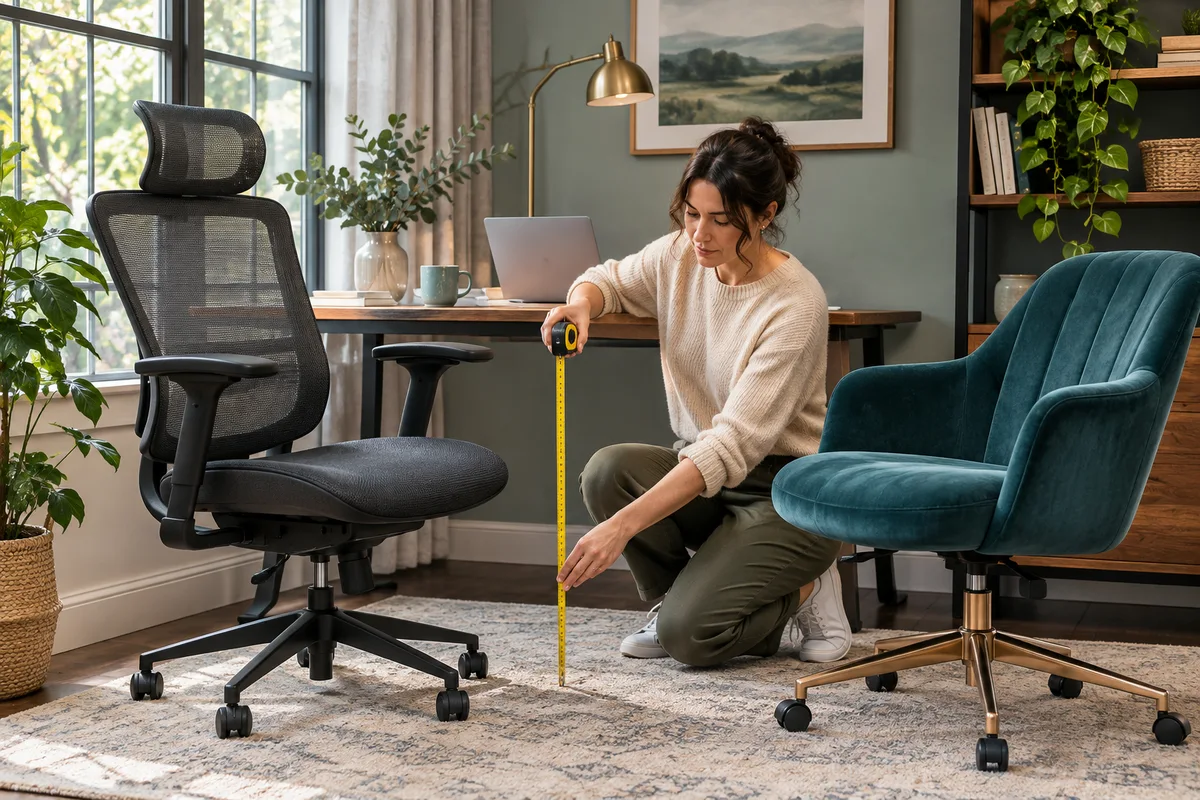
AI-generated scene illustration; not a photograph of the recommended product.
Two office chairs fit the budget and both have adjustable controls. The buyer works at a fixed desk and wants a chair that allows the keyboard to remain close without making the seat feel too long. A feature count does not answer that question. The useful comparison is which adjustments can be set together in the actual work position.
The short answer
Compare the exact ProtoArc EC200 and EC300 variants in two stages: first find a workable seat position, then see where the back support and arms land at your desk. Consider EC200 when its adjustment range suits the actual user and task. Consider EC300 if its different backrest arrangement solves a specific fit problem that the EC200 does not. If neither works in the intended setup, keep looking rather than paying for more controls.
Do not infer the delivered armrests, cushion or controls from a family-wide promotion. Ask for dimensions and instructions tied to the actual listing before buying.
Contents
- The short answer
- Start at the seat
- Check where the support lands
- Test the desk interaction
- Save a side by side fit card
- Compare two realistic work positions
- Buying advice
- Frequently asked questions
- Sources and verification
Start at the seat
Use your current seat as a reference, even if it is not comfortable. Record the distance to the desk edge, the space around your legs and whether your feet can rest on a stable surface when your hands reach the keyboard. The aim is to describe what must change, not to copy the dimensions of a chair you want to replace.
Both manufacturer’s pages describe seat fit features, including a sliding depth arrangement. Compare the range and how it is operated, not simply whether a slider is listed. A seat can be adjusted and still not cover the position you need. If two people share the chair, record each user’s needs separately rather than averaging their measurements.
The OSHA workstation evaluation checklist provides general fit questions about seating, foot support and work surfaces. It does not certify either chair or predict comfort or health outcomes. Use an ordinary seated trial when possible rather than relying on a height recommendation alone.
Check where the support lands
The EC200 page describes adjustable lumbar support, while the EC300 page describes a height-adjustable backrest with integrated support. These are different ways to change contact. Ask how the support moves on the exact chair and whether adjusting it also moves another part you want to keep fixed.
Try the seat and back together. If moving the seat forward makes the thigh support acceptable but leaves you unable to use the backrest as intended, neither setting alone solves the fit. A useful trial includes typing, reading and sitting back without moving to an artificial posture just to match a product photo.
The EC300 backrest guide explains the integrated adjustment in more detail. This comparison starts one step earlier: deciding whether that different support movement would actually help compared with the EC200 or a chair you already own.
Test the desk interaction
Measure the usable space under the desk, including drawers or a rail. Compare it with the actual armrest and chair positions that work when occupied. A chair sliding underneath unoccupied does not prove the keyboard will be in reach when someone sits in it.
Do not assume every EC200, EC200 Pro or EC300 offer has the same armrests. Confirm the exact version and current seller contents; use the manufacturer’s support when a product page and a seller diagram do not agree. If the armrest feature matters for clearance, keep that question open until you have an answer.
Try an ordinary exit path too. The chair may fit the desk opening but obstruct the route to the door when pulled back. Consider the base and floor arrangement at the working position, not only the seat size.
Save a side by side fit card
| Check | Evidence to collect for each chair |
|---|---|
| Seat | Supported height and depth in use |
| Back | How the support moves and where it lands |
| Arms | Exact version and underside clearance |
| Reach | Keyboard and pointer usable together |
| Floor | Stable position and clear exit |
| Trial | Seller terms and return handling |
Record which requirement fails first, rather than giving both chairs a total score. If both fail because a fixed drawer blocks the approach, compare a different layout or chair shape. If both pass, a simpler arrangement may be enough.
Compare two realistic work positions
One buyer can reach the keys easily when sitting a little farther back, but the support contact then lands in the wrong place. A chair with a different supported backrest movement might help if it can be set without undoing the seat position. Another buyer can get suitable contact on either chair, but a desk drawer forces both armrests too far from the keys. In that case the unresolved problem is the approach to the desk, not the number of available backrest positions.
During a trial, note the first thing you change when switching from a keyboard task to reading. If you constantly pull the chair forward because the monitor text is hard to read, check screen placement and software scaling before treating that as a seating flaw. If you move because the seat position slips or a control does not hold as documented, pause and confirm the actual setup with the manufacturer or seller.
Write each trial condition beside the model, including what surface the chair is on and whether the work area matches your own. A showroom with a higher desk is not the same as the fixed table at home. Use the recorded constraints to decide whether a returnable trial is worthwhile, and confirm what assembly and repacking involve before committing. No suggested adjustment is a treatment recommendation.
Check the desk opening at both heights if two users share it. A setting that works for the shorter user does not prove that the taller user’s armrests clear the same drawer. Save both observations separately.
Buying advice
Start with the EC200 overview if the baseline configuration meets your needs. Use the EC300 overview if you can explain why its backrest movement solves a distinct requirement. Confirm model, stock, delivered parts and return conditions with the seller. We did not try either chair or assess individual fit.
Frequently asked questions
Is EC300 better for everyone?
No. The difference only helps if it matches the user and workstation.
Does adjustable seat depth guarantee support?
No. Check how the usable seat position works with the actual backrest and desk.
Are EC200 and EC200 Pro interchangeable?
No. Identify the exact model and compare its own documentation and listing.
Should I compare by height alone?
No. Include seated reach, foot support, desk underside and the normal exit path.
Sources and verification
Checked November 6, 2026. Compared current official descriptions and general fit guidance. No comfort, medical or durability test was performed.
Keep reading
Related guides
 Home Office
EC300 Laptop Stand and Keyboard Layout
Set screen height, keyboard reach and chair clearance independently before buying an EC300 for a compact laptop-based home office.
Read guide → Home Office
EC200 Sim Racing Seat Limits
Compare EC200 office seating with a sim-racing setup through pedal reaction, rolling movement and explicitly supported equipment arrangements.
Read guide → Home Office
EC300 and Standing Desk Movement
Check EC300 chair parking, armrest clearance and cable movement before combining it with a height-adjustable desk in a shared home office.
Read guide →