
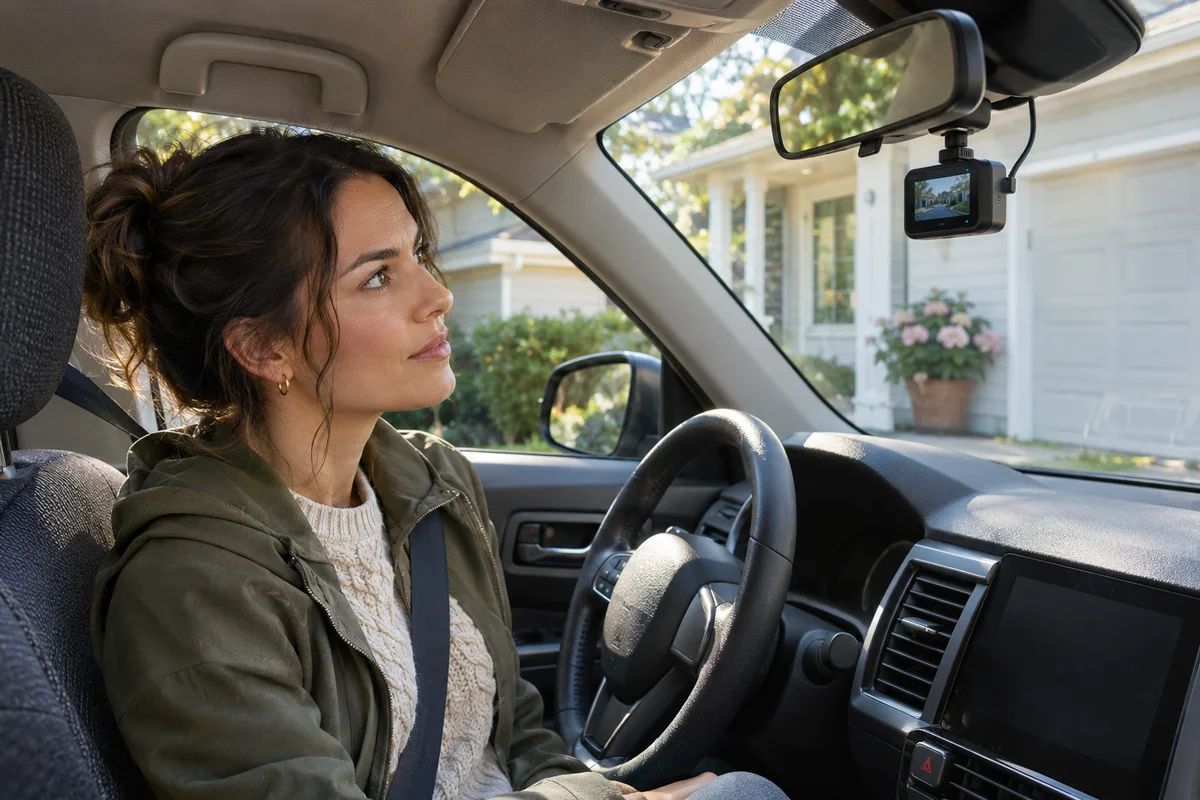
AI-generated scene illustration; not a photograph of the recommended product.
One driver likes the dash camera’s spoken feedback. Another would prefer fewer announcements during the morning departure. After a setting change, the cabin is quieter, but the household has not agreed which warnings should still prompt attention. Choosing an A329S for that car involves more than asking whether its speaker can be made quiet.
The short answer
VIOFO’s A329S-series V2.0 feature notes describe an Only Critical Alerts option within voice notifications. Treat that as a version-dependent notification feature, not proof that your installed firmware has the same menu. Confirm the exact A329S version against current official documentation before changing anything.
Fewer spoken announcements do not mean that the microphone is muted, voice commands are disabled or video is being saved correctly. Keep those functions separate and verify actual files while safely parked. Do not buy another camera or install old firmware solely to obtain a quieter startup routine.
Contents
- The short answer
- Separate three different voice functions
- Check the installed version first
- Choose which feedback the household needs
- Respond to a storage warning without losing originals
- Make a parked handover check
- Buying advice
- Frequently asked questions
- Sources and verification
Separate three different voice functions
A notification is information the camera gives the driver. A voice command is an instruction the driver gives the camera. Microphone recording concerns sound saved with a recording. A shared label such as voice does not make these the same setting.
VIOFO’s A329S dual-channel product information lists voice features and recording hardware. Read the applicable manual for the controls on your own unit rather than assuming that reducing one kind of audio changes every kind. Our voice control and BTR200 comparison addresses issuing commands; this guide addresses feedback coming back from the camera.
For example, a household may want fewer routine spoken notices but still need a clear way to notice storage trouble. Separately, it may choose a particular microphone-recording arrangement. Document both choices. A quiet cabin is not an adequate way to check what the saved video contains.
Check the installed version first
The V2.0 feature article is useful evidence for the existence and intended role of critical-only notifications. Its URL and text include development-era context. It is not a recommendation to install an old release, nor proof that it is the latest firmware today.
Use the official firmware directory and the exact model’s current instructions to establish the supported route. Record the installed version first. A329S, A329T and similarly named variants must not be treated as interchangeable because a series-level blog discusses them together.
If the option is missing, avoid downloading an arbitrary file to make the screen resemble a screenshot. Ask VIOFO whether the feature exists in the current supported configuration for that unit. Our firmware model-matching guide covers that separate decision. A notification preference does not justify risking a working recording setup.
Choose which feedback the household needs
VIOFO’s feature notes give examples of critical notices involving a parking impact or a memory-card problem. These examples help distinguish a reduced-notification profile from turning off all useful feedback. They do not establish that the system will detect every failure or that every driver will hear the notice.
Agree on a simple parked response when a warning is noticed: read the displayed information, identify the relevant manual section and check the device before relying on recording. Do not make menu changes while driving or try to provoke a warning during a journey.
Consider ordinary conditions in the car. Music, conversation or a person’s hearing needs can make spoken feedback insufficient. The answer is not to assume that a louder speaker guarantees coverage. A repeatable visual and file check, where appropriate and safely parked, is a separate part of ownership.
Respond to a storage warning without losing originals
One manufacturer example involves a card error and a formatting prompt. If important footage may be on that card, stop and preserve it before performing destructive maintenance. A general instruction to format does not know which files matter to the household.
Our save-before-formatting guide addresses preservation. Follow the current model’s supported shutdown and card-handling procedure, and obtain suitable recovery advice if valuable recordings cannot be read. Repeated changes or formatting can defeat the original reason you needed the camera.
If there is no footage to preserve and the manual calls for ordinary maintenance, follow its specific procedure. Do not intentionally remove a card from an operating camera or create a failure to see whether the warning works. The purpose of a household check is to establish a usable routine, not simulate every fault.
Make a parked handover check
| Item | What the next driver needs to know |
|---|---|
| Identity | Exact camera model and installed firmware |
| Notification choice | Which supported profile was selected |
| Recording choice | Microphone setting checked separately |
| Ordinary verification | Where expected files are saved and how to open them |
| Warning response | Stop for a parked check and preserve important originals |
| Support | Current official instructions for unresolved behavior |
After an intended change, confirm the displayed setting and use a normal, supported parked check. Open recent saved files for the expected channels and inspect the content you actually meant to capture. Hearing a startup notice is not a substitute for that file check; hearing nothing is not a substitute either.
Give another regular driver the same short handover. They should not have to infer a fault from a change in the normal sound pattern that nobody explained. Keep the record private if it includes identifying vehicle details. A household agreement about notifications also does not replace applicable recording and privacy requirements.
Buying advice
Consider A329S when its confirmed channel arrangement, storage, installation and supported feedback suit the car. Read our A329S buying guide for the larger decision. If the current camera already meets the recording need and has a suitable supported notification setting, there may be no hardware purchase to make.
Pass if the purchase depends on silence guaranteeing successful recording, an alert preventing every missed event or a feature appearing in an unsupported firmware combination. Confirm the current partner bundle, return terms and assistance available for the exact model. We have not tested speaker audibility, warning reliability or notification behavior in a vehicle.
Frequently asked questions
Does critical-only notification mute the recorded microphone?
Do not assume it does. Notification playback and recorded audio are different functions; inspect the applicable settings and saved files.
Should I install the linked V2.0 file to get the option?
Not on this article’s authority. Check the exact model’s current supported firmware instructions. The feature article is historical documentation, not a latest-release recommendation.
Does a quiet camera prove it is saving video?
No. Confirm that expected recordings exist and play correctly. Silence is not a storage-health signal.
Should I format immediately after a card warning?
Not if important originals may need preservation. Resolve the preservation question before destructive maintenance, then follow official instructions.
Sources and verification
Checked November 18, 2026. Documentation review only; no firmware installation, warning simulation or driving test was performed.
- VIOFO A329S dual-channel product information
- VIOFO A329S-series V2.0 feature notes
- VIOFO current firmware directory
Keep reading
Related guides
 Garage & Workshop
A229 Plus After Windshield Replacement: Keep or Replace?
Plan your VIOFO A229 Plus reinstall after a windshield replacement and decide whether you need new mounting parts, labor, or a whole dash cam.
Read guide → Garage & Workshop
TOPDON RLink J2534 for Toyota: What TIS Validates
Compare TOPDON’s Toyota GTS+ compatibility claim with Toyota TIS guidance before buying a J2534 interface for diagnostics or reprogramming.
Read guide → Garage & Workshop
A229 Plus vs a Front-Only Dash Cam
Decide whether a dedicated rear view earns the installation, storage and upkeep of A229 Plus over a simpler front-only dash cam.
Read guide →