
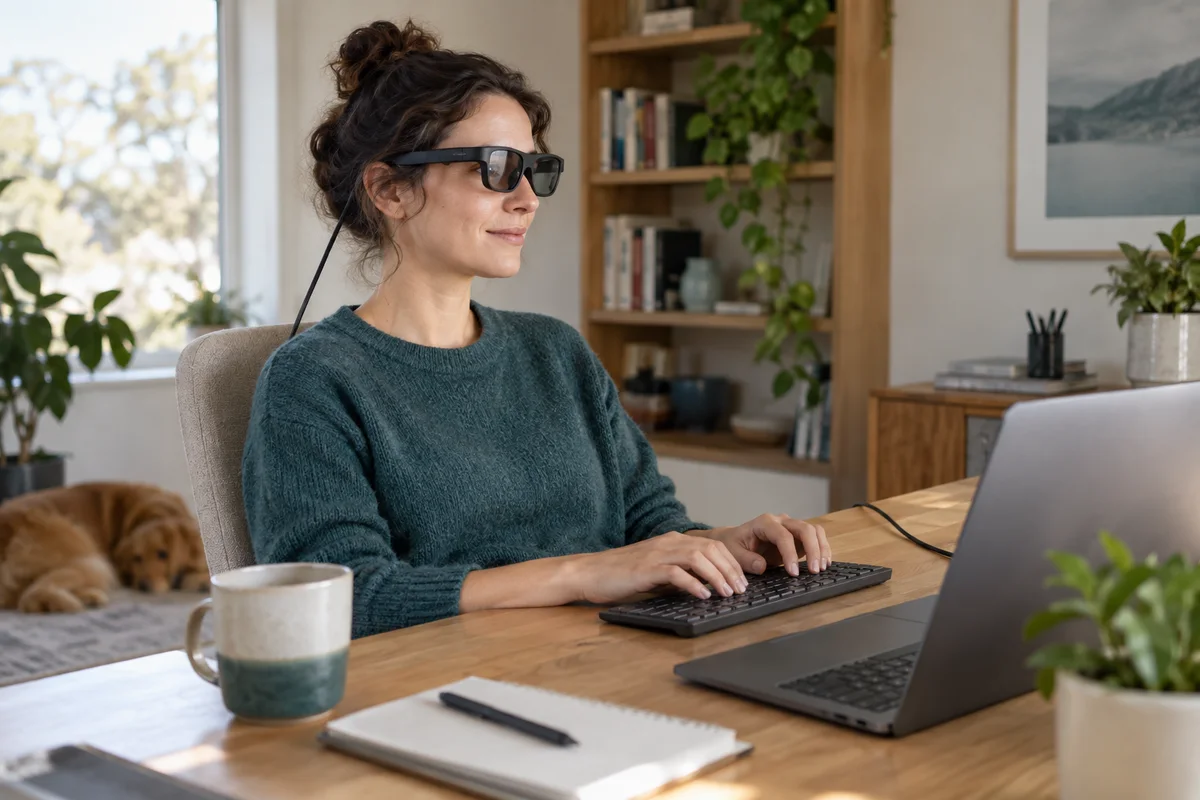
AI-generated scene illustration; not a photograph of the recommended product.
A large virtual screen sounds appealing when a home desk has no room for another monitor. Then the first spreadsheet, code editor or dense document appears, and the decision becomes less cinematic. Can you read the information you actually use without repeatedly enlarging it or changing position?
For Rokid Max 2, separate an entertainment-screen purchase from a desktop-work purchase. The useful acceptance test is a normal work task, not a trailer that looks impressive for a few minutes.
The short answer
Check the source’s actual supported display resolution, the text size you need, how much content remains visible at that size, and whether the frame fits your viewing needs. A large perceived screen does not create more source pixels or establish readable text for every person.
Rokid’s resolution FAQ lists 1920×1080 as the default and describes 1920×1200 in a supported Station 2 context. Do not assume every laptop or app provides that mode. Buy only after confirming the complete work setup, not merely the advertised screen size.
Contents
- Define one real desktop task
- Check resolution before arranging windows
- Use a text acceptance card
- Separate fit problems from layout problems
- Keep inputs and interruptions practical
- Compare with a conventional display
- Frequently asked questions
- Sources and verification
Define one real desktop task
Choose something you repeat: reviewing a spreadsheet, reading a contract, editing a document beside a reference page, or working in a code editor. Specify what must remain visible at the same time. “Productivity” is too broad to be a useful purchase criterion.
Prepare representative material without confidential information if a store or authorized demonstration will be involved. A harmless sample with similar text density is better than exposing customer files just to assess a display.
Write an acceptance statement in ordinary words. For example: “I need to read one document and refer to another without shrinking text below my comfortable size.” That statement can evaluate glasses and conventional monitors on the same task.
Do not copy a multi-window promotional scene into your requirements unless the necessary supported hardware and software are actually part of the purchase. A rendered virtual workspace is not proof that your intended source provides it.
Check resolution before arranging windows
Confirm what your source offers for the connected display and which modes the full setup supports. Keep source resolution separate from a panel specification, a perceived-screen-size claim and a software workspace illustration.
A duplicated laptop display and an extended desktop can have different practical uses. Determine which arrangement your source supports and whether it serves the chosen task. Do not assume one cable automatically produces several independent virtual monitors.
If a supported higher mode is available, it still must meet your reading preference. More workspace can be useful, but smaller text is not automatically an improvement. The benefit should be expressed as what you can read and do, not simply the number of windows that fit.
Keep the original laptop display available while assessing the arrangement. If text is unclear in both places, the file, source settings or application may deserve attention before blaming the glasses.
Use a text acceptance card
Make a short card with five checks: body text, small labels, edge content, simultaneous references and ordinary navigation. Use your actual tasks rather than a movie or a single large headline.
For body text, assess whether normal paragraphs can be read at the size you would use. For labels, look at menu items, spreadsheet headings or code annotations. For edges, check content near the parts of the displayed frame you frequently consult.
For simultaneous references, arrange the relevant applications only in supported ways. Increase text size where appropriate and observe how much useful content remains. Needing larger text is a valid outcome; the question is whether the remaining layout still serves the task.
For navigation, use the ordinary keyboard and pointing device. Note whether reaching a control requires repeated searching or whether important content falls outside the comfortable viewing area. Do not turn a brief successful glance into a claim about an entire workday.
Use a retailer’s demonstration or an explicitly permitted evaluation arrangement where possible. First confirm the conditions. A stated return period may include restrictions and does not necessarily grant an unrestricted used-product trial.
Separate fit problems from layout problems
If only part of the screen seems clear, do not assume a resolution change will solve it. Frame position, lens needs, supported adjustment and the actual viewing arrangement may require separate checks with the manufacturer or an appropriate eye-care professional.
Avoid making your own prescription decisions from this article. Built-in focus controls are not a universal replacement for prescribed lenses, and an apparent text problem should not become a reason to improvise optical modifications.
Our lens-needs buying checklist addresses the separate accessory and confirmation task. Keep those questions distinct from desktop layout so you can identify what remains unresolved.
Stop a viewing session if it causes discomfort and seek appropriate advice when needed. This guide does not establish eye-health safety, promise fatigue-free use or set a medically appropriate session duration.
Keep inputs and interruptions practical
A display change should not make the rest of the desk harder to use. Plan a stable keyboard position, pointing device, cable route and a place to set the glasses down without scratching them or pulling the source device.
Consider ordinary interruptions: reading a paper, answering a call, looking at a colleague, or leaving the desk. A private wearable screen can be convenient, but it may add a removal-and-replacement step that a desk monitor does not require.
Verify any intended calls, screen sharing or presentation workflow using the current supported application arrangement. Do not assume that what the wearer sees is automatically the same material a remote participant receives.
Account for charging and source-port availability separately. Our USB-C travel checklist covers connection prerequisites. Desktop acceptance begins after the connection works; those two checks should not be confused.
Compare with a conventional display
Use the same sample task and readable text size for both options. Compare visible content, navigation, shared viewing, physical desk space, portability and the steps needed to resume work after an interruption.
A conventional monitor may be preferable for prolonged reference-heavy work, shared review, or a fixed desk. Display glasses may make more sense when portability and private viewing outweigh the compromises you identify. These are scenario choices, not universal winners.
Include required accessories in the comparison. An appealing glasses-only price may not represent your supported work setup if another source, adapter or lens arrangement is needed. Conversely, a monitor has its own space and travel limitations.
Rokid Max 2 belongs on the shortlist when the exact setup meets your text card and your real desk constraints. Pass if the buying case depends on a large perceived screen automatically delivering more readable workspace, or if important compatibility and lens questions remain unanswered.
Check the current partner listing after that assessment. The right purchase should make a specific work task easier to perform. Looking like a larger screen is not enough.
Frequently asked questions
Does a larger virtual screen provide more pixels?
No. Perceived size, source resolution and usable workspace are different questions. Check the actual supported mode and readable layout.
Should I assume every source offers 1920×1200?
No. Rokid describes a supported context in its FAQ. Confirm the exact source, software and hardware combination rather than generalizing.
Is movie playback a good test of spreadsheet readability?
Not by itself. Use representative text, labels, edge content and navigation from the work you intend to do.
Sources and verification
Checked October 13, 2026. No desktop-legibility or comfort test was performed by WideLore. This is an acceptance checklist, not a measured productivity comparison.
Keep reading
Related guides
 Home Tech & Audio
Elite 100 V2 PoE Camera Backup
Map the recorder, PoE supply and network before considering Elite 100 V2 for home-camera backup, separating local recording from remote access.
Read guide → Home Tech & Audio
Rokid Max 2 Streaming: A Working Menu Is Not Enough
Verify Max 2 streaming with the exact service, source and supported connection rather than treating a visible desktop as protected-playback proof.
Read guide → Home Tech & Audio
Rokid Max 2 Blackout Cover: Shade Is Not Dimming
Separate Max 2's removable blackout cover from electrochromic dimming and decide whether an opaque seated-viewing setup fits your room.
Read guide →