
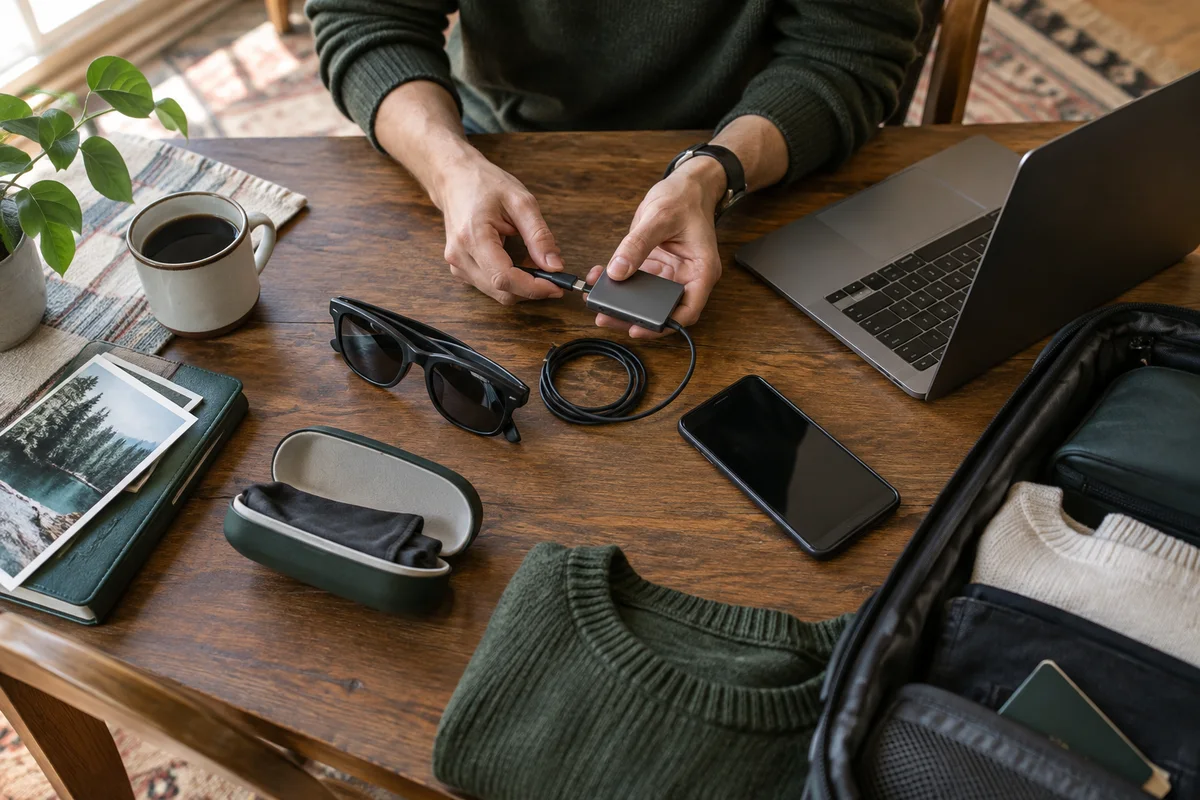
AI-generated scene illustration; not a photograph of the recommended product.
Your carry-on is nearly packed. The display glasses fit into a small case, but the phone you planned to use produces no picture when connected. Now the trip requires an adapter you do not own, a power arrangement you have not tested, or a different source device.
This is an avoidable purchase failure. Before autumn or holiday travel, verify the system at home using the exact equipment and content you intend to carry. A compact screen is only convenient when its supporting parts are equally predictable.
The short answer
Before buying Rokid Max 2 for travel, confirm four things: your exact source supports the necessary video output; the full cable or adapter path is compatible; you have a supported power plan; and your actual viewing app displays its content correctly.
Do not use the presence of a USB-C port as your compatibility test. Do not buy from an old device list without confirming your current model. A successful trial of one downloaded film is more useful than a broad promise about connecting to phones.
Step one: write down the exact source model
Record the phone or laptop’s full model, operating-system version, and relevant port capabilities. Product families can contain models with different output behavior. A picture of a similar phone connected to glasses is not evidence that yours behaves identically.
Rokid’s official Max 2 guidance says compatible direct connections require display output. Its older examples are a starting point, not a definitive list of every model released since the page was published.
Ask a specific support question: “Does this exact model output video to Max 2, and which currently supported connection do I need?” Keep the answer with your purchase notes. This reduces the risk of confusing a charging specification with a video capability.
Step two: draw the complete connection chain
Use a simple written chain: source, cable or converter, power if required, glasses. Every connection should have a confirmed job. If the source only provides HDMI, verify the adapter’s direction and power requirements rather than buying a cable described loosely as “USB-C to HDMI.”
Adapters are not all interchangeable. A converter intended to send laptop video to a television does not automatically support the reverse arrangement. Check compatibility with both ends, including any manufacturer-recommended accessory.
Count the components that must be carried. Include spare approved cables only if they solve a real failure risk. The goal is a short, verified chain, not a pouch full of speculative adapters.
Step three: test the actual content
A home screen or desktop appearing in the glasses proves only part of the setup. Open the actual viewing app and play content you expect to use. Check whether the app permits display output, whether the picture remains stable, and whether sound reaches the intended device.
If offline viewing is your fallback, download an eligible title in advance and test it without relying on your home network. App rules, licenses, and availability can change; do not assume that every service offers offline playback.
Try the subtitles and controls you need. A large image is less useful if text is difficult for you to read or if pausing requires awkwardly reaching for a device buried in a bag. Include accessibility needs in the test, not as an afterthought.
Step four: measure the practical power demand
Check which component powers the glasses and how long the source lasts in your tested arrangement. A phone supplying video and power can have a different battery experience from ordinary handset viewing.
If you plan to charge while watching, verify that the required hub or adapter supports that exact simultaneous use. A splitter with several sockets is not proof of correct video and charging behavior. Follow the manufacturer’s supported connection rather than improvising.
Compare a normal short session with your intended travel duration. Record starting and ending battery percentages as a practical observation, not as a universal endurance rating. Keep a reserve for navigation, messages, and essential travel information on the source device.
Rehearse on a chair, not only at a desk
Travel viewing usually happens in a constrained seat. At home, sit with the bag, source, and accessories arranged as they would be in the intended setting. Check whether the cable pulls when you move and whether the device has a stable, ventilated position.
Keep connectors out of pressure points and avoid bending them sharply. Do not trap electronics under heavy clothing or block cooling openings. A supported setup that becomes uncomfortable after ten minutes is not a good travel purchase.
Evaluate image clarity and frame comfort for yourself. Confirm prescription requirements before buying. If you experience discomfort, pause the trial rather than trying to justify the purchase through a longer session.
Pack for retrieval as well as protection
A protective case should be easy to reach without emptying the carry-on. Keep the required cable and adapter beside the glasses, but protect delicate lenses from loose connectors.
Photograph your working arrangement for your own reference. Label adapters by their role if you carry similar-looking pieces. Store any essential setup guidance offline, especially if the system requires a specific sequence.
For flights, separately verify the carrier’s current rules for electronics and batteries. This article is not an airline allowance list. Do not assume a power bank is permitted because it fits in a pouch; battery rules depend on capacity and other conditions.
Decide whether the complete bundle is worthwhile
Price the verified system, not just the glasses. Required adapters, a prescription solution, a case, or a suitable source can materially change the cost. Check what the current bundle actually includes and what remains separate.
The glasses are a stronger candidate when you already have a compatible source and value an individual screen in a confined seat. They are a weaker candidate when the purchase also requires replacing your phone, or when a tablet already meets the need.
For home rather than travel use, our shared-room screen guide addresses the different question of noise, seating, and living with another person. Do not reuse the travel decision without checking that environment.
A final go/no-go check
Before the return period ends, confirm the exact source, stable connection, working content, usable sound, comfortable fit, adequate source battery, and safe cable arrangement. If one remains unknown, investigate before relying on the system away from home.
Do not describe an untested setup as a travel essential. The right product is the one that passes your actual sequence with the fewest surprises. A simpler screen is a sensible choice when the glasses require too much supporting equipment.
Frequently asked questions
Does USB-C always carry video?
No. Confirm your exact device’s video-output capability and the glasses’ connection requirements. Connector shape alone is insufficient.
Can I charge my phone while using the glasses?
It depends on a supported simultaneous video-and-power arrangement. Verify the specific hub or adapter, rather than assuming any multiport accessory will work.
Should I order the glasses immediately before a trip?
Leave time for compatibility checks and returns. A purchase that arrives just before departure gives you little chance to discover a missing accessory or unsuitable fit.
Sources and verification
Checked October 12, 2026. The packing and rehearsal process is our original advice; compatibility must be confirmed for your exact equipment.
Keep reading
Related guides
 Home Tech & Audio
Rokid Max 2 Streaming: A Working Menu Is Not Enough
Verify Max 2 streaming with the exact service, source and supported connection rather than treating a visible desktop as protected-playback proof.
Read guide → Home Tech & Audio
Rokid Max 2 Blackout Cover: Shade Is Not Dimming
Separate Max 2's removable blackout cover from electrochromic dimming and decide whether an opaque seated-viewing setup fits your room.
Read guide → Home Tech & Audio
Rokid Max 2 Screen Anchoring: Check the Companion
Distinguish a simple connected display from a supported Station 2 spatial-screen setup before expecting head-tracked anchoring.
Read guide →