
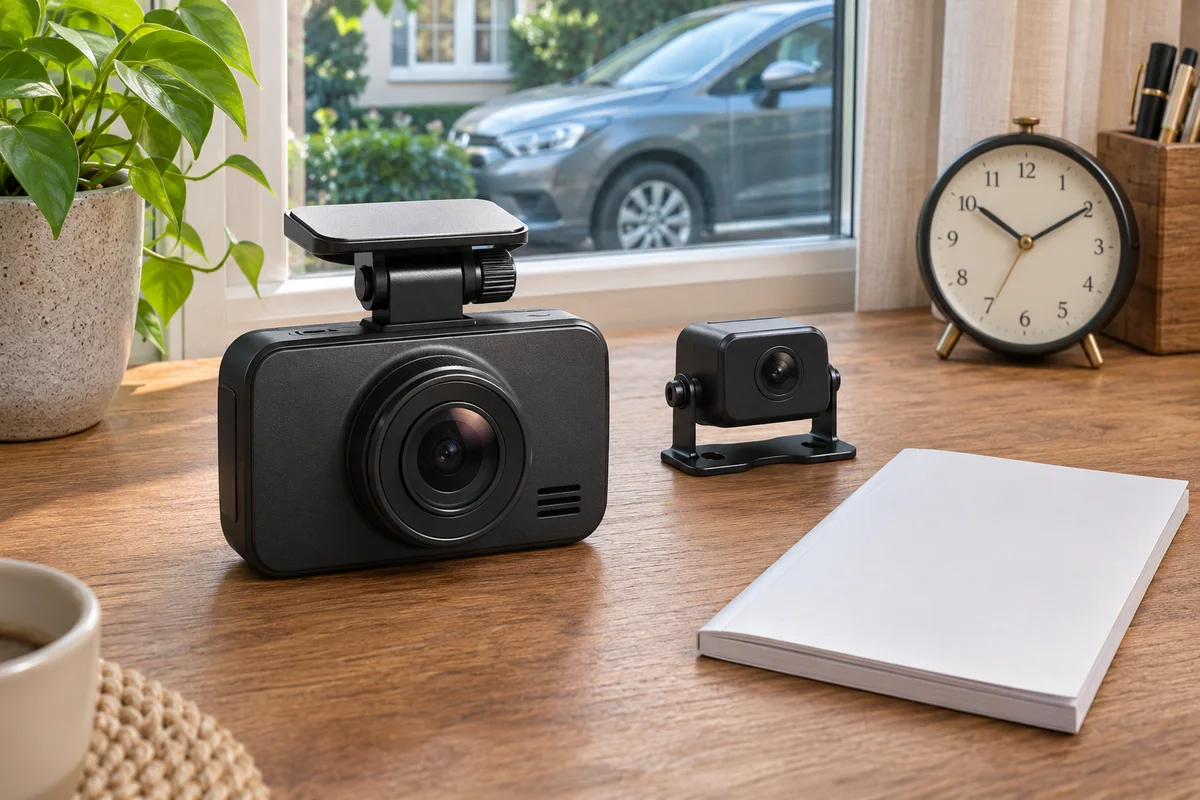
AI-generated scene illustration; not a photograph of the recommended product.
The front view looks appropriate with an automatic HDR schedule, but the rear view follows a different lighting pattern. A driver wants the rear camera to run its own automatic hours. Before buying or changing firmware, check whether the menu actually offers two independent schedules.
For VIOFO A229 Plus, a channel-specific HDR choice and a channel-specific automatic timer are not the same capability. The distinction matters when a purchase depends on different front and rear behavior rather than simply having HDR available.
The short answer
The current A229 Plus manual says the rear camera displays an Auto option when front HDR is set to Auto, and that its HDR timer follows the front camera’s. Do not assume that selecting a rear channel creates a separate independently scheduled timer.
Match the current instructions to the actual model, firmware and supplied cameras. If separate automatic schedules are essential, obtain exact confirmation before purchase. This article does not promise an undocumented combination or recommend changing firmware merely to search for it.
Contents
- The short answer
- Separate the setting from the schedule
- Define the intended front and rear result
- Make a dependency card
- Do not confuse Auto with scene recognition
- A parked verification routine
- Buying advice
- A useful support question
- Frequently asked questions
- Sources and verification
Separate the setting from the schedule
A per-camera control can allow a choice about a feature without providing a complete independent scheduling system. Reading “HDR for cameras separately” is therefore not enough to settle how Auto behaves.
The official A229 Plus manual supplies the additional dependency note. Keep that note with the feature description rather than quoting only the most flexible-looking sentence.
Write two questions: what HDR state is supported on each channel, and where does the automatic timing come from? They need separate answers.
Do not transfer another VIOFO model’s menu behavior into this one. Similar terms and a shared app do not establish an identical configuration.
Define the intended front and rear result
Describe the actual requirement before opening settings. Perhaps both views should use the same scheduled behavior, or perhaps the buyer requires independently timed behavior.
A useful requirement concerns the saved recording, not just the menu’s appearance. A rear preview showing a bright image does not establish that its original file used the intended configuration throughout the trip.
Avoid promising a specific quality improvement. Lighting, glass, aiming and recording conditions still matter. We have not compared HDR footage from these views.
The rain and glare checklist addresses the optical path separately. A timer cannot clean a window or correct an obstructed lens.
Make a dependency card
| Field | What to establish |
|---|---|
| Equipment | Exact A229 Plus configuration and channels |
| Firmware | Installed version and applicable instructions |
| Front HDR | Current supported choice |
| Rear HDR | Available choice in that configuration |
| Auto source | Which timer the rear follows |
| Requirement | Shared timing or genuinely independent timing |
| Evidence | Original files and unresolved support questions |
Do not write an unavailable configuration into the card as though it exists. A blank field is useful because it identifies the question to send to VIOFO.
For an existing owner, record the current arrangement before changing anything. Keep any screenshots private when they expose identifying information.
For a new buyer, ask the seller about the delivered configuration rather than the entire camera family’s possible accessories. A family-wide manual can discuss equipment not present in the selected box.
Do not confuse Auto with scene recognition
The timer relationship concerns a schedule, not proof that the camera recognizes every tunnel, cloud or rain condition. The clock and applicable timing arrangement remain relevant.
Our clock-check guide handles time configuration. Correcting a clock does not add an independent rear timer, but an incorrect clock can make a supported shared schedule run at unintended hours.
The existing A329S HDR and frame-rate guide concerns another model’s supported combinations. Its general scheduling explanation is not an A229 Plus menu specification.
Keep the requirement narrow enough to verify. “Automatically perfect footage in every direction” cannot be established from a timer feature.
A parked verification routine
Make supported configuration changes only while safely parked. Follow the power and storage instructions and preserve important recordings before unrelated maintenance.
Identify the front setting first, then inspect the rear option under that arrangement. If the observed menu conflicts with the applicable documentation, record the difference and contact official support.
Check ordinary saved files from the intended views through a supported playback route. Do not assume the selected live preview verifies every channel’s recording.
Do not attempt to stage dangerous lighting transitions, drive while changing menus or repeatedly flash firmware as an experiment. An ordinary observation is already narrower than a controlled image-quality test.
After a supported update, revisit the configuration. A previous result and a remembered menu are not proof that the current settings are unchanged.
Buying advice
Keep A229 Plus on the shortlist when its actual front-and-rear arrangement and supported HDR choices meet the task. A shared automatic schedule may be entirely appropriate when both views need the same timing.
Delay the purchase when independent front and rear scheduling is essential but has not been established. Do not interpret an unanswered feature question as a favorable answer because a sale is ending.
If the current camera already meets the recording requirement, no replacement may be necessary. Understanding one dependency is often more useful than buying more hardware.
The A229 Plus overview covers broader features. Compare the entire installation, supported storage, file retrieval and service requirements, not only one menu option.
Confirm the actual partner seller’s current package, inventory, delivery and return terms. The offer below is for the camera, not a custom firmware service or a guarantee of independently scheduled HDR.
A useful support question
Ask whether the delivered model and installed firmware support the exact desired front and rear choices, and whether rear Auto follows the front timer. Include the relevant model and version rather than a cropped screenshot without context.
Separate that question from image-quality expectations. Support can clarify a setting without certifying every future recording.
Retain the answer with the purchase record and use the applicable official instructions. Do not treat a stranger’s different camera screenshot as a substitute.
If the dependency prevents the required arrangement, change the shortlist honestly. Buying first and searching for a hidden menu afterward is not a completed compatibility check.
Frequently asked questions
Does per-camera HDR mean independent automatic timers?
Not necessarily. The A229 Plus manual describes a rear Auto dependency on front Auto and a timer that follows the front.
Does the timer detect changing weather?
No such scene-recognition capability is established by this timer description. Treat the documented schedule as a schedule.
Can an update be assumed to add independent timing?
No. Read the exact current release information and obtain confirmation instead of assuming a feature exists.
Has WideLore compared front and rear HDR quality?
No. This is a menu-dependency and purchase-requirement analysis, not a footage test.
Sources and verification
Checked November 22, 2026. Official English PDF downloaded and read; no camera configuration or image-quality test.
Keep reading
Related guides
 Garage & Workshop
A329S Event Recording Is Not a Vehicle EDR
Separate A329S protected video and camera-associated data from NHTSA's vehicle EDR category before buying around a black-box claim.
Read guide → Garage & Workshop
A329S Parking Heat: Read the Separate Limits
Read A329S hot-weather parking and external-SSD conditions separately before promising coverage in a warm parked vehicle.
Read guide → Garage & Workshop
A229 Plus Supercapacitor: Not an Untethered Camera
Understand A229 Plus supercapacitor terminology and qualify the real power arrangement before expecting untethered recording.
Read guide →