
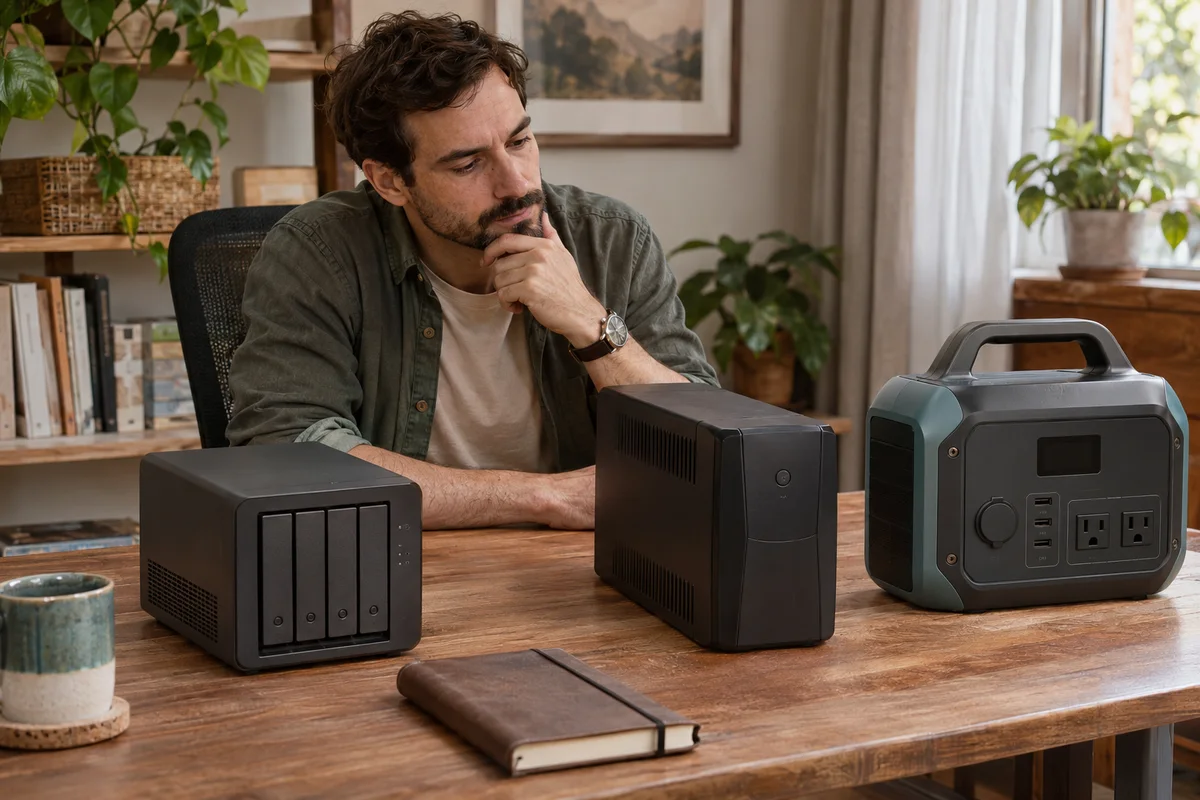
AI-generated scene illustration; not a photograph of the recommended product.
A home NAS stores family photographs and shared work files. During a power cut, keeping its lights on for a while is helpful, but someone eventually has to shut the system down correctly before the reserve ends. That last step is where a portable power station and a supported computer UPS can differ.
Before buying BLUETTI Elite 100 V2 for this job, identify how the NAS learns that normal power has failed. A USB-shaped outlet and a fast-transfer headline do not answer the communication question.
The short answer
Choose the NAS’s supported shutdown arrangement before selecting reserve capacity. QNAP recommends a compatible UPS and configured UPS support for automatic shutdown. Appropriate Synology arrangements likewise distinguish backup power from a supported communication connection.
Elite 100 V2’s manual also restricts devices such as data servers or workstations requiring high-performance UPS protection. Do not assume that calling a NAS a household appliance removes that restriction. Obtain exact-system guidance; this article does not qualify Elite as your NAS UPS.
Contents
- The short answer
- Two different paths
- The USB distinction
- The manual restriction
- The shutdown outcome
- The complete load
- A private worksheet
- Data and validation
- Buying advice
- Frequently asked questions
- Sources and verification
Two different paths
Draw one line for electrical power and another for status information. The first reaches the NAS power supply. The second tells the operating system about a supported UPS condition so that configured software can respond.
A device may receive electricity without receiving useful outage status. Conversely, a network message cannot supply the missing electrical energy. Both paths must be appropriate for the actual NAS, software version and supported UPS arrangement.
The Synology UPS documentation describes USB and other supported UPS configurations. Its USB connection is not merely a convenient phone-charging cable. Check the documentation for your exact system instead of transferring an example between NAS brands.
The USB distinction
Elite’s published USB outputs are power connections. Their shape, watt rating and ability to charge a laptop do not establish that they expose a supported UPS status protocol to a NAS.
Do not buy an arbitrary USB cable expecting the storage system to recognize a power station as a UPS. That is an unverified capability, not a missing accessory this guide can resolve.
Similarly, a phone app reporting battery percentage is not the same as a supported shutdown signal delivered to the NAS. A person watching an app is also a different arrangement from unattended automatic action. Keep those responsibilities distinct in the purchase worksheet.
The manual restriction
Read the Elite US manual, not just the promotional UPS description. It lists a transfer specification and separately limits high-performance UPS applications such as data servers or workstations.
These statements do not create universal NAS approval, nor do they establish that every device bearing a NAS label is expressly banned. They require the intended continuity and data-integrity task to be resolved with the responsible manufacturers.
If the requirement falls within the restriction, choose an appropriate supported alternative. Do not stack a conventional UPS and the station as an assumed workaround or infer approval from a successful informal demonstration involving another person’s hardware.
The shutdown outcome
Define what the NAS must do when normal power disappears, how much time its supported shutdown requires and what should happen if power returns during that process. Follow current product documentation rather than a universal sequence from a shopping article.
QNAP’s outage guidance connects compatible UPS use with the NAS’s configured response. The software setup is a real part of the system, not an optional detail to add after buying the largest battery.
A shutdown outcome also includes confirmation and later recovery. Who can check alerts, confirm that the intended safe state occurred and restore ordinary work under the documented procedure? A household should not depend on the one person who happens to be at home every time.
The complete load
After the supported category and communication path are known, budget the actual equipment. The NAS enclosure, installed drives and approved power supply belong in the load. A required switch or network UPS server may add equipment.
Do not use one hard drive’s published watts as the complete system demand. Also keep maximum adapter ratings separate from representative consumption under the intended task.
Elite’s 1,024Wh nameplate does not state how long your supported system will run or how much reserve will remain for shutdown. Starting charge, operating overhead and conversion matter. Obtain appropriate load evidence without opening live equipment or interrupting valuable active storage.
A private worksheet
| Decision | Evidence required |
|---|---|
| NAS identity | Exact hardware, drives and software version |
| Shutdown | Supported response and completion conditions |
| Communication | Approved USB, network or other status path |
| UPS choice | Current compatible model and configuration |
| Electrical load | Complete supported arrangement |
| Responsibility | Alerts, safe-state confirmation and recovery |
| Data | Separate backup and recovery arrangements |
Keep this record private. Network addresses, storage names, account details and household file examples are unnecessary in public shopping posts.
Our PoE camera guide concerns recorder topology and local versus remote recording. A NAS shutdown plan adds an explicit supported operating-system response, not simply another camera or switch to that load list.
Data and validation
A power reserve is not a data backup. Maintaining an appropriate separate backup remains important even when a supported UPS is installed. It addresses a different failure than a short loss of electricity.
Ask the NAS and UPS makers how to verify the intended arrangement safely. Do not pull power from an active NAS, disconnect drives or experiment with live valuable data merely to test a shopping assumption.
Record what has actually been verified and what is only specified. A successful device-detection screen does not alone establish every shutdown and restoration condition. This article has not connected a station, UPS or NAS, and reports no interruption or file-integrity result.
Buying advice
For automatic NAS protection, prioritize an appropriate compatible UPS and its documented communication and shutdown support. A larger portable battery is not a substitute for that supported system.
Consider Elite separately for defined noncritical household tasks only when its manual and exact equipment guidance allow them. It should not inherit NAS approval because it works for a lamp, television or another device with a different consequence of interruption.
Pass on an Elite purchase made solely from its transfer-time or capacity headline when shutdown support and the manual restriction remain unresolved. Do not purchase adapters to hide an unsupported link in the chain.
The Elite overview covers its broader portable role. The partner CTA is for that station, not a NAS-certified UPS package. Verify the seller’s contents, availability and delivery; the direct store currently shows a future shipping notice rather than immediate availability.
Frequently asked questions
Does USB-C mean UPS data?
No. A power output’s connector and watt rating do not establish the communication a NAS expects from a supported UPS.
Is more capacity enough?
No. Correct shutdown signaling, software support and applicable restrictions must be resolved before duration becomes useful.
Can two backup devices be stacked?
Do not assume that is an approved workaround. Obtain explicit guidance for the whole arrangement.
Does reserve power replace backups?
No. An appropriate independent data backup and recovery plan addresses different risks from a short electricity interruption.
Sources and verification
Checked November 4, 2026. The previously preserved complete official Elite PDF was reread. NAS documentation reviewed; no data-integrity, shutdown or joint-compatibility test.
- Elite 100 V2 US manual and sensitive-load restriction
- QNAP compatible UPS and shutdown guidance
- Synology DSM UPS communication and configuration
Keep reading
Related guides
 Home Tech & Audio
Elite 100 V2 TV Evening
Plan Elite 100 V2 for a limited TV evening by checking picture settings, playback sources, audio equipment and a complete energy budget.
Read guide → Home Tech & Audio
Elite 100 V2 PoE Camera Backup
Map the recorder, PoE supply and network before considering Elite 100 V2 for home-camera backup, separating local recording from remote access.
Read guide → Home Tech & Audio
Rokid Max 2 Streaming: A Working Menu Is Not Enough
Verify Max 2 streaming with the exact service, source and supported connection rather than treating a visible desktop as protected-playback proof.
Read guide →