
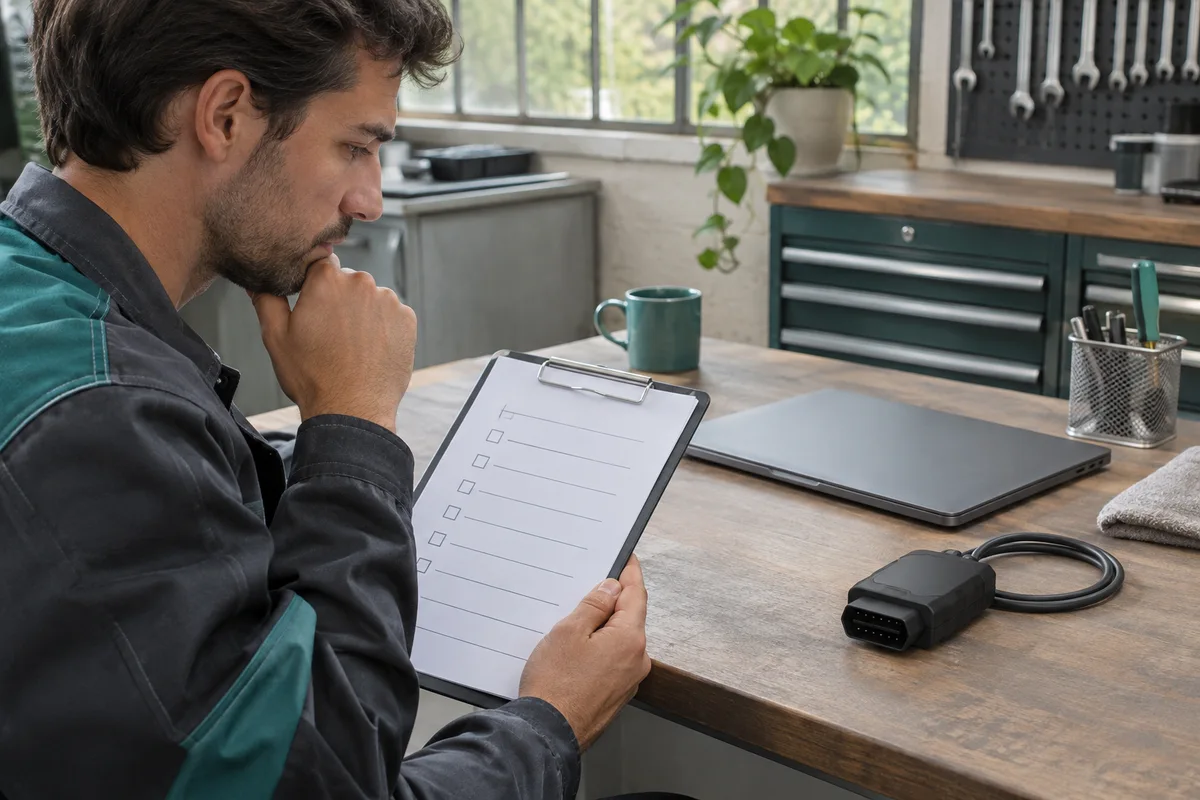
AI-generated scene illustration; not a photograph of the recommended product.
An independent repair shop has a spare bay with poor connectivity. It considers buying a TOPDON RLink J2534 for BMW work there because the interface can connect to a computer by cable. That solves a physical connection question. It does not say which software, account or network dependencies remain when a real job begins.
The short answer
Do not buy RLink J2534 on the assumption that BMW ISTA can run offline at your workshop. TOPDON’s BMW connection page contains a note about later diagnostics without opening RLink Platform, but its OEM software FAQ treats BMW as an exception to general offline diagnostic guidance. Those statements do not establish that your combination is supported without the platform or without Internet access. BMW’s own technical requirements also describe network and equipment prerequisites.
Ask the vendors to confirm the exact interface, application, region, intended function and connection dependencies in writing. If the workstation cannot meet confirmed requirements, change the work location or use an approved alternative. Do not learn the answer midway through a vehicle operation.
Contents
- The short answer
- Distinguish three connections
- Read both vendor statements
- Specify the deliverable
- Keep a shop readiness card
- Ask a support question that can be answered
- Buying advice
- Frequently asked questions
- Sources and verification
Distinguish three connections
A workshop can mean three different things by offline. One means the adapter has a local wired link to the computer. Another means the vendor’s management application is not running. A third means the computer cannot reach an account, software or service endpoint. Those conditions are not equivalent.
Write down the actual constraint. If the room has weak wireless coverage but an appropriate wired network is available, that is not the same as a workstation with no Internet access. If the issue is a restricted shop computer, the approved permissions and software policies may matter more than the cable. Do not weaken security settings to make an unconfirmed configuration work.
The BMW technical requirements describe separate computer, network and vehicle communication interface requirements. Use current regional BMW guidance for the exact service task. A generic J2534 specification or the existence of a PC driver is not proof that every operation is supported by a particular interface.
Read both vendor statements
The TOPDON BMW connection article identifies separate BMW OEM software, account and driver steps. It also contains a note suggesting later diagnostics can be performed without opening RLink Platform after binding and driver download.
The TOPDON OEM software FAQ lists BMW software as an exception when discussing offline diagnostics and says the platform is required for BMW OEM software. The wording is not a reliable basis for a no-network purchase. Different software versions, operation types or meanings of offline could explain apparent differences, but the sources do not settle which applies to your exact case.
Do not present either sentence as universal. Send both references when requesting clarification, with the exact interface and current OEM software version. Ask the support team to distinguish initial activation, subsequent authentication, active platform requirements and live network access.
Specify the deliverable
A fault diagnosis, a service-information lookup and an authorized programming operation are separate deliverables. Even within diagnosis, one function can depend on a service that another does not. A vehicle connection or an application launch is not proof of compatibility with the requested function.
If the task is programming, obtain the current OEM requirements and use the qualified equipment and personnel specified. Do not use this article as a procedure, a bypass, a justification to use unlicensed software or permission to alter a vehicle. Our Windows laptop checklist covers a separate part of the environment. It cannot settle the vendor dependency.
Keep a shop readiness card
| Line | Confirm in writing |
|---|---|
| Job | Exact authorized function |
| Region | Correct BMW service portal |
| Interface | Exact RLink model and supported operation |
| Platform | Login and whether it must stay open |
| Network | When connection is required |
| Access | Current OEM rights and software |
| Fallback | Approved bay, interface or service provider |
Check the environment before promising a deadline. An offline bay that can support ordinary mechanical work may not be suitable for the intended software job. Schedule time to obtain support and preserve the correct service documentation without sharing private credentials or customer records in an open forum.
Ask a support question that can be answered
Instead of asking whether BMW works offline, describe the intended environment and the exact supported action. Ask whether a previously activated interface needs a current TOPDON login, whether the management platform must stay running for that action, and whether the current BMW application needs network access to start or complete it. Ask separately about downloading data and actually carrying out the intended job. Obtain a dated answer tied to the current versions and the exact interface, not a broad brand confirmation.
If the two answers differ, keep the unsupported case out of the work schedule. A vendor’s confirmation that the local cable can communicate is not a substitute for the OEM’s requirements on the service side. Do not deliberately interrupt a live session to see what continues working. Any ordinary check should follow official guidance, be authorized and avoid a live vehicle operation when an earlier preflight can settle the question.
A hypothetical shop might keep mechanical tasks in the disconnected bay and perform a confirmed software task at a separate equipped workstation. Another might decide an approved service provider is less costly for occasional work. Compare the actual network and equipment changes with the job volume; do not assume the price of the interface reflects the cost of a compliant workflow. Preserve the answer so the same question does not have to be solved again after a staff change.
Keep the questions scoped to the person who will perform the work. They need the actual authorized access and current instructions, not a screenshot of someone else’s successful login. If the workshop cannot reproduce the approved conditions, decline that software job.
Buying advice
Consider RLink J2534 only when the exact supported combination and ongoing access are confirmed. If the job requires a different interface or reliable connection you cannot provide, compare an approved alternative or refer the work. The partner listing is for hardware, not BMW access or a guarantee of offline operation.
Frequently asked questions
Does a USB cable make BMW ISTA an offline tool?
No. Local interface communication is separate from application and account requirements.
Which TOPDON page should I assume is right?
Do not guess. Ask TOPDON to reconcile the statements for the exact configuration and job.
Does a successful connection approve programming?
No. Verify the separate current requirements for the specific authorized operation.
Can I buy the interface to obtain BMW access?
No such entitlement is established. Confirm OEM access separately.
Sources and verification
Checked November 6, 2026. Compared the two TOPDON support statements and BMW network guidance. No login, vehicle connection or programming was performed.
Keep reading
Related guides
 Garage & Workshop
A229 Plus vs a Front-Only Dash Cam
Decide whether a dedicated rear view earns the installation, storage and upkeep of A229 Plus over a simpler front-only dash cam.
Read guide → Garage & Workshop
A329S: One Dash Cam for Two Cars?
Plan which A329S parts can stay in each vehicle and whether the cost and missed-recording risk of sharing outweigh a second installation.
Read guide → Garage & Workshop
A229 Plus vs Phone Recording for Daily Drives
Compare dedicated A229 Plus front-and-rear loop recording with phone video, storage and navigation before buying another in-car device.
Read guide →