
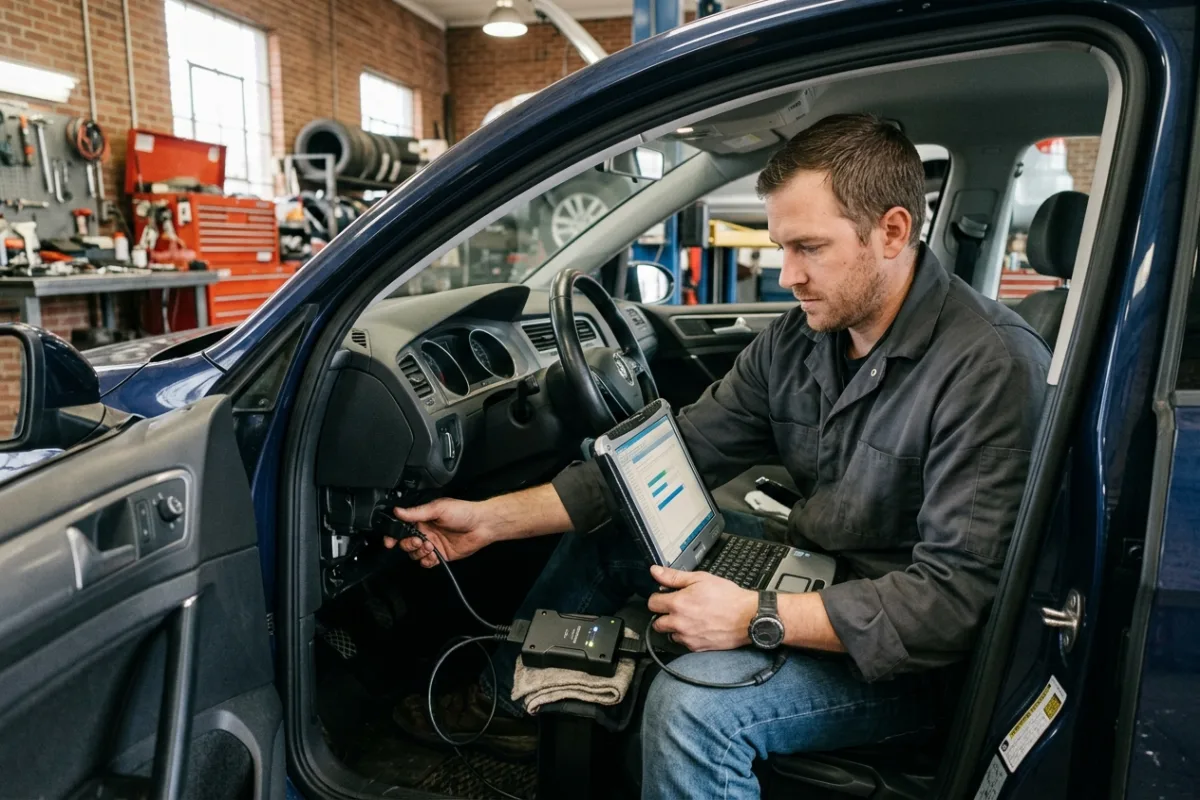
A customer's late-model SUV needs a replacement transmission control module, and the part is only useful once it's flashed with the manufacturer's own calibration. Your shop already owns a capable scan tool, but generic diagnostics stop short of OEM-level reprogramming, so the job either gets subcontracted to the dealer or turned away entirely. Buying into a single automaker's proprietary programming hardware only covers that one brand, while the shop's bay sees a mix of domestic, Asian, and European platforms across a normal week. What the job actually calls for is a standardized interface that can sit between a Windows laptop and whatever OEM software the vehicle in the bay requires.
This review is built from published manufacturer specifications and the current product documentation for the J2534 pass-thru programmer category, not from a laboratory test bench. It compares the TOPDON RLink J2534 Pass-Thru Programmer against the rivals a shopper actually sees beside it, for one clearly defined household job.
The verdict
For an independent shop or a deep DIY technician who needs OEM-level reprogramming across more than one automaker, the RLink J2534 is the strongest choice at this tier. Its published specifications cover the full J2534-1/J2534-2 protocol set plus D-PDU, CAN-FD, and DoIP, so it's built for the newer, faster vehicle buses showing up in daily work rather than treating them as an afterthought. A wired USB-C connection and a driver-management platform with lifetime free updates mean the hardware itself doesn't become the recurring cost. For this use case, that combination of protocol breadth and low ongoing overhead is hard to match.
Check the current listing →TOPDON RLink J2534 Pass-Thru Programmer at a glance
These are the published specifications that matter most for the use case above. Manufacturers revise hardware between production runs, so confirm the current listing before ordering.
| Protocols Supported | SAE J2534-1/J2534-2, D-PDU, CAN, CAN-FD, DoIP, J1850, K-Line |
|---|---|
| Vehicle Brand Compatibility | OE software pass-thru across 18+ brands, including GM, Ford, Chrysler, Toyota, Honda, Nissan, VW/Audi, BMW, Mercedes-Benz |
| Connectivity | Wired USB Type-C (2m cable included) plus included OBD extension cable |
| OS Compatibility | TOPDON lists 64-bit Windows 7/8/10/11; separately verify current OEM software, driver, and maintained-OS requirements. |
| Driver Platform | RLink DMS with one-click driver installs and lifetime free updates |
Why it wins this category
A better spec sheet is only useful when it removes work from a real routine. These are the four places where the TOPDON RLink J2534 Pass-Thru Programmer changes the outcome rather than the marketing copy.
Full Protocol Stack, One Dongle
The manufacturer lists the complete J2534-1/J2534-2 set alongside D-PDU, CAN-FD, and DoIP in a single unit, rather than splitting older CAN-based platforms and newer DoIP-based ones across separate hardware. For a bay that sees a mix of vehicle ages in the same week, that means one interface instead of swapping dongles between jobs.
Wired Connection Where It Matters
Reprogramming a module mid-flash is the wrong moment for a dropped wireless link, and the RLink is built around a stable USB Type-C wired connection rather than Bluetooth or Wi-Fi. The manufacturer positions that wired link as reducing latency during high-speed data transfer, which matters most exactly when a flash is already in progress.
Lifetime Free Driver Updates
Instead of a recurring subscription just to keep the hardware itself talking to Windows and OEM software, TOPDON lists lifetime free driver updates through the RLink DMS platform with one-click installs. That keeps the ongoing cost tied to each automaker's own software subscription, not an extra licensing layer on top of the interface.
No Proprietary Tablet Required
The interface uses a separate computer rather than requiring a proprietary tablet. That computer must meet the current requirements of the exact OEM software, RLink driver, hardware architecture, and supported operating system. A historical Windows compatibility list does not establish that an old shop laptop is suitable for a current programming job.
How it compares to the alternatives
Each of these is a capable product with a real audience. The question is not whether they work, but which one fits the job described above with the least compromise.
Autel MaxiFlash XLink
standalone 3-in-1 J2534 VCI built around the Autel diagnostic ecosystem
Where it is strong: It lists J2534, D-PDU/RP1210, CAN-FD, and DoIP support plus Remote Expert connectivity, which extends beyond passenger vehicles into commercial platforms that use RP1210.
Where it falls short here: That extra reach is built around pairing with Autel's own tablets and software for its full feature set, adding a second branded ecosystem for a shop that just needs a Windows-laptop-based OEM pass-thru interface without committing to a matched hardware line.
Drew Technologies CarDAQ-Plus 3
long-running SAE J2534-1/J2534-2 device with a deep OEM certification history
Where it is strong: It's one of the most validated J2534 devices on the market, with 4 CAN channels and DoIP support built on a hardware platform that OEM programming portals have certified against for years.
Where it falls short here: Its published feature set centers on the pass-thru hardware itself, without an equivalent to the RLink DMS platform's one-click driver installs and lifetime free updates bundled around the same device.
LAUNCH X-431 SmartLink C 2.0
J2534 pass-thru accessory designed around LAUNCH's own X-431 tablet lineup
Where it is strong: It works as a local or remote J2534 device alongside LAUNCH's X-431 PAD and PRO series tablets, giving shops already on that platform a way to add pass-thru programming without new hardware.
Where it falls short here: Its streamlined workflow is built for shops that already run LAUNCH tablets; used with just a Windows laptop, it doesn't carry the same tight integration the RLink is designed to offer as a standalone interface.
Weighed against those three, the TOPDON RLink J2534 Pass-Thru Programmer remains the one that covers this scenario end to end without asking you to accept a workaround somewhere else.
Who it fits
Independent Multi-Brand Repair Shops
If your bay sees GM one day and a VW the next, a pass-thru interface that lists broad OE software compatibility across 18+ brands keeps you from buying separate proprietary hardware per automaker for reprogramming jobs.
DIY Technicians Maintaining Their Fleet
If you already do your own module swaps and want to handle the OEM reprogramming step yourself instead of paying dealer labor rates every single time, a Windows-laptop-compatible J2534 interface puts that OEM-level programming step permanently within reach for whatever comes up next.
Shops Scaling Into Reprogramming Services
If you're adding OEM reprogramming as a new service line rather than replacing an existing diagnostic tool, lifetime free driver updates keep the interface's own ongoing cost low while you gradually build out the individual automaker software subscriptions that job actually requires.
What to be realistic about
No product is the right answer for every household. Skip this one, or plan around these points, if any of them describe your situation.
- If your work is limited to routine OBD-II code reading and clearing, a basic scan tool covers that job far more cheaply than a dedicated J2534 reprogramming interface.
- If your shop services 24V medium- or heavy-duty trucks, published specifications don't list support for that voltage class, so pick a commercial-grade interface built for that segment.
- If several bays need to share remote programming sessions from one device, published features don't include that remote-network access, so a shared-session platform fits a multi-bay shop better.
Living with it after week one
Before scheduling a job, document the exact vehicle, required OEM software, approved interface, RLink driver, and computer requirements. Confirm subscriptions and authorization separately from TOPDON's driver updates. Select a maintained Windows configuration accepted by all vendors involved, and verify the complete setup with the manufacturers before use. Do not assume a virtual machine, Windows on ARM, or an unsupported operating system is approved. Actual module programming also requires the OEM procedure, qualified training, and an appropriate vehicle-power plan; this buying guide is not a flashing tutorial.
Frequently asked questions
Does the RLink J2534 come with OEM programming software included?
No. The manufacturer lists no OE software provided, so you need an active subscription with the specific automaker's own diagnostic or programming portal. The RLink acts as the pass-thru interface between that OEM software and the vehicle, not a replacement for it.
What operating systems does it work with?
TOPDON's published hardware listing names 64-bit Windows 7, 8, 10, and 11. This is not a guarantee that current OEM programming software accepts every listed version. Check the intersection of OEM software, RLink driver, computer architecture, and maintained OS support. Ordinary Windows 10 support ended on October 14, 2025, with separately defined exceptions such as ESU and particular LTSC editions. Native Mac/Linux support is not listed; do not assume a Windows virtual machine or Windows on ARM is approved.
Can it program heavy-duty or 24-volt commercial vehicles?
No. Published listings state it cannot connect to 24V vehicles, which puts it in the standard 12V passenger and light-duty range rather than medium- or heavy-duty trucks. Shops working on that commercial segment need an interface built for that voltage class.
Keep reading
Related guides
 Garage & Workshop
A329S Bitrate and Storage
Compare A329S bitrate settings through original-file detail and practical storage tradeoffs instead of treating Maximum as a universal quality guarantee.
Read guide → Garage & Workshop
A329S Settings Exports
Separate an A329S configuration export from video backup and firmware before deciding how to document a household dash-camera setup.
Read guide → Garage & Workshop
A329S Flicker Settings
Understand the A329S Frequency setting for recorded flicker and banding without confusing it with frame rate or guaranteed LED-sign readability.
Read guide →