
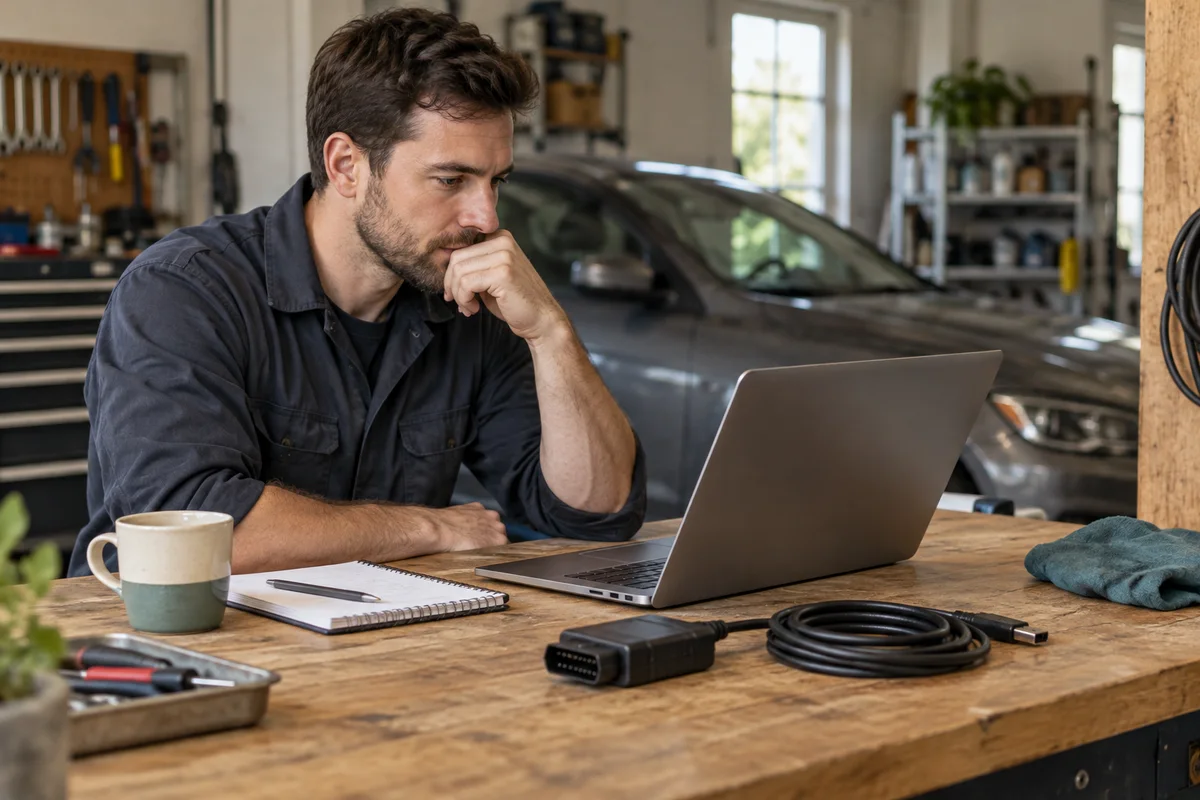
AI-generated scene illustration; not a photograph of the recommended product.
An old workshop laptop still boots, and the RLink product page lists its operating system. That looks like a quick way to avoid another equipment purchase. But “the driver once supported this Windows version” is not the same as “the complete OEM workflow is currently supported and maintained.”
Before buying TOPDON RLink J2534 around a computer already owned, qualify the computer, driver, OEM application, and security lifecycle together. A cheap laptop that fails one essential requirement is not a saving when a scheduled vehicle job depends on it.
The short answer
Use the intersection of four requirements: the exact RLink driver, the current OEM application and task, the computer’s architecture and hardware, and an appropriate maintained operating-system arrangement. TOPDON’s general Windows list is not a substitute for the OEM’s current requirements.
Microsoft lists October 14, 2025 as the ordinary Windows 10 Home and Pro support end date. On October 14, 2026, that is a year-old event, not a new announcement. Special lifecycle or extended-security arrangements need their own checks and do not automatically make an OEM workflow supported.
Contents
- Separate four kinds of support
- Build the computer evidence card
- Do not infer virtual-machine compatibility
- Review the USB and power arrangement
- Qualify changes outside a live vehicle job
- Make the interface and computer purchase together
- Frequently asked questions
- Sources and verification
Separate four kinds of support
Hardware recognition means the computer can identify an interface. Driver support means the manufacturer provides a suitable software path for that arrangement. OEM support concerns the application and vehicle operation. Operating-system maintenance concerns a separate lifecycle.
A success in one category does not establish the others. A detected USB device is not proof that a current programming application will accept it. An application launching is not proof that a specific vehicle operation is available.
TOPDON describes its Driver Management System and free driver updates, while identifying OEM software as a separate subscription. Keep those two products distinct. A driver entitlement should not be interpreted as access to every automaker’s program.
Write down which organization supplies each requirement so a support question reaches the correct place. The interface vendor cannot necessarily settle an OEM policy, and an OS publisher cannot certify a particular vehicle workflow.
Build the computer evidence card
Record the exact computer model, CPU architecture, operating-system edition and version, relevant ports, available resources, and the proposed OEM application. Do not stop at “Windows laptop.”
Obtain the OEM’s current requirements for the exact product and intended task. Record the applicable version and date. TOPDON itself directs buyers to OEM information for specific requirements; an old interface compatibility table should not overrule it.
For an existing Windows 10 machine, document its actual maintenance arrangement and eligibility rather than assuming ordinary support continues. Different editions and programs have distinct conditions. This article does not recommend a particular extended-security plan or certify that the computer qualifies.
Mark missing evidence clearly. If a requirement is unclear, ask support before buying an interface or another computer. Keeping an old PC may be reasonable only when the complete supported arrangement is confirmed.
Do not infer virtual-machine compatibility
A Mac, a Windows virtual machine, and a natively supported Windows PC are different arrangements. USB forwarding, CPU architecture, driver behavior, application licensing, and OEM support may each need specific confirmation.
Do not assume that installing an operating system inside another system reproduces the vendor’s approved environment. Equally, the presence of Windows on an ARM-based computer does not establish compatibility with every driver or OEM application.
Ask both the interface vendor and the OEM about the exact proposed setup. Keep their answers with the evidence card. If either will not support it, do not describe a workaround as a qualified workshop solution.
No virtual machine, driver, interface, or vehicle was tested for this article. We are not recommending an emulation procedure or an unsupported installation method.
Review the USB and power arrangement
Identify the supported computer-to-interface connection and appropriate supplied or approved cables. TOPDON positions RLink as a wired interface. A cable that physically fits does not alone establish a stable supported arrangement.
Consider where the laptop stands, how the cable reaches, and whether ordinary movement could disturb a connector. Keep the work area clear and avoid routing through places where the vehicle, operator, or equipment can catch the lead.
Separate laptop power from the vehicle’s required supported power arrangement. Both belong in the OEM procedure and qualified technician’s plan. This article deliberately provides no voltage-setting, flashing, or module-programming instructions.
If the computer needs an adapter or dock, obtain confirmation for that entire chain. Do not add a speculative USB hub because it makes a crowded bench look neater.
Qualify changes outside a live vehicle job
Complete supported software installation, account checks, and vendor-directed qualification before scheduling a consequential vehicle procedure. Follow the current OEM and interface instructions rather than an improvised test.
Keep a dated record of the arrangement that was qualified. A driver update, OS change, replacement cable, or new OEM version can change the requirements. Revisit relevant evidence instead of assuming one old successful connection proves permanent compatibility.
Do not change the computer environment during a live vehicle operation merely to experiment. Resolve uncertainty through the qualified workflow, with appropriate support and recovery planning. A guide about procurement cannot replace procedure-specific training.
Avoid random driver mirrors or forum bundles. Use the official vendor and OEM sources for the exact software, and preserve applicable security controls. A convenient download does not justify weakening a maintained system.
Make the interface and computer purchase together
Choose RLink when the complete supported computer and OEM workflow address repeated tasks within your training. Its driver-management arrangement may be useful, but it does not remove subscriptions, verification, or operator responsibilities.
If qualifying the existing laptop requires an unsupported workaround, compare an appropriately supported computer or a different legitimate service arrangement. The apparently cheapest hardware combination may be the least predictable scheduled-job investment.
Our J2534 total-cost guide handles budgeting for the wider workflow. This evidence card is a go/no-go qualification step, not another cost estimate.
Before checkout, confirm exact interface, computer arrangement, driver source, OEM requirement, maintained OS plan, approved connections, and seller terms. Check the current partner listing once those fields align. Do not buy on the assumption that an obsolete compatibility list guarantees a currently supportable workshop setup.
Frequently asked questions
Does the RLink Windows list certify an OEM application?
No. Verify the application’s current requirements and your exact vehicle task separately.
Does Windows 10 ordinary support ending mean every edition has the same lifecycle?
No. Microsoft documents distinct editions and programs. Check the actual arrangement; it still does not establish OEM compatibility.
Is a virtual machine automatically an acceptable substitute?
No. Obtain confirmation for the exact architecture, USB path, driver, application, and vendor support arrangement.
Sources and verification
Checked October 14, 2026. This is procurement guidance, not a software installation or vehicle-programming test.
- TOPDON RLink J2534 operating-system, driver, and OEM requirements
- Microsoft Windows 10 Home and Pro lifecycle
- TOPDON official RLink download entry
Keep reading
Related guides
 Garage & Workshop
A229 Plus vs A329S
Compare A229 Plus and A329S for a front-and-rear household setup, including resolution, storage effort, installation and the complete purchase basket.
Read guide → Garage & Workshop
A229 Plus Memory Card Sourcing
Separate A229 Plus card compatibility from genuine sourcing, seller identity and purchase evidence before replacing a card or the camera.
Read guide → Garage & Workshop
A329S Two- and Three-Channel Kits
Compare A329S front-and-rear, front-and-cabin and three-camera kits without assuming a series feature describes the selected seller's bundle.
Read guide →