
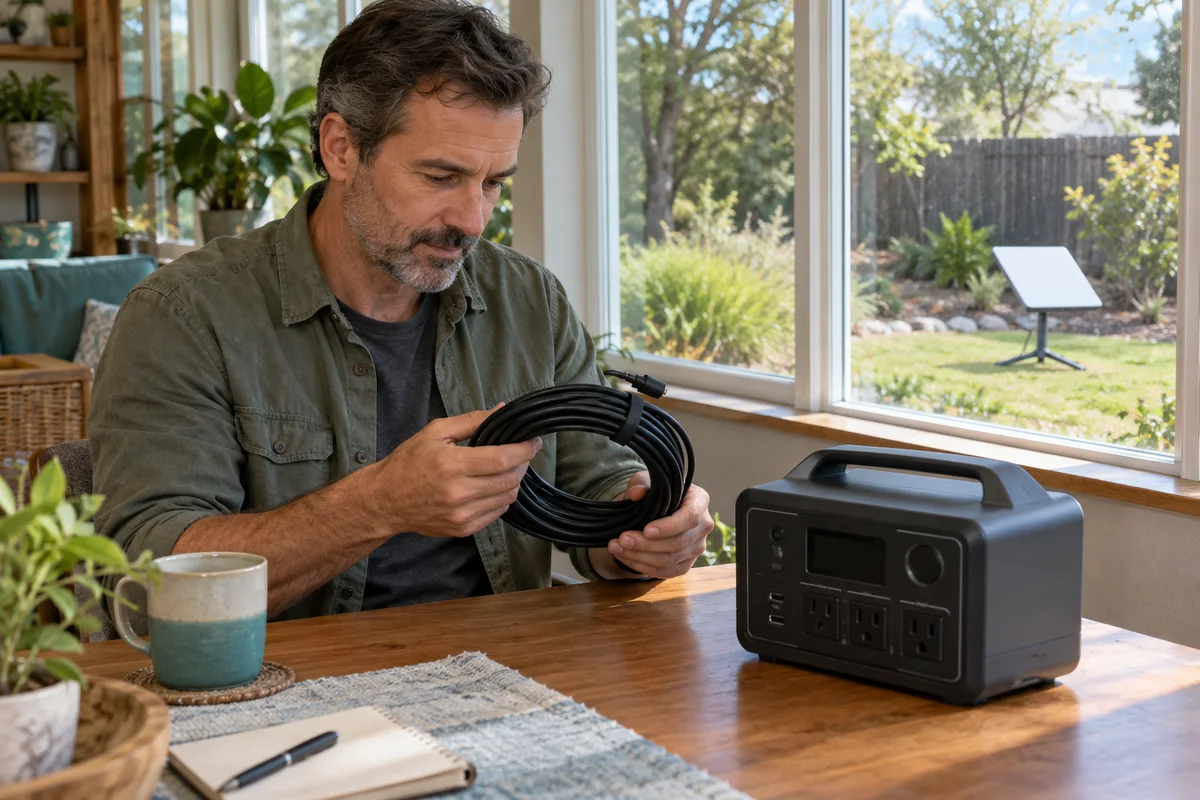
AI-generated scene illustration; not a photograph of the recommended product.
The household has a plan for charging laptops during an outage, but the normal internet connection still depends on equipment outside the home. A Starlink Mini may offer a different service path. Pairing it with BLUETTI Elite 100 V2 starts with the Mini’s specific power arrangement, not a generic USB-C cable.
The short answer
Starlink’s Mini specification sheet requires a 100W, 20V/5A minimum USB-PD source when using its USB-C-to-barrel-jack accessory. The Elite 100 V2 US manual lists 20V/5A on both its 100W and 140W USB-C outputs.
That is a useful paper specification match, not a hands-on compatibility or internet-uptime guarantee. Confirm the exact Mini, approved cable and station configuration. Keep the battery and USB-C connection appropriately dry; the antenna’s environmental rating does not transfer to the whole power chain.
Contents
- The short answer
- The complete chain
- Minimum versus average
- The dedicated cable
- Placement and service
- The energy plan
- Buying advice
- Frequently asked questions
- Sources and verification
The complete chain
Write the arrangement as station, selected source port, approved Mini cable, Mini terminal, service account and receiving devices. Each item has a different job. A powered antenna does not prove that a service entitlement, suitable sky view or working client connection exists.
Check that the equipment is actually Starlink Mini. Do not apply this cable requirement to a Gen3 router or another dish merely because the word Starlink appears in the listing. Keep the exact hardware name on the worksheet.
Decide whether this is an existing Mini that needs a power source or an entirely new internet purchase. Buying a large battery solves neither service availability nor an unsuitable antenna location.
Our router and laptop guide covers the ordinary home broadband chain. This task differs because the satellite terminal, its dedicated connection and its service conditions must be planned separately.
Minimum versus average
The Mini sheet lists average consumption of 25–40W, while specifying a 100W minimum USB-PD source for the accessory. These describe different things. The average-use figure is not permission to substitute a 30W or 65W USB charger.
Read the selected port’s voltage and current profile, not only the combined power printed on a multiport supply. A product advertised as 100W total may distribute its output across ports differently. Obtain the required single-port capability.
The Elite US manual identifies one 100W USB-C port and one 140W port, each with a listed 20V/5A profile. The 140W number is a maximum capability, not a command to force 140W into the Mini.
Keep this distinction visible when household members swap cables. A familiar low-power phone supply is not an equivalent replacement simply because it fits a USB-C connector.
The dedicated cable
Starlink’s Mini cable information describes a model-specific USB-C-to-barrel-jack accessory. It is not an ordinary USB-C charging cable with interchangeable ends.
Use a currently supported accessory and verify its delivered identity. Do not improvise a trigger adapter, splice wiring or choose a barrel connector solely from its apparent size. Matching voltage arithmetic does not establish polarity, connection protection or supported use.
Make cable length part of the actual location plan. Do not add an unapproved extension to reach a better antenna position and then assume the original specification still applies to the altered chain.
Retain the cable’s instructions with the station note. If the proposed setup requires another accessory, obtain explicit guidance rather than treating the extra part as a harmless convenience.
Placement and service
Choose the antenna location through Starlink’s current setup guidance and the requirements of the property. Do not install equipment on a roof or route wiring through building fabric from this article. Use appropriate professional help where required.
Keep the station dry and ventilated in accordance with its manual. A dish rated for a particular environment does not make the battery, connectors or nearby household sockets weatherproof. Do not pinch a cable in a window or create a trip route through an emergency exit.
Record any restrictions on the intended service plan and location before buying hardware. This guide does not establish that a particular address is covered, that roaming is included or that service will remain available through a regional emergency.
Also consider Wi-Fi reach to the intended receiving device. Running a laptop from its own battery does not help if the usable signal is elsewhere. Check an ordinary permitted arrangement before relying on it for important communication.
The energy plan
Estimate the intended session from relevant operating observations after the setup is approved. Include other devices drawing from the station and preserve a reserve for the household’s actual priorities.
For arithmetic only, a hypothetical constant 35W terminal load for four hours uses 140Wh. That excludes station behavior, conversion losses and other equipment, and is not a measured Mini session or a promised Elite runtime.
Do not divide the full nameplate capacity by the lowest advertised consumption and publish the result as guaranteed hours online. Starting state of charge, settings, workload and operating conditions still matter.
If a low-load shutdown feature is relevant, consult the current station manual and observe supported ordinary operation. The ECO guide is a separate control discussion. A setting change cannot fix an unsuitable cable or missing satellite service.
Buying advice
Elite 100 V2 is a candidate when its documented outputs, suitable placement and ownership needs fit the complete supported Mini arrangement. Compare that role with a smaller suitable source before choosing capacity simply because more is available.
An AC arrangement using the Mini’s supplied appropriate power supply may be another route to investigate within both products’ instructions. It is not automatically more or less efficient, and no comparative measurement is claimed here.
Pass if a purchase depends on using a below-requirement USB supply, an improvised adapter or an exposed battery location. Resolve coverage and service costs before treating the station as an internet solution.
Check the partner seller’s exact station, current stock, delivery and return terms. The Elite overview provides broader context. The commercial link sells a power station, not a Mini, service subscription or guaranteed emergency connection.
Frequently asked questions
Is a 65W USB supply enough?
Starlink specifies at least 100W, 20V/5A for its Mini USB-C accessory. Average consumption is not a substitute for that requirement.
Which Elite port?
Both published USB-C profile lists include 20V/5A. Verify the delivered unit, cable and complete supported arrangement; no pairing test was performed.
Is the whole setup weatherproof?
No such claim is established. Each part retains its own environmental restrictions.
Is internet guaranteed?
No. Power is only one part of a service chain that includes coverage, setup, account conditions and equipment operation.
Sources and verification
Checked October 31, 2026. US station manual re-downloaded and Mini specification sheet read. Starlink’s dynamic support page can have access limitations; no live pairing, transfer or service test.
- Starlink Mini official specifications
- Starlink Mini USB-C cable requirements and restrictions
- Elite 100 V2 US manual, USB-C profiles and environment
Keep reading
Related guides
 Power & Outdoors
AC180 Slow-Cooker Backup
Separate slow-cooker electrical compatibility, interruption history and food handling before choosing AC180 for a household dinner backup plan.
Read guide → Power & Outdoors
AC180 Grid Enhancement and UPS
Understand AC180 Grid Enhancement and its UPS transfer limitation before choosing backup power for a household continuity requirement.
Read guide → Power & Outdoors
AC180 Voltage and Frequency
Check AC180 regional output voltage separately from selectable frequency and plug shape before pairing imported appliances with a US power station.
Read guide →