
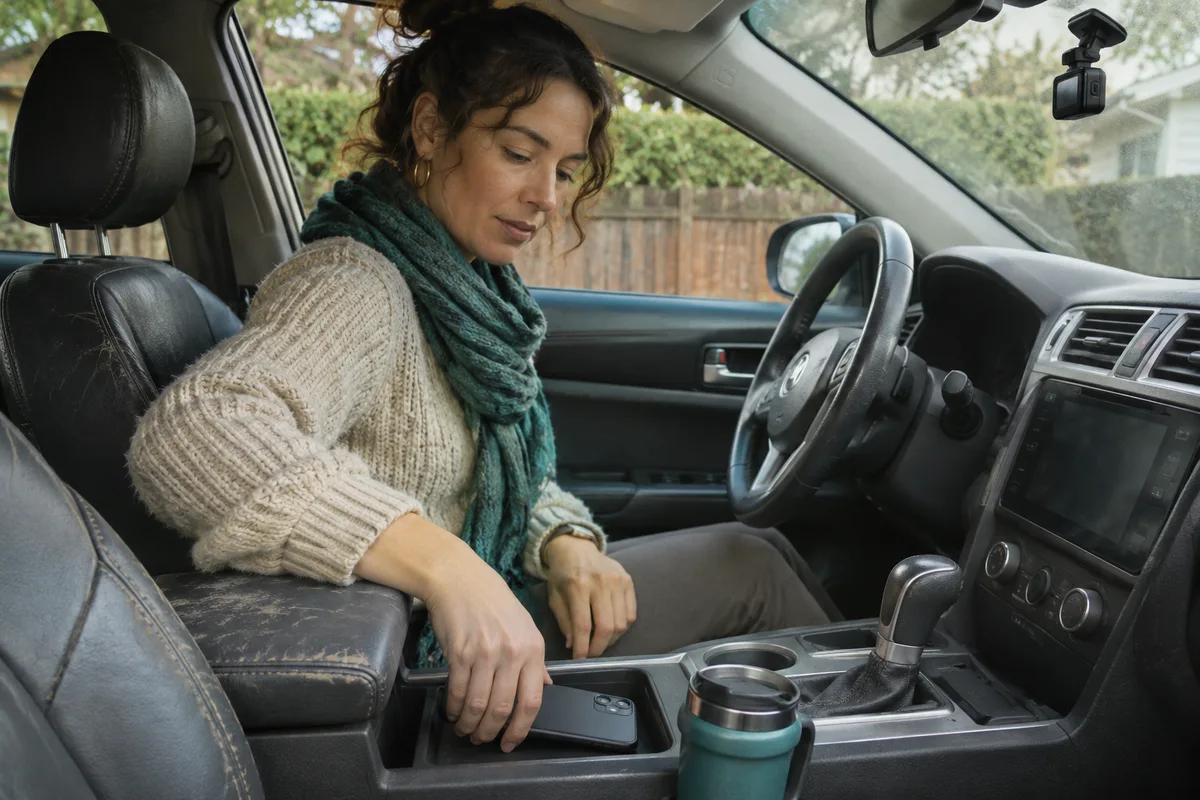
AI-generated scene illustration; not a photograph of the recommended product.
The same phone already handles maps, calls and the grocery list. It also has a good camera, so adding a separate windshield device feels excessive. The purchase question is not whether the phone can record video. It is whether the household needs a repeatable front-and-rear recording routine that does not depend on the phone being available for it.
The short answer
VIOFO A229 Plus 2CH is a dedicated front-and-rear dash camera with a documented loop-recording setting. A phone can record video, but its ordinary Camera feature is a different workflow. It may already be occupied with navigation or may leave the car with its owner. Compare the jobs and actual recording paths before buying either a dedicated camera or a phone accessory.
If the need is one occasional clip in a permitted, safely parked situation, the existing phone might be enough. If the need is unattended day-to-day recording during normal driving, a supported installed camera and maintenance routine can be more appropriate. That is not a guarantee that every drive or incident will be captured.
Contents
- The short answer
- Write down what should be recorded
- Compare start and stop work
- Account for heat and competing tasks
- Plan storage and retrieval
- Keep a vehicle recording card
- Buying advice
- Frequently asked questions
- Sources and verification
Write down what should be recorded
Separate the view ahead, the view behind and any need for a cabin view. A phone pointing forward cannot show a dedicated rear road view just because the phone has multiple lenses. The selected A229 Plus package must also be checked: the comparison here is the documented front-and-rear configuration, not every option with the family name.
Decide who will manage the equipment in a shared vehicle. A phone follows its owner, while a dedicated camera can stay with the car. That can simplify an ordinary commute, but it also creates a responsibility to explain what is recorded and how stored material is handled. See the shared-car audio guide for the separate microphone decision.
Keep any mounting and use within the vehicle manufacturer’s requirements and applicable local rules. This article does not give jurisdiction-specific legal permission to record, mount or share footage.
Compare start and stop work
Apple documents ordinary video recording as a camera task. Do not assume it starts when the vehicle starts or rolls old trips out of storage like a dash cam. A third-party app may have different features, which need their own check rather than inheriting behavior from the built-in camera.
A dedicated system also has prerequisites. Check supported power, settings and storage, then verify ordinary saved files rather than assuming a powered screen proves operation. If the vehicle outlet does not switch as expected, do not treat the resulting power behavior as a confirmed recording schedule.
The repeatability difference matters on a day when another driver takes the keys. An arrangement that requires a phone, app and manual start from one particular person may not match a household need to have the same setup available for every ordinary trip.
Account for heat and competing tasks
Apple’s temperature guidance explains that some functions may change in hot conditions and identifies extended camera use and in-car navigation as examples of activities that can contribute. That is not a temperature test of your cabin, phone or dash cam. Check each device’s conditions, and do not leave equipment in prohibited environments.
A phone can be busy with maps, calls or charging. Whether an app can continue recording through an interruption depends on the exact device and software. Treat background recording or automatic resume as something to confirm through its own documentation, not a capability of all phones.
Do not interact with a phone or camera while driving. Set up only when safely parked, and avoid any mounting arrangement that obstructs the driver or interferes with vehicle systems. A compact device still needs an appropriate location.
Plan storage and retrieval
The A229 Plus specification lists loop options and removable storage. A loop can help manage routine files, but it is not an archive. Review supported media, save important material before it can be overwritten, and maintain a private copy as appropriate. Our save-before-formatting guide explains the difference between a preserved copy and a file that merely appeared in playback.
Phone footage uses a different storage and sharing path. Look at available space, whether cloud backup is enabled, and how to find the original. Do not assume any footage is automatically stored in a particular place or shared only with the intended recipient.
Keep a vehicle recording card
| Task | Confirm before buying |
|---|---|
| Coverage | Actual forward and rear views needed |
| Start | What begins recording and when |
| Power | Supported arrangement for the vehicle |
| Storage | Supported medium and retention settings |
| Retrieval | Who can find and save the original |
| Privacy | Who is recorded and who sees files |
Run through that card while parked with any setup you already own. If it handles the intended task without repeated manual intervention, another device may add little. If it leaves the rear view absent, consumes the navigation device, or depends on a particular driver, identify the gap explicitly rather than buying by resolution alone.
Try writing a simple fallback for the next driver. If a camera reports a storage fault, the driver should know where to note it and who will resolve it after parking. If the phone belongs to a different person, they should know that any recording and retained files belong to a separate workflow. Do not make the car dependent on a personal cloud account that the other driver cannot use or should not access.
If a third-party phone app seems sufficient, check its support for your actual device, recording behavior and storage settings before paying for it. Compare a supported app as its own product, not as a promise about all phones or all apps.
Buying advice
Consider A229 Plus if a supported front-and-rear kit fills a real recurring gap and the vehicle owner accepts the installation and file routine. Pass if the need is occasional personal video or a supported vehicle recorder already meets it. Confirm the exact package, current stock, storage requirements and return terms before ordering.
The A229 Plus overview explains the broader choice. This article does not claim better image quality than a phone, uninterrupted recording, legal admissibility or protection in every incident.
Frequently asked questions
Does a phone camera automatically replace a dash cam?
No. Compare views, start behavior, storage and competing tasks on the actual device.
Is loop recording a permanent archive?
No. Preserve important material separately before it can be overwritten.
Does the partner model include a rear road view?
This guide concerns the front-and-rear configuration. Confirm the selected listing’s exact contents.
Can I use both devices without thinking about heat?
No. Follow each manufacturer’s operating and storage requirements. We did not measure cabin or device temperatures.
Sources and verification
Checked November 5, 2026. Compared published A229 Plus configuration and Apple’s camera and temperature guidance. No recording, temperature or collision test was performed.
- VIOFO A229 Plus front-and-rear configuration
- Apple ordinary video recording guide
- Apple device temperature guidance
Keep reading
Related guides
 Garage & Workshop
A329S Hatchback Rear Cable Planning
Measure the approved rear-camera route and verify the exact A329S cable before ordering a dash cam for a hatchback or liftgate vehicle.
Read guide → Garage & Workshop
RLink J2534: GM GDS2 vs SPS2 Tasks
Distinguish GM diagnostic access from service programming before buying an RLink J2534 interface or paying for the wrong OEM subscription.
Read guide → Garage & Workshop
A229 Plus Ownership Handover
Plan an A229 Plus sale or gift around personal memory media, settings review, included parts and the new owner's recording setup.
Read guide →