
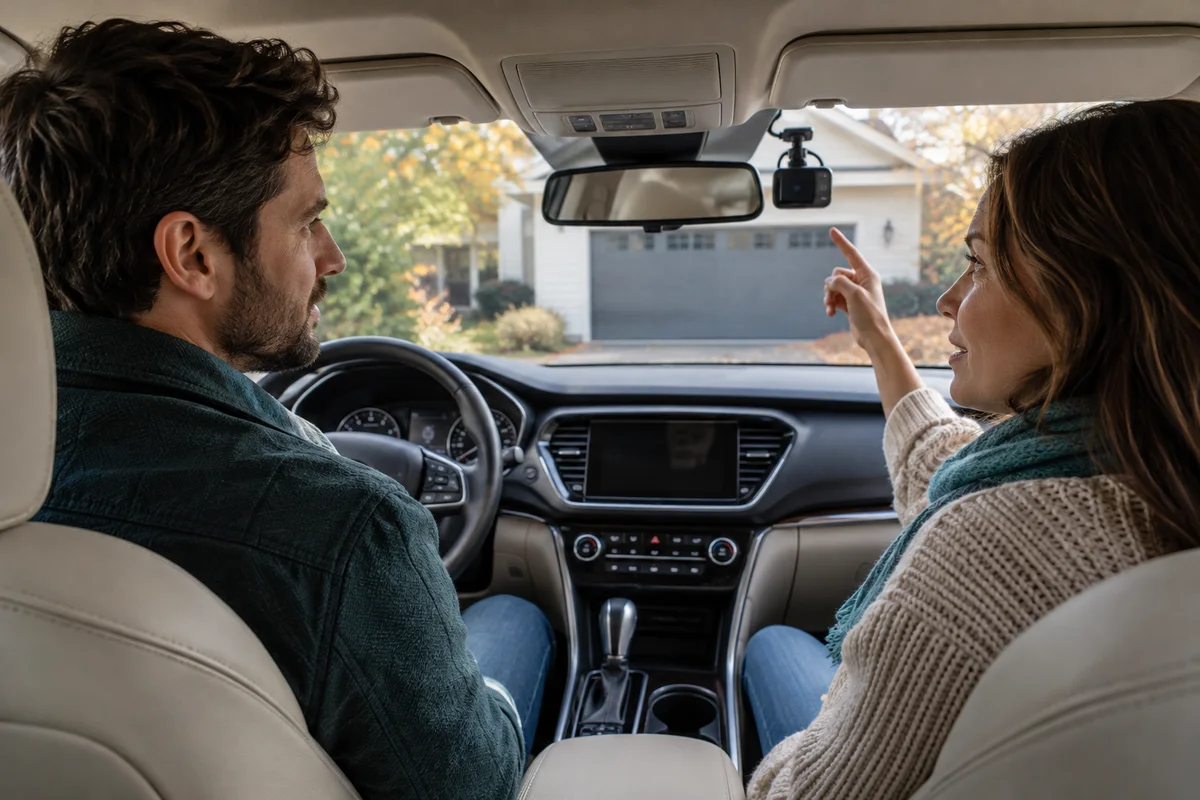
AI-generated scene illustration; not a photograph of the recommended product.
One household member uses the car alone, another gives colleagues a lift, and nobody has discussed the dash cam’s microphone. Road video and an in-car conversation can end up in the same file even though they serve different purposes. Sharing a vehicle therefore needs a recording plan, not just a camera mount.
For a VIOFO A229 Plus purchase, include microphone control, passenger expectations, file access, and a repeatable handover in the shortlist. More recording is not automatically better recording, and a private car is not permission to assume every conversation should be collected.
The short answer
The exact A229 Plus English manual includes a Record Audio setting and a microphone button that can switch audio recording on or off. Confirm the control and indicator for your supplied camera and current firmware while safely parked.
Agree on a practical household routine, verify the resulting ordinary sample file, and check applicable recording requirements through appropriate local guidance. A notice, a muted microphone, or this article does not establish legal compliance. Muting future recording also does not remove audio from files already saved.
Contents
- Define what the recording is for
- Learn the microphone control while parked
- Verify the file rather than trusting the preview
- Make a shared-car handover card
- Plan access and sharing separately
- Use microphone handling as a buying filter
- Frequently asked questions
- Sources and verification
Define what the recording is for
Start with the purpose: retaining road events, understanding traffic movement, or another specific permitted task. Ask whether recording ordinary cabin conversation is necessary for that purpose. Do not add audio simply because the setting exists.
A passenger’s expectations may differ from the driver’s. A family lift, a colleague’s commute, and professional passenger transport are not interchangeable situations. Identify who uses the car and what changes between journeys.
Resolve the actual recording requirements before relying on a policy. Seek the appropriate local authority or qualified advice for your jurisdiction and use case. This guide intentionally provides no state-by-state consent rule, employer policy interpretation, or assurance that a particular setup is lawful.
Learn the microphone control while parked
Read the correct A229 Plus manual, not the manual for a Pro, Ultra, or a different channel package. Identify Record Audio, the microphone control, and the relevant indicator from the current diagrams.
Practice the permitted change while safely parked. Check whether the control is distinguishable from video protection, recording, and Wi-Fi functions. An action that inadvertently stops video would not achieve the intended audio-only change.
Do not reach for the button during a difficult traffic situation or turn a passenger conversation into a driving distraction. Set the intended arrangement before moving. If a necessary change cannot be made safely, prioritize driving and handle it at an appropriate stop.
Keep model and firmware details with the handover note. A copied button description from another camera can be wrong even when the brands match.
Verify the file rather than trusting the preview
Use an ordinary, low-stakes check that does not collect a sensitive conversation. Set the intended audio state, make a permitted sample recording, and review the original through the supported process.
Distinguish the file’s audio content from playback volume. A muted phone speaker does not prove that the camera did not save a soundtrack. Likewise, a noisy environment or a quiet sample may make an audio check inconclusive.
Inspect the relevant file away from driving distractions. Confirm video still records as intended and the audio behavior matches the selected state. If you cannot confidently determine the result, ask manufacturer support rather than recording a private conversation as a test.
Repeat after an update, reset, or another change that may affect settings. Do not assume the hardware remaining in place means its configuration is unchanged.
Make a shared-car handover card
Keep the card short: intended audio state, how to check it while parked, who can change it, what passengers need to know, and where questions are resolved. Use language every regular driver understands.
Assign the check to a point that already exists, such as preparation before a different person takes the car. A routine tied to the key handover is easier to remember than an additional app reminder.
If one user needs a different arrangement, clarify it before the journey. Do not rely on somebody remembering to undo a setting hours later. Write any authorized exception in the household’s own system without creating an unnecessary record of the passengers’ private information.
A failed check should remain visible. Tell the next driver that the setting is unresolved rather than leaving the camera appearing ready. The appropriate response may be support advice or a different recording arrangement, not another speculative press of a button.
Plan access and sharing separately
Decide who can retrieve recordings and where saved originals are kept. A local recording device still creates files that can later be copied, messaged, uploaded, or left on a shared computer.
VIOFO describes its camera-app connection as optional and local in its current FAQ. That manufacturer description does not make every later file-handling choice private or secure. Review permissions on the destination you actually use rather than treating “no required cloud” as the whole policy.
Do not publish an unedited clip merely because it shows an interesting road moment. Consider recorded voices, faces, location details, and the intended recipient. Preserve required originals appropriately while handling any permitted sharing copy separately.
For an important event, use the original-file backup checklist before maintenance. Turning the microphone off later is not a method for changing the previously saved original.
Use microphone handling as a buying filter
The A229 Plus is a candidate when its supported controls fit the recording plan and every regular driver can perform the parked check. Evaluate this alongside installation, compatible storage, and the actual channels needed.
During an authorized demonstration, assess control reach and clarity without manipulating the camera while driving. Ask whether the current package and software provide the routine you need. Do not assume a feature name establishes usability for your household.
Pass if the plan depends on an unverified automatic microphone policy or on a driver making frequent unsafe adjustments. A different supported recording setup, a simpler camera, or postponing the purchase until requirements are clear can be the better answer.
Before checkout, write the model, permitted recording purpose, default state, verification method, handover owner, file-access arrangement, and seller conditions. A successful purchase supports that complete routine rather than merely adding another recording feature.
Frequently asked questions
Does turning phone playback volume down disable camera audio?
No. Playback volume and what the camera records are separate. Verify the original sample file and supported microphone setting.
Does switching off the microphone remove audio from old files?
No. The new setting is not an edit to recordings already saved. Handle originals and any authorized sharing copies separately.
Is telling a passenger enough to meet recording requirements?
Do not assume that. Requirements depend on the jurisdiction and use case; obtain appropriate guidance before relying on a recording policy.
Sources and verification
Checked October 14, 2026. This is a parked setup and purchasing framework, not legal advice or a recording test.
- VIOFO A229 Plus official English manual, audio controls
- VIOFO official app, recording, and privacy-related FAQ
Keep reading
Related guides
 Garage & Workshop
A229 Plus vs A329S
Compare A229 Plus and A329S for a front-and-rear household setup, including resolution, storage effort, installation and the complete purchase basket.
Read guide → Garage & Workshop
A229 Plus Memory Card Sourcing
Separate A229 Plus card compatibility from genuine sourcing, seller identity and purchase evidence before replacing a card or the camera.
Read guide → Garage & Workshop
A329S Two- and Three-Channel Kits
Compare A329S front-and-rear, front-and-cabin and three-camera kits without assuming a series feature describes the selected seller's bundle.
Read guide →