
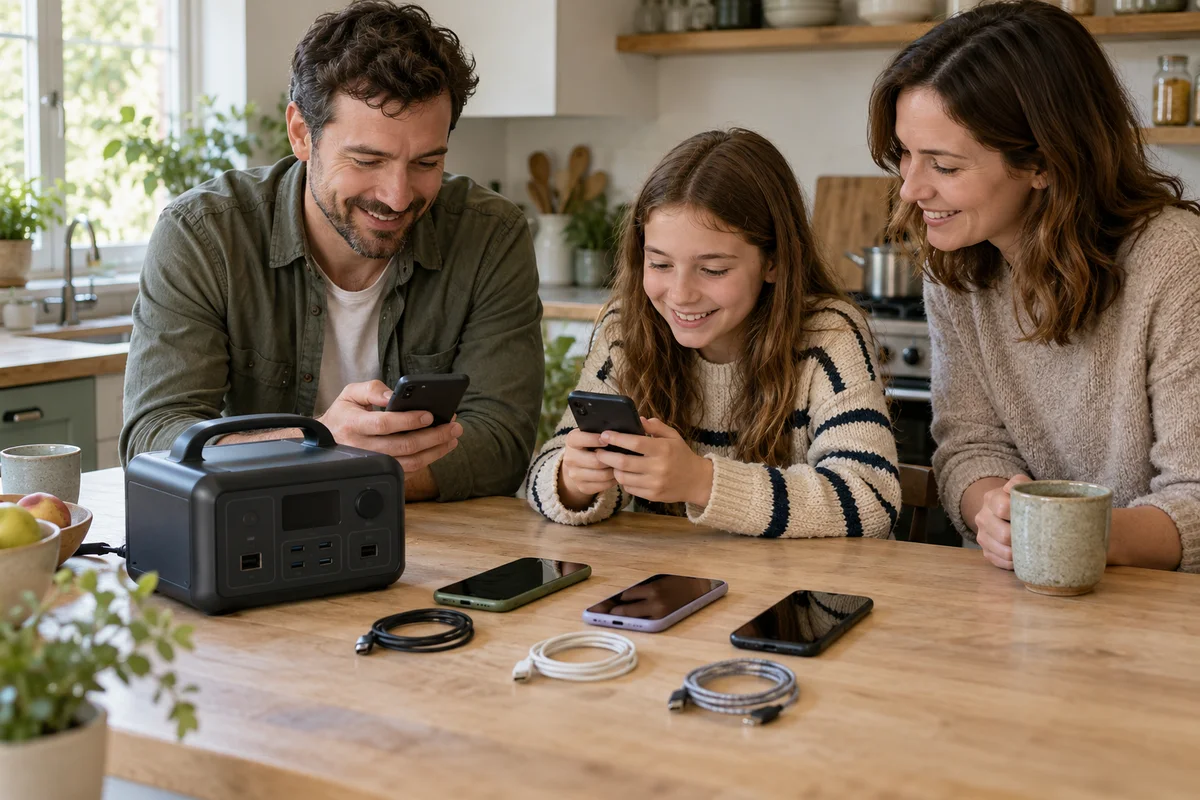
AI-generated scene illustration; not a photograph of the recommended product.
Three phones need charging before bedtime. The AC180 has four USB-A sockets, so it seems reasonable to expect each phone to get the full number printed in a specification table. The battery’s large watt-hour figure makes the arrangement look even more generous.
The important constraint is closer to the sockets. The AC180 manual groups its USB-A outputs into shared channels. Battery capacity and the charging capability available at one group of ports are different purchase questions.
The short answer
The AC180 manual lists two USB-A channels, each containing two ports with 15W total at 5V/3A. Do not read that as four independent 15W outputs. Confirm how the physical sockets correspond to the channels on your actual unit before planning several simultaneous charges.
The manual also lists a separate USB-C output with supported voltage and current profiles. That does not make every phone, cable or adapter capable of the maximum rate. Match the complete charging path rather than buying a larger station because one shared USB-A pair feels slow.
Contents
- The short answer
- Define the charging deadline
- Read the channel total correctly
- Separate stored energy from delivery rate
- Inspect the supported alternatives
- Keep wireless charging out of this calculation
- Make a practical port map
- Buying advice
- Frequently asked questions
- Sources and verification
Define the charging deadline
Write down which devices need charging, their approximate starting condition and when they must be ready. A household preparing two phones overnight has a different task from several nearly empty devices that need a quick top-up before leaving.
Do not infer an exact charging time from the station’s USB wattage. Device charging controls, battery condition, cable capability and use during charging affect the actual result.
Keep the requirement modest and observable. “Both household phones can reach the required state before departure” is a useful acceptance condition. “Every socket must always show its maximum advertised wattage” is not how a device-controlled charging system should be judged.
Read the channel total correctly
A 15W total for a pair is a combined ceiling, not an allocation promise of 15W to each socket. It also does not establish that two devices always divide the available power equally.
For illustration, two hypothetical devices requesting 10W each would have a combined request of 20W. That exceeds a 15W pair’s stated total. The arithmetic shows why the individual device labels cannot simply be added and assumed available.
This is not a measurement of AC180 power distribution or phone charging speed. We have not tested how particular devices negotiate or share the output. Use the manufacturer’s identification of the channels and obtain support if their physical mapping is unclear.
Separate stored energy from delivery rate
The AC180’s battery capacity is published in watt-hours; the USB-A channel ceiling is a power rate in watts. A large store of energy does not remove a smaller port’s instantaneous limit.
Think of a household with plenty of water in storage but a narrow tap. Buying another storage tank does not automatically widen that tap. The analogy helps distinguish the questions, but it does not replace electrical compatibility checks.
Our router and laptop backup worksheet addresses energy budgeting. Use it for duration planning, not as proof that every small-device connection can supply the rate written on its original wall charger.
Inspect the supported alternatives
The AC180 manual lists a USB-C output supporting specified profiles up to 100W, including a 20V/5A profile with the required cable capability. A compatible USB-C route may suit some devices better than USB-A.
Do not assume a connector shape guarantees a particular charging standard or speed. Check the device’s supported input, cable rating and the station’s documented output profiles. An arbitrary adapter chain is not a shortcut to a verified charging arrangement.
Another option may be the device manufacturer’s appropriate AC charger connected within the station’s supported AC limits. That adds a different conversion path and does not automatically improve efficiency or runtime. Compare it only where the equipment and instructions support it.
Keep wireless charging out of this calculation
The AC180 also has a wireless charging pad, but that is a separate compatibility and positioning question. A phone’s case, supported wireless behavior and placement can affect what actually happens.
Our AC180 wireless charging guide covers that route. Do not use a successful wireless connection as evidence about USB-A pair sharing, or blame a USB cable for a problem occurring on the pad.
Choose a clear route for each device. Several redundant cables and charging methods can make it difficult to identify which source is active, particularly in a shared household outage kit.
Make a practical port map
Use the current manual and actual socket labels to create a private setup note:
- Device and the charging route it supports.
- Intended socket and manufacturer-confirmed shared channel.
- Cable identity and appropriate rating.
- Other devices expected to use the same channel.
- Required completion time and an ordinary observed result.
- Alternative supported arrangement if the deadline is not met.
Do not write a physical channel diagram from a guess. If the exact grouping is not apparent, ask BLUETTI support. A confident but incorrect map can be less useful than a clearly unresolved field.
Keep the station on a stable, dry, ventilated surface and follow its operating conditions. Do not pile phones, cloths or accessories over ventilation openings to make the charging corner look tidy.
Buying advice
Keep an AC180 already suited to your backup needs if a different supported port arrangement solves the charging deadline. A new cable or an appropriate charger may be more relevant than buying a larger battery.
Consider AC180 when you also need its verified portable energy capacity and broader outputs, can handle and recharge it safely, and have checked the complete accessory plan. Do not buy it solely for several small USB devices without comparing a suitable smaller charging solution.
Pass on a purchase justified by multiplying four sockets by 15W. The manual’s shared-channel wording is the relevant constraint. Check the current AC180 overview before using this page’s complete-station partner listing.
Frequently asked questions
Does every AC180 USB-A port independently provide 15W?
The manual describes two channels of two ports, with 15W total per channel. It does not list four independent 15W USB-A outputs.
Will two connected devices always get half each?
The listed total does not establish an equal split for every device combination. Confirm actual supported behavior rather than assuming an allocation.
Can more battery capacity make the same USB-A pair faster?
Additional stored energy alone does not change the pair’s documented power ceiling. Capacity and output rate are different specifications.
Is USB-C automatically the fastest route for every phone?
No. The phone, station profile and cable must be compatible, and the device controls what it accepts.
Sources and verification
Checked October 25, 2026. Channel figures come from the manufacturer’s manual. Example requests are illustrative, not measurements or charging-time guarantees.
- AC180 user manual: USB-A channel and USB-C specifications
- BLUETTI AC180 official product information
Keep reading
Related guides
 Power & Outdoors
Elite 100 V2 DC Ports: Add the Shared Current
Check Elite 100 V2 barrel-port and car-outlet shared limits before connecting several 12V devices or buying extra splitters for an outage kit.
Read guide → Power & Outdoors
Elite 100 V2 Time Control: Calculate Before Saving
Compare off-peak charging cost, delivered energy and backup reserve before buying Elite 100 V2 for time-of-use electricity bill savings.
Read guide → Power & Outdoors
AC180 Error Codes: Record Before Replacing
Create an AC180 error-code support record, distinguish an alert from a diagnosis, and compare approved service with replacing the whole station.
Read guide →