
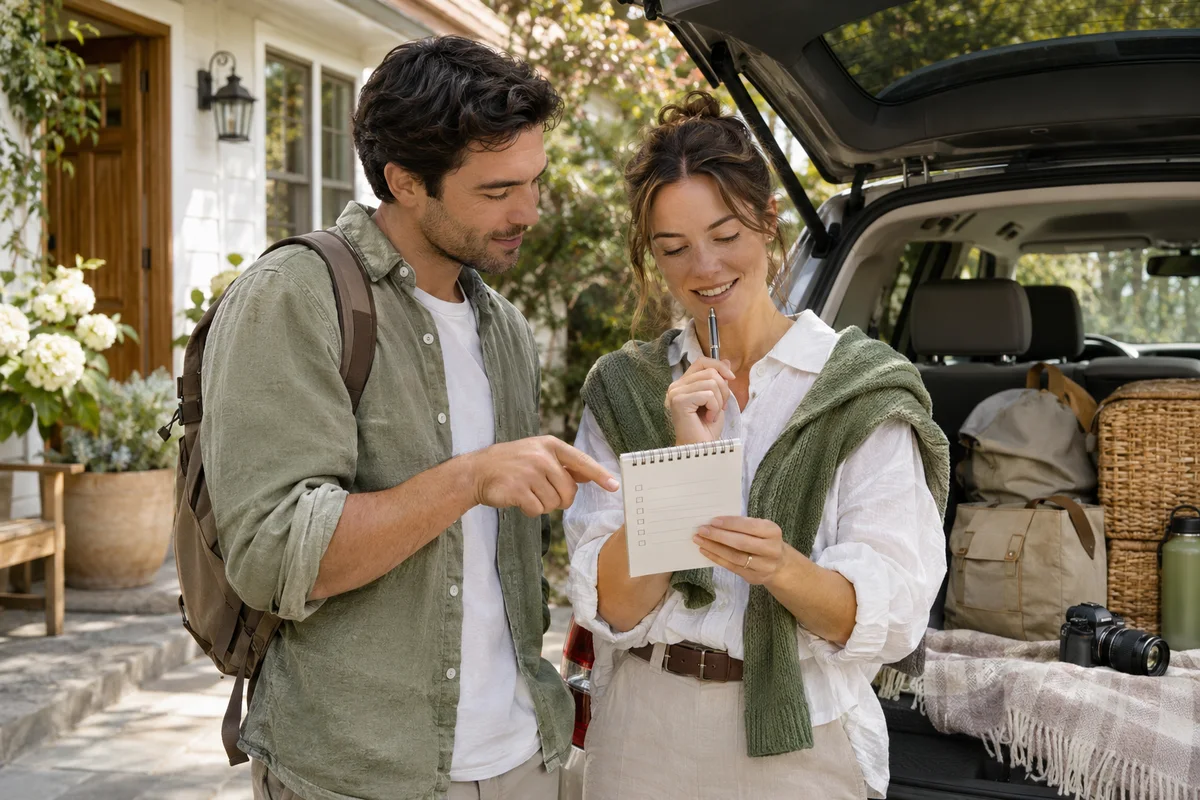
AI-generated scene illustration; not a photograph of the recommended product.
A household wants its ordinary driving clips to remain silent but would like sound in a supported parked recording. Leaving the microphone on for everything does not match that plan. Turning it off for everything does not match it either. Before changing cameras, check whether the exact A329S configuration documents the distinction you need.
The short answer
VIOFO’s A329S V2.2_260815 release notes identify a Parking Only option for audio recording. Verify the installed supported version and applicable instructions before relying on that option. It concerns sound recorded with video, not the camera’s spoken notifications or its acceptance of voice commands.
This setting is not a consent system or a guarantee of privacy. Confirm the real audio result in ordinary supported driving and parking recordings, and obtain appropriate advice about applicable recording requirements. Do not assume that selecting a menu label settles every transition or previous-file issue.
Contents
- The short answer
- Describe what should contain sound
- Confirm the exact feature
- Keep recorded sound separate from feedback
- Check normal files in each intended state
- Account for copies and maintenance
- Buying advice
- Frequently asked questions
- Sources and verification
Describe what should contain sound
Write the household’s intended outcome before opening the menu. Which ordinary driving files should be silent? Which supported parking recordings are expected to include sound? Who uses the car and who needs to understand that arrangement?
A preference for silent passenger journeys can coexist with other reasons to record, but the details need agreement. Do not let the first person who configures the camera silently decide for every regular driver. Our shared-car audio guide addresses that broader agreement.
This article focuses on mode-conditional recording. It does not reproduce recording law for every place or prescribe a policy for passengers, employees or hired drivers. Where those questions matter, resolve them separately rather than using a technical option as permission.
Confirm the exact feature
Read the A329S entry in the official firmware directory. The release notes list Parking Only under audio recording. This documents a feature associated with that release, not a promise about every older installation.
Record the camera’s own reported model and version, then consult the current applicable manual through VIOFO’s manual directory. If the menu or behavior is unclear, ask VIOFO for the exact supported arrangement. Avoid borrowing instructions from another family member merely because the product names are similar.
A firmware update is a separate maintenance decision with preservation and power requirements. Do not install a release simply to try an audio preference when important recordings remain unprotected. We have not installed firmware or tested the boundaries on a vehicle.
Keep recorded sound separate from feedback
A quiet camera can still record audio. A talking camera can have a different microphone-recording state. The speaker’s announcements and the audio saved in a video answer different questions.
Our critical-alerts guide discusses reducing spoken feedback while retaining relevant warnings. Changing that setting is not evidence that driving files have become silent. Likewise, selecting Parking Only does not demonstrate which spoken status notices the driver will hear.
Voice commands are another separate function. Do not infer that an audio-recording preference disables all microphone-related processing without explicit documentation. If that distinction affects suitability, ask the manufacturer before purchasing rather than treating a single microphone icon as a complete description.
Check normal files in each intended state
Use a safe, permitted ordinary workflow rather than simulating an impact or an emergency. Follow the exact installation and operating instructions for the supported parking arrangement. Do not use an audio-setting article to select an improvised power supply or hardwire method.
Review copied files for the intended recording states while safely parked. Confirm the relevant file category, period and channel, then listen to the actual saved content where appropriate. A volume setting on the playback device can make an audio track seem absent, so distinguish playback controls from what the file contains.
| Check | Question to resolve |
|---|---|
| Model and version | Does the documented option apply? |
| Driving file | Does the ordinary saved result match the silent-driving plan? |
| Parking file | Does the supported parked result match the audio plan? |
| Playback | Are player volume and file content distinguished? |
| Handover | Do regular drivers understand the chosen arrangement? |
If mode transitions matter, ask VIOFO how they are handled in the exact supported setup. Do not invent a transition duration from a different parking feature or assume all audio behavior changes at the moment you personally call the car parked.
Account for copies and maintenance
A setting change governs the relevant operation going forward under its documented conditions. It does not, by itself, establish that older files or exported copies have changed. Review existing material separately if retention or sharing matters.
Before formatting or firmware maintenance, preserve important originals. Keep a private note of the audio preference with the other settings that need checking afterward. Resetting a camera can change the household’s agreed arrangement even when it resumes recording normally.
Do not publish private recordings in an open support thread merely to ask about a menu option. Give official support the minimum necessary model, version and observed behavior. If a sample is genuinely needed, assess its contents and the destination before sharing it.
Buying advice
For an existing A329S owner, investigate the supported setting before buying another camera to obtain different audio behavior. An appropriate configuration may meet the task without new hardware, but that conclusion requires checking the actual saved result.
For a new buyer, read the A329S buying guide and confirm the selected kit, firmware support, installation and return terms. A software option is only one part of suitability; it does not replace the required views, storage or safe power arrangement.
Skip a purchase that depends on automatic legal compliance, guaranteed silence across every conceivable state or an unverified feature on an older version. If the manufacturer cannot document the behavior needed for your particular task, resolve that uncertainty before ordering. More cameras do not necessarily produce a clearer household recording policy.
Frequently asked questions
Is Parking Only the same as muting voice notifications?
No. The documented option concerns recorded audio. Notifications are feedback from the camera.
Does the setting apply to all older A329S firmware?
Do not assume so. Match the installed version with current model-specific documentation.
Does selecting the option erase audio from old clips?
Do not assume it does. Existing files and exported copies require separate consideration.
Have you verified every transition?
No. This is a documentation review. Ask VIOFO about the precise behavior needed and check the supported ordinary result before relying on it.
Sources and verification
Checked November 19, 2026. The exact A329S release entry was reviewed; no audio, transition or firmware test was performed.
Keep reading
Related guides
 Garage & Workshop
A229 Plus Rear Firmware: Do Not Update Just Because
Read VIOFO's rear-camera firmware warning before updating a working A229 Plus rear module or buying another one to solve an unverified issue.
Read guide → Garage & Workshop
A329S Rear Camera Off: Check the Channel Setting
Check the A329S rear-camera enable setting before replacing a working rear module, then verify actual front and rear recordings.
Read guide → Garage & Workshop
A329S Telephoto Upgrade: Conversion or a New Kit?
Check the supported camera module, cable and model-conversion route before buying another A329S kit to add a telephoto view.
Read guide →