
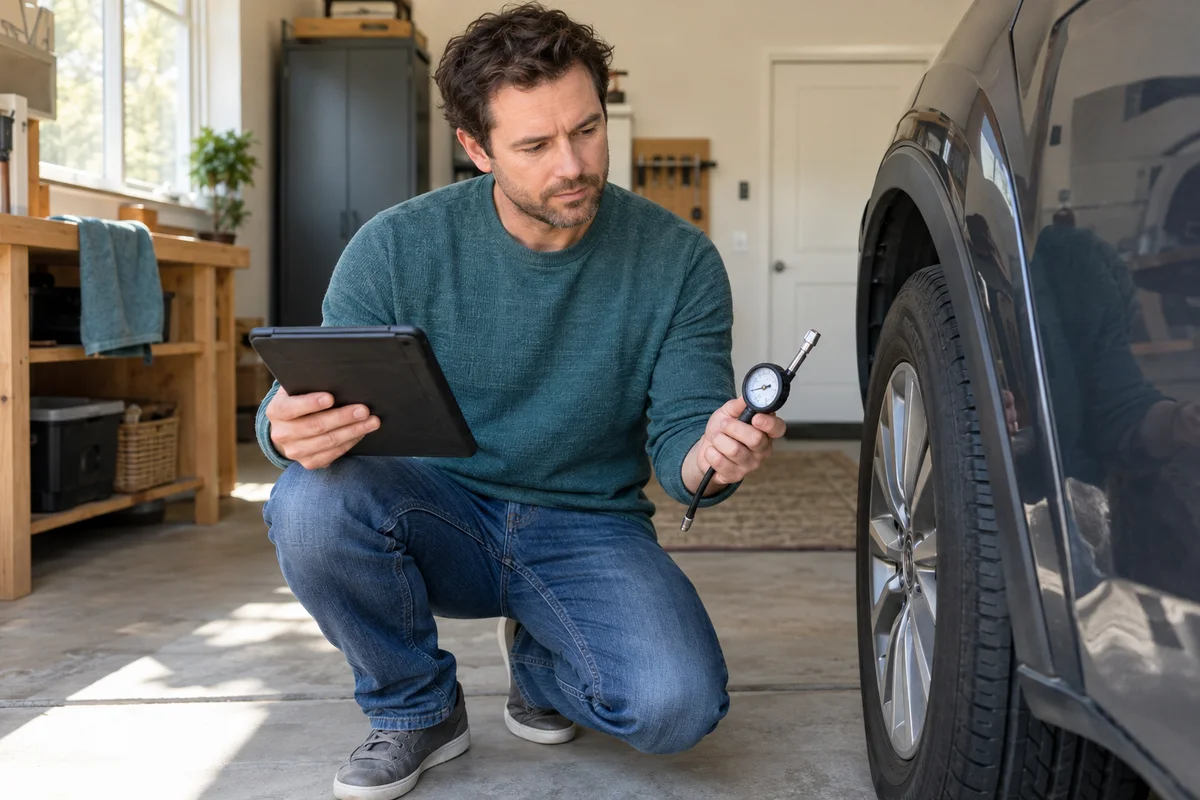
AI-generated scene illustration; not a photograph of the recommended product.
The tire-pressure warning returns on a cold morning, and a scanner listing promises TPMS reset. It is easy to assume that one button will handle inflation, a new wheel sensor, and a system fault. Those are not the same task, and buying around the word “reset” can leave the real job unsupported.
For a TOPDON Phoenix Plus 2 shortlist, first identify what the vehicle actually needs. A suitable pressure gauge, a qualified tire service, and a confirmed diagnostic function can each solve a different part of the problem.
The short answer
Distinguish checking tire pressure, an indirect-system reset, direct-sensor work, and a diagnosed system malfunction. NHTSA explains that TPMS can use direct tire sensors or indirect wheel-speed and other vehicle sensors. Exact tool coverage depends on the vehicle and requested operation.
TOPDON support’s January 2026 answer to one Phoenix Plus 2 owner specifically distinguished direct from indirect systems and pointed to separate TP48/TP58 tools or the relevant coverage check. Do not turn that one answer into universal compatibility. Confirm your exact vehicle, system, sensor, and task before buying.
Contents
- Do not buy a scanner to replace a pressure check
- Write the task without the word reset
- Identify direct or indirect equipment
- Build an operation-specific support request
- Compare the complete tool arrangement
- Decide between a tool and a service appointment
- Frequently asked questions
- Sources and verification
Do not buy a scanner to replace a pressure check
Start with the vehicle’s tire guidance and an appropriate accurate pressure check. NHTSA says TPMS warnings are not a substitute for regular tire maintenance. A screen that shows no fault does not establish that every tire is correctly inflated.
The vehicle placard and owner’s manual identify the appropriate pressure, not the maximum figure printed on a tire. Follow the vehicle’s instructions and seek qualified assistance for damage, unexplained pressure loss, or uncertain safety.
NHTSA also explains that a cold-morning warning can reflect marginally low pressure and that a flashing-then-steady warning can indicate a malfunction. Do not clear a warning simply to make the dashboard quiet. This article provides a buying framework, not a reset or repair procedure.
Write the task without the word reset
Describe the outcome in plain language. Do you need to measure pressure, identify an existing sensor, carry out an approved relearn after service, configure a compatible replacement sensor, or diagnose a malfunction?
Those descriptions give a seller something specific to confirm. “Does it do TPMS?” can produce a yes that covers only one operation. A function-list headline cannot answer every sensor and vehicle requirement hidden behind that abbreviation.
Keep the diagnosis separate from the tool purchase. If you do not know why the warning exists, get the vehicle assessed before choosing equipment. Buying an advanced scanner first can add cost without identifying the appropriate job.
For a household owner with one occasional tire issue, a service appointment may be a more complete purchase than a tool whose useful operation has not been confirmed.
Identify direct or indirect equipment
Use the exact vehicle’s documentation or a qualified technician to identify the system. Do not infer it from the age of the car, the appearance of the warning lamp, or a discussion about another model.
NHTSA’s explanation distinguishes direct tire sensors from indirect monitoring based on wheel speed and other vehicle sensors. That distinction helps frame the question; it does not supply a service procedure for a particular vehicle.
If direct sensors are involved, record the compatible sensor and the requested operation with professional guidance. If the system is indirect, identify the vehicle’s supported initialization requirements. Avoid assuming that the same scanner menu means the same process on both.
A different market or equipment package can change what is fitted. Include those details in the inquiry rather than stopping at the manufacturer’s brand name.
Build an operation-specific support request
Make a compact evidence card: tool model, vehicle model year and market, relevant system, requested operation, current sensor details if applicable, and the approved service context. Provide identifiers to legitimate support only when needed; do not publish them in a public post.
Ask for confirmation of the complete operation, not only brand coverage. Clarify whether the Phoenix Plus 2 performs it alone or whether another supported tool, accessory, software entitlement, or professional procedure is required.
TOPDON’s official coverage tool organizes functions by vehicle and target. Use the current result or a written support answer and keep its date. If the tool shows no result, do not reinterpret the absence as a promise that a similar vehicle will work.
The Phoenix Plus 2 manual says available special functions vary by manufacturer, year, and model. That is a reason to seek specific evidence before checkout, not to try uncertain functions after delivery.
Compare the complete tool arrangement
List what each confirmed component does. A diagnostic tablet can provide useful supported information without replacing every physical sensor tool. Conversely, a dedicated sensor tool may not provide the broader diagnostic functions needed for another job.
Include actual approved accessories, update conditions, support, and training in the comparison. Ask what is included in the package now. Do not assume the product photo contains every item required for your particular tire-service operation.
Avoid paying for a broad diagnostic platform if the only need is one service that another suitable tool or a qualified shop can provide more simply. Extra menus do not create value when the vehicle or operator cannot appropriately use them.
Our pre-trip report-preservation guide covers saving diagnostic information. The TPMS evidence card is narrower: it prevents one feature label from being mistaken for a complete sensor workflow.
Decide between a tool and a service appointment
The Phoenix Plus 2 is a candidate for an experienced owner or workshop with repeated, supported diagnostic tasks and a clear plan for appropriate operation. A confirmed TPMS function can contribute to that plan without being the sole reason to buy every advanced feature.
For an occasional unresolved warning, compare a qualified tire-service assessment. It may include diagnosis, physical inspection, the correct equipment, and verification that a tool purchase alone would leave to you.
Pass on a listing that will not distinguish the required operation or provide current vehicle-specific confirmation. Do not use clearing, calibration, or programming as a substitute for an unresolved tire-safety problem.
Before ordering, check the exact partner package after support has answered the evidence card. Keep the written result with the order so “TPMS supported” retains its specific meaning when the tool arrives.
Frequently asked questions
Does TPMS reset mean sensor programming?
Not necessarily. Ask which exact operation is supported and whether separate sensor equipment is required for your vehicle and task.
Can the scanner replace a tire-pressure gauge?
Do not treat it as a substitute for the vehicle’s appropriate physical pressure and maintenance checks.
Does a supported vehicle brand guarantee every TPMS function?
No. Confirm the exact model, market, system, sensor, and operation through current coverage or support evidence.
Sources and verification
Checked October 14, 2026. No diagnostic, reset, or sensor-programming test was performed.
- NHTSA tire pressure and direct/indirect TPMS guidance
- TOPDON Service’s specific Phoenix Plus 2 TPMS reply
- TOPDON current vehicle and function coverage inquiry
- Phoenix Plus 2 official manual, variable service-function coverage
Keep reading
Related guides
 Garage & Workshop
A229 Plus vs A329S
Compare A229 Plus and A329S for a front-and-rear household setup, including resolution, storage effort, installation and the complete purchase basket.
Read guide → Garage & Workshop
A229 Plus Memory Card Sourcing
Separate A229 Plus card compatibility from genuine sourcing, seller identity and purchase evidence before replacing a card or the camera.
Read guide → Garage & Workshop
A329S Two- and Three-Channel Kits
Compare A329S front-and-rear, front-and-cabin and three-camera kits without assuming a series feature describes the selected seller's bundle.
Read guide →