
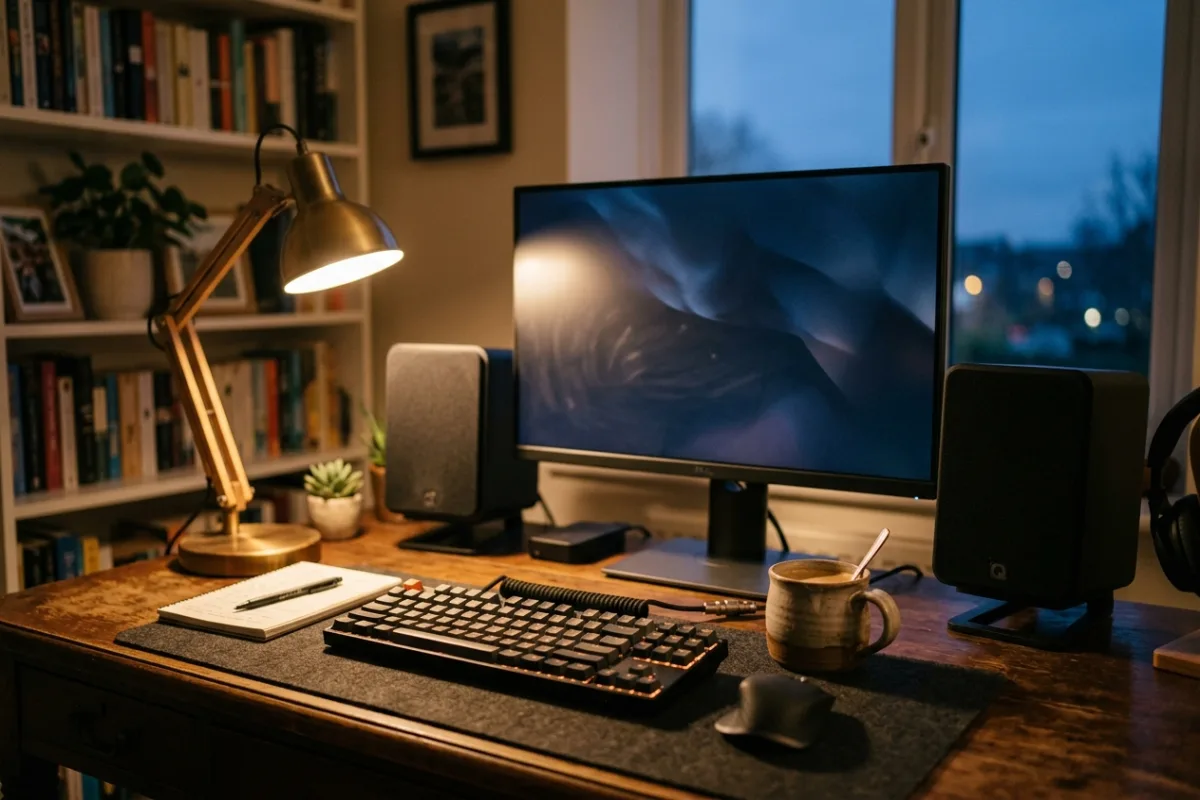
Your desk already has too many boxes: a soundbar wedged under the monitor for movie night, a separate pair of PC speakers for daytime work, and a Bluetooth speaker for when you just want music while cooking dinner in the next room. Switching between them means digging behind the monitor for cables, or accepting that the TV sounds tinny because nobody wants to run a fourth cord to it. A desk in 2026 usually doubles as a home theater seat, a workstation, and a place to unwind with a podcast before bed, and each of those moments asks for a different audio setup. What the space actually needs is one pair of speakers willing to plug into the TV, the computer, and a phone without forcing a compromise on any of the three.
This review is built from published manufacturer specifications and the current product documentation for the compact powered desktop speakers category, not from a laboratory test bench. It compares the Edifier M90 against the rivals a shopper actually sees beside it, for one clearly defined household job.
The verdict
For a desk that has to serve as both a TV and a PC audio setup, the Edifier M90 is the strongest choice in this category. It is one of the few compact powered speakers on the market with an HDMI eARC input, so it can sit next to a monitor and still take full-fidelity audio straight from a television without a separate soundbar or receiver. Bi-amplified 100W RMS output, split across dedicated mid-bass and tweeter amplifiers per speaker, gives it more headroom than typical desktop pairs at this size, and Bluetooth 6.0 with LDAC keeps wireless listening at hi-res quality rather than falling back to a compressed codec. Add a dedicated SUB output for a future subwoofer, and the M90 covers a wider range of everyday listening scenarios than rivals built for only one job.
Check the current Edifier M90 listing →Edifier M90 at a glance
These are the published specifications that matter most for the use case above. Manufacturers revise hardware between production runs, so confirm the current listing before ordering.
| Total Power Output | 100W RMS (2 x 50W bi-amplified: 35W mid-bass + 15W tweeter per speaker) |
|---|---|
| Drivers (per speaker) | 4-inch long-throw aluminum-diaphragm mid-bass driver + 1-inch silk dome tweeter |
| Wireless Audio | Bluetooth 6.0 with LDAC codec, Hi-Res Audio Wireless certified |
| Wired Inputs | HDMI eARC, optical (TOSLINK), USB-C, 3.5mm AUX, plus a dedicated SUB output |
| Cabinet Size (per speaker) | 133 x 212 x 225mm (W x H x D); includes a backlit remote control |
Why it wins this category
A better spec sheet is only useful when it removes work from a real routine. These are the four places where the Edifier M90 changes the outcome rather than the marketing copy.
One Input for Every Source
Most compact desktop speakers pick a lane: PC only, or Bluetooth only. The M90 adds HDMI eARC alongside optical, USB-C, and AUX, so a television, a laptop, and a turntable can all stay connected at once. Flip the remote instead of crawling behind the desk to swap cables every time the use case changes between movie night and a work call.
Wireless Audio Without the Downgrade
Bluetooth on most desktop speakers means giving up sound quality for convenience. The M90 pairs Bluetooth 6.0 with LDAC and Hi-Res Audio Wireless certification, so a phone or laptop streaming over Bluetooth can approach the detail of a wired connection instead of the usual compressed, thinned-out signal most Bluetooth speakers settle for.
Real Power, Not Marketing Watts
The M90 splits its 100W RMS into dedicated amplification for each driver, 35W to the mid-bass and 15W to the tweeter per speaker, rather than one shared amp fighting to cover the whole range. On paper, that bi-amp design gives it more clean headroom at higher volumes than single-amp speakers of a similar footprint and price.
Built to Grow, Not Replace
A dedicated SUB output means a subwoofer can be added later instead of forcing a full system replacement when deep bass becomes a priority. Combined with the compact 133 x 212 x 225mm cabinet size and an included remote for volume, input, and EQ control, the M90 is built to expand with a setup rather than being outgrown by it.
How it compares to the alternatives
Each of these is a capable product with a real audience. The question is not whether they work, but which one fits the job described above with the least compromise.
Kanto TUK
Premium audiophile-grade bookshelf speakers with phono input and a USB DAC
Where it is strong: The TUK is a genuinely well-built pair with a 130W class-D amp, a built-in USB DAC, a headphone jack, and dedicated phono input that vinyl listeners specifically look for.
Where it falls short here: It has no HDMI input, so a TV still needs a separate soundbar or receiver, and its Bluetooth 4.2 with aptX HD tops out below the M90's LDAC hi-res wireless streaming, all at roughly double the price of a two-speaker pair.
Sonos Era 100
Wi-Fi-based smart speaker built around the Sonos multi-room app ecosystem
Where it is strong: Era 100 sounds impressively full for its size and fits neatly into a Sonos multi-room system, letting music follow someone from the desk to the kitchen with app-based control and room tuning.
Where it falls short here: It has no HDMI, optical, or dedicated PC input built in, so wiring it to a TV or computer needs a separate accessory, and building a stereo pair or adding a subwoofer means buying multiple units at a higher combined cost than one M90 pair.
Victrola Tempo VPS-400
Budget-friendly turntable-styled bookshelf speakers with a retro illuminated front
Where it is strong: The Tempo is a genuinely good value pick, with 80W RMS, RCA, optical, and USB-C inputs, a lit-up front badge, and pricing well under most powered bookshelf speakers with a similar feature set.
Where it falls short here: It tops out at 80W with no HDMI eARC input and Bluetooth 5.4 without a hi-res codec like LDAC, so a TV connection still runs through optical cabling and wireless streaming quality falls short of the M90's, even though the price is lower.
Weighed against those three, the Edifier M90 remains the one that covers this scenario end to end without asking you to accept a workaround somewhere else.
Who it fits
Dual TV and PC Setups
Anyone with a monitor and a TV sharing one desk or media console benefits most, since the M90 switches between HDMI eARC and USB-C/optical without unplugging anything. It replaces both a soundbar and a pair of PC speakers with a single system that a remote, not a cable swap, controls.
Hi-Res Wireless Listeners
Anyone who streams music over Bluetooth and cares about sound quality gets more from the M90's LDAC support than from a standard Bluetooth codec, since it keeps far more detail intact from a phone, tablet, or LDAC-capable laptop than typical compressed streaming allows.
Small Rooms, No Soundbar
Studio apartments and dorm rooms where a long soundbar or a separate subwoofer just won't fit gain a compact 2.0 system that still covers TV, computer, and phone audio, with a SUB output ready if more bass gets added down the line.
What to be realistic about
No product is the right answer for every household. Skip this one, or plan around these points, if any of them describe your situation.
- Anyone setting up a true home theater for a large room or a 120-inch screen should plan on adding a subwoofer, since the M90 alone won't fill that much space.
- Shoppers who want one app controlling speakers across several rooms, with voice assistants and streaming built in, will find that experience in a smart-speaker ecosystem, not this pair.
- Buyers on a strict budget who only need basic stereo sound for occasional music, without HDMI switching or hi-res wireless, can get by with a cheaper, simpler pair of speakers.
Living with it after week one
Set the two speakers on either side of the monitor or TV, run HDMI eARC from the television and a USB-C or optical cable from the computer, then let the included remote handle input switching and volume day to day. Pair a phone over Bluetooth for casual listening without touching a cable. Keep the drivers dusted and give the cabinet a few inches of clearance from a wall for cleaner bass. If deeper low end becomes a priority later, the SUB output makes adding a subwoofer a simple upgrade rather than a system replacement, so nothing here becomes obsolete.
Frequently asked questions
Does the Edifier M90 need a separate subwoofer to sound complete?
Not for everyday computer or TV use; the 4-inch mid-bass drivers handle typical listening on their own. For movies or games in a larger room, though, a dedicated SUB output is built in, so adding a subwoofer later is a simple cable connection rather than a full system swap.
Can the M90 stay connected to both a TV and a computer at once?
Yes. HDMI eARC covers the television side while USB-C, optical, or AUX stays connected to a computer, and the included remote switches between sources instantly. Nothing needs to be unplugged when moving from a workday at the desk to a movie on the same screen at night.
What makes the M90's Bluetooth different from a typical PC speaker?
It runs Bluetooth 6.0 with LDAC, a codec built for near-lossless wireless streaming, and carries Hi-Res Audio Wireless certification. Most budget and mid-range desktop speakers cap out at standard SBC or AAC, which compress the signal noticeably more, so wireless listening on the M90 stays closer to what a wired connection delivers.
Keep reading
Related guides
 Home Tech & Audio
Rokid Max 2 Streaming: A Working Menu Is Not Enough
Verify Max 2 streaming with the exact service, source and supported connection rather than treating a visible desktop as protected-playback proof.
Read guide → Home Tech & Audio
Rokid Max 2 Blackout Cover: Shade Is Not Dimming
Separate Max 2's removable blackout cover from electrochromic dimming and decide whether an opaque seated-viewing setup fits your room.
Read guide → Home Tech & Audio
Rokid Max 2 Screen Anchoring: Check the Companion
Distinguish a simple connected display from a supported Station 2 spatial-screen setup before expecting head-tracked anchoring.
Read guide →