
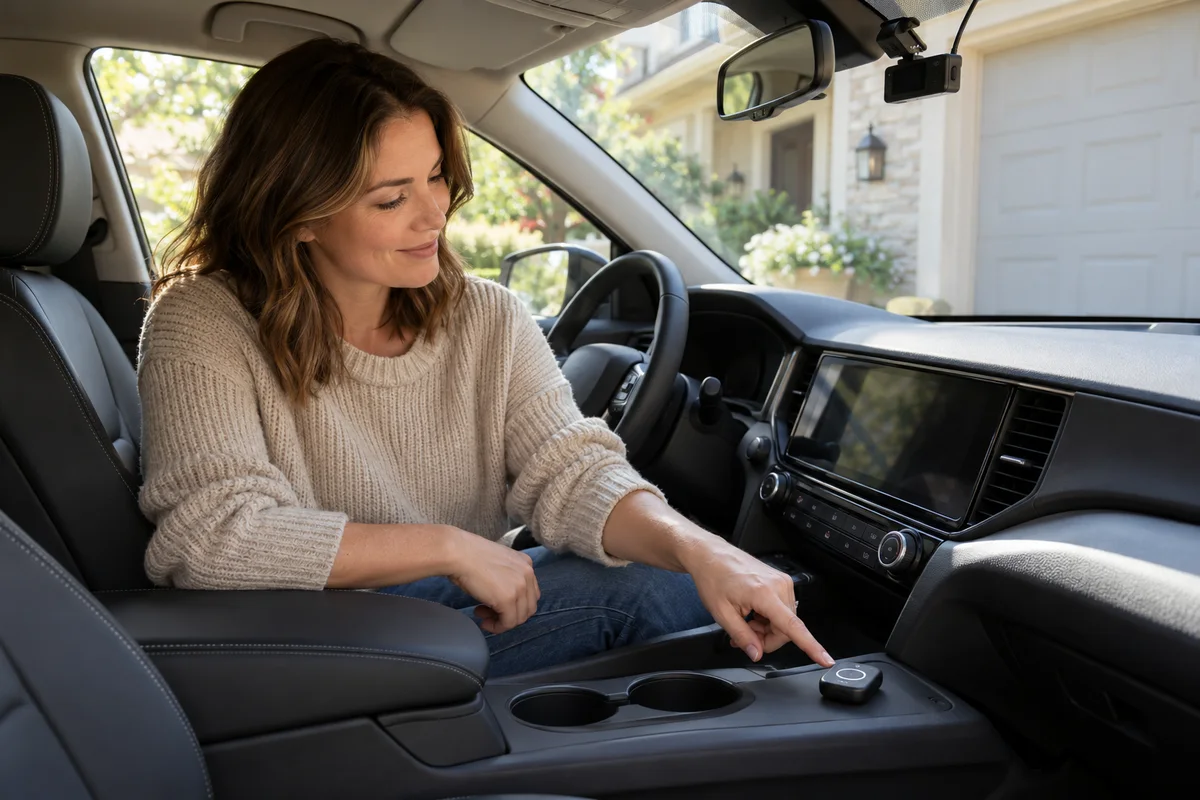
AI-generated scene illustration; not a photograph of the recommended product.
You want a simple way to mark a recording without searching for a small button near the windshield. The A329S mentions voice control, and an optional BTR200 remote appears beside it in the accessories list. Both sound convenient, but they ask different things of the driver and the installation.
Choose the control route by one specific task and verify it while safely parked. Do not let a convenience feature become a reason to spend more attention on the camera during a drive.
The short answer
A329S offers voice control, while VIOFO lists BTR200 as an optional physical remote. Spoken commands and a nearby button are different control methods, not different guarantees that a recording is backed up.
Confirm the supported command or button action, exact-model compatibility, feedback, and supplied accessories. A voice notification is information from the camera; it is not the same thing as the camera accepting your command.
Contents
- The short answer
- Choose one action before choosing an accessory
- Distinguish voice commands from notifications
- Compare a physical remote by the actual action
- Make a control-method comparison
- Plan the remote position without compromising the car
- Verify a result during a low-stakes parked check
- Keep microphone privacy separate
- Decide whether to buy the optional control
- Frequently asked questions
- Sources and verification
Choose one action before choosing an accessory
Start with the action that creates difficulty. Perhaps you want to mark an ordinary clip, or you want a documented control available without reaching toward the recorder.
Write the action in the camera’s own current terminology. Do not assume “save,” “lock,” “record,” and “back up” mean the same operation.
Our A329S review introduces the system. The narrower decision here is whether the supported built-in control meets the task or whether the optional physical control earns its place.
Distinguish voice commands from notifications
Voice control takes an input from the user. A notification gives an output from the device. A camera speaking a status message does not prove that a command was understood, and a user speaking does not establish that the requested action occurred.
Check the current supported commands and languages in the exact model’s official instructions. Do not invent a phrase from another camera or assume conversational wording works like an assistant.
We have not tested recognition in traffic, with music, across accents, or for any individual voice. A manufacturer feature list is not a comparative recognition score.
Compare a physical remote by the actual action
VIOFO’s A329S page describes the optional remote’s central protection action and customizable side controls. Confirm the current BTR200 behavior with the exact A329S version rather than transferring a setup from another camera.
Check what is included in your selected package. An accessory shown beside the camera may be sold separately. Also confirm its current pairing, power, installation, and maintenance instructions.
Do not treat the remote as a new recording channel, a remote internet service, or an automatic backup device. It changes how a supported command is issued; that is a useful but narrower role.
Make a control-method comparison
| Decision | Voice route | BTR200 route |
|---|---|---|
| User input | Supported spoken command | Supported physical action |
| Purchase scope | Confirm built-in model feature | Confirm optional accessory and inclusion |
| Setup | Current command and language guidance | Compatibility, pairing, position, and power |
| Confirmation | Verify documented feedback | Verify documented feedback |
| Limitation | No universal recognition guarantee | No universal placement or attention guarantee |
The table does not declare one universally safer or more accessible. Assess the actual driver, vehicle, task, instructions, and applicable rules.
If a driver cannot use a supported control comfortably without distraction, omit that routine during driving rather than forcing the feature into the trip.
Plan the remote position without compromising the car
Use the manufacturer’s supported mounting method and vehicle guidance. Do not place an accessory where it interferes with controls, visibility, airbags, or another safety function.
Check the position while parked before attaching anything permanently. A convenient-looking spot in a promotional photo may be inappropriate in your interior.
Do not route attention around the remote by repeatedly looking down to check it. If confirming an action would require a distracting inspection, wait until safely parked. This article is not a vehicle installation approval or a substitute for a qualified installer where needed.
Verify a result during a low-stakes parked check
Use an ordinary, noncritical recording and the current instructions to check the exact action. Establish what confirmation the camera provides and how the relevant file state is identified afterward.
Do not create an incident, strike the car, or use valuable footage as a test. Do not format a card as part of testing a new control.
The save-before-formatting guide covers preservation separately. A protected clip on the camera is not automatically a verified independent copy, and pressing a button does not remove the need for a proper saved-file workflow when one matters.
Keep microphone privacy separate
Do not infer the relationship between voice-command processing and audio recorded into a video merely from a microphone icon. Consult the exact current documentation for each setting.
If privacy matters, identify what the setting changes and verify the resulting ordinary recording through a supported parked review. Do not claim that one toggle necessarily disables every audio-related function without evidence.
The shared-car audio guide addresses agreement and recorded sound. Choosing BTR200 does not by itself establish another driver’s consent or determine the camera’s recording settings.
Decide whether to buy the optional control
Begin with the supported built-in route if it meets the actual task and you can verify it without distraction. Avoid purchasing an accessory solely because it appears in the recommended-items list.
Consider BTR200 when the exact camera supports the desired action, its placement and upkeep fit the vehicle, and the driver genuinely prefers the physical route. Count the accessory, installation effort, and maintenance in the complete purchase.
Pass on a combination that requires unsupported behavior or interferes with safe driving. Neither method is a reason to promise perfect clip capture, recognition, accident documentation, or backup. The useful purchase is the smallest supported control arrangement that solves the actual problem.
Frequently asked questions
Is a voice notification the same as voice control?
No. One provides feedback from the device; the other accepts a supported user command.
Is BTR200 always included with A329S?
Do not assume so. Confirm the selected package and optional accessory contents.
Does protecting a clip create an independent backup?
No. Verify a separately saved copy when backup is required; do not confuse the recording’s state with off-device preservation.
Does a microphone setting prove all voice features are disabled?
Do not infer that. Check the exact documentation and supported settings separately.
Sources and verification
Checked October 18, 2026. Published control descriptions inform this decision guide. No voice-recognition, driving-distraction, installation, or accessory endurance test is claimed.
- VIOFO A329S official voice and remote-control information
- VIOFO remote-control catalog and model compatibility
- VIOFO current manual directory
Keep reading
Related guides
 Garage & Workshop
A229 Plus GPS: Recording a Route Is Not Live Tracking
Use Teen Driver Safety Week to separate dash-cam route evidence from live location expectations and agree on a transparent family plan.
Read guide → Garage & Workshop
Phoenix Plus 2 ADAS: The Tablet Is Not the Whole Kit
Budget vehicle coverage, separate ADAS hardware and professional workflow requirements before buying a diagnostic tablet for calibration work.
Read guide → Garage & Workshop
A229 Plus Static Sticker: Check the Glass Before Mounting
Separate static film from mount adhesive, and confirm tint and removal requirements before installing an A229 Plus.
Read guide →