
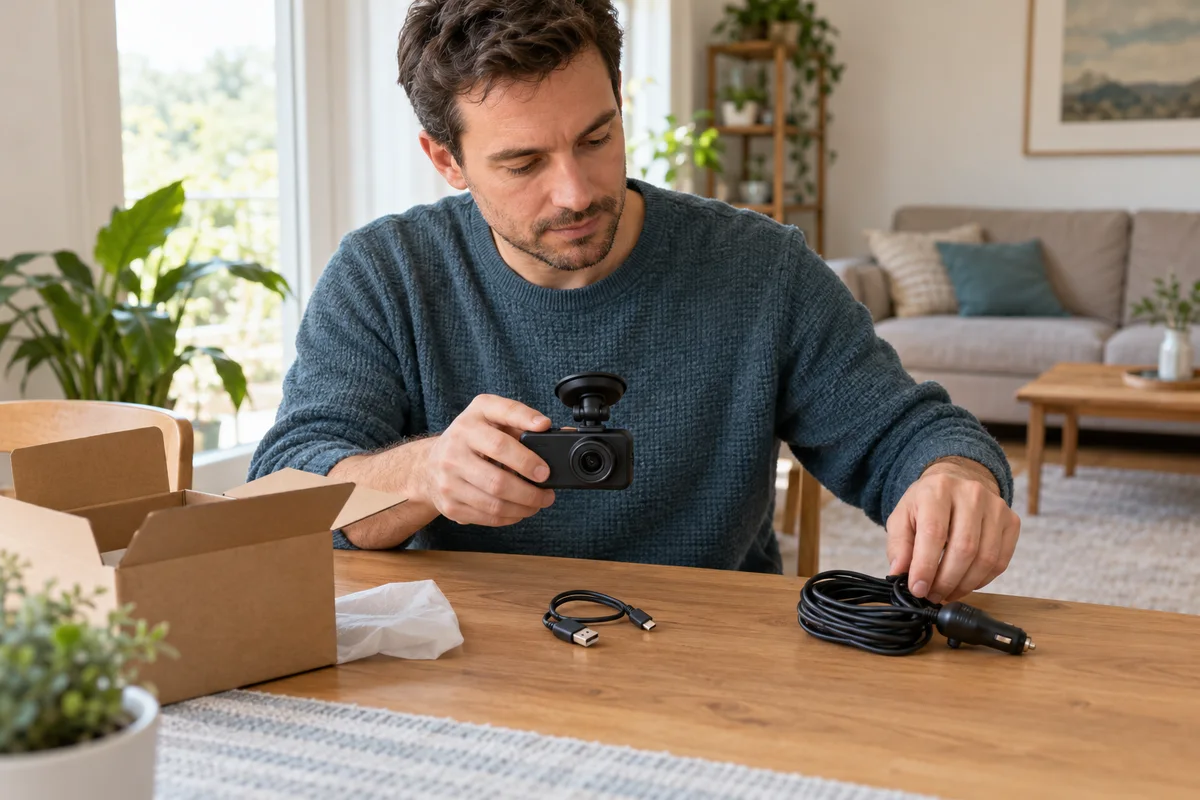
AI-generated scene illustration; not a photograph of the recommended product.
You unpack an A229 Plus and find a short USB cable beside the longer vehicle-power cable. Both appear to fit familiar USB connectors, so using either for the same job seems reasonable. The current manual gives them different roles.
Before buying a replacement cable or blaming the camera for an unexpected connection state, identify whether the job is computer data transfer, ordinary vehicle recording or supported parking power. Connector shape alone does not answer that question.
The short answer
The A229 Plus manual says the supplied USB data cable is for connecting the camera to a computer for file transfer or firmware work, not for charging the camera. It separately describes the vehicle charger connection through the mount and a supported hardwire arrangement for parking operation.
Keep those accessories distinct. Do not treat a short data cable, an ordinary phone charger and an approved vehicle-power system as interchangeable simply because a plug fits.
Contents
- The short answer
- Label the job before selecting the cable
- Keep the supplied data cable’s role narrow
- Treat vehicle recording as a separate power arrangement
- Do not confuse driving power with parking power
- Build an accessory identity card
- Compare replacement with a new camera purchase
- Buying advice
- Frequently asked questions
- Sources and verification
Label the job before selecting the cable
A household may have a drawer full of USB cables, adapters and spare car chargers. Sorting them by connector alone is convenient but can hide differences in supported purpose.
Write one of three tasks on the checklist: retrieve files through a supported computer connection; power the camera during ordinary driving; or support an approved parking installation. Start from the exact camera’s instructions for that task.
Our phone Wi-Fi handover guide concerns another retrieval route. A working wireless connection does not establish the purpose of the short cable in the box, and a data connection does not establish a vehicle installation.
Keep the supplied data cable’s role narrow
The manual’s warning is a reason not to judge a cable solely by length or appearance. Use the supported computer-transfer procedure for the exact model and current documentation.
Do not start a firmware update merely to test whether a cable works. Firmware changes require exact model matching and an appropriate reason. A simple connection question should not become an unnecessary update or a download from an unofficial source.
If an accessory has been mixed with another camera’s kit, do not assume it is the original A229 Plus cable. Check the packaging, order record or manufacturer support route. A clear identity question is more useful than buying a random higher-rated cable and hoping the problem disappears.
Treat vehicle recording as a separate power arrangement
The current manual describes the supplied vehicle charger and the mount’s power connection. Follow the specified route and ratings for the actual unit rather than substituting an arbitrary household adapter.
A vehicle USB port may also have its own behavior when the ignition changes, and a cable fitting that port does not establish that the complete arrangement meets the camera’s needs. Consult the vehicle and camera instructions rather than testing while driving.
Route cables safely and keep them clear of controls, vision and safety systems. Obtain qualified installation help where appropriate. This guide does not provide trim removal, airbag-area routing or vehicle electrical wiring instructions.
Do not confuse driving power with parking power
A camera that works during a trip is not automatically configured to record after the vehicle is switched off. The parking arrangement has separate requirements.
The A229 Plus manual recommends its supported hardwire kit for the described parking setup. Confirm current exact-model compatibility before purchasing a kit, especially when listings use broad series names or show accessories from another generation.
Our short-winter-trip parking guide addresses the larger battery and usage tradeoff. A different cable cannot create unlimited vehicle-battery reserve or remove the need for protective settings and a suitable installation.
Build an accessory identity card
| Item | Record before buying |
|---|---|
| Camera | Exact A229 Plus version |
| Task | Computer transfer, driving or parking |
| Existing accessory | Label, connector route and original package |
| Replacement | Manufacturer-confirmed part or supported specification |
| Installation | Who will install and verify it safely |
| Uncertainty | Any unconfirmed compatibility or required component |
The card can stay with the instruction booklet. Photograph labels privately where useful, but do not publish an order number, address or other personal information in a support forum.
When asking a seller, name the task and camera rather than asking whether a cable is USB-C. A useful answer identifies the supported role, not just a connector match or a generic charging wattage.
Compare replacement with a new camera purchase
If the camera is otherwise suitable, an approved replacement accessory can be more proportionate than buying another complete kit. Establish the actual issue first: cable identity, connection method, vehicle power behavior or a camera problem.
Conversely, buying a collection of generic adapters can become a costly way to avoid resolving one compatibility question. Include installation and support in the total decision rather than comparing only the accessory price.
Do not use a visibly damaged cable or equipment showing abnormal heat or other safety concerns. Stop and follow appropriate manufacturer guidance. A connection that briefly appears to work is not a safety or reliability certification.
Buying advice
A229 Plus can be a candidate when its camera capabilities and supported accessory arrangements fit your intended use. The A229 Plus review covers broader recording tradeoffs.
Before ordering, confirm the included accessories, whether the intended parking kit is separate and which supported retrieval route the household will use. An inexpensive-looking missing component can change the effort required to make the system useful.
Pass on an offer that cannot identify the actual kit or on a proposed workaround that relies only on a similar plug. The commercial link is for the selected A229 Plus listing, not a guarantee that every adapter, hardwire kit or installation service is included. Keep those purchases explicit and conditional on verified need.
Frequently asked questions
Can I use the supplied short data cable for normal vehicle power?
The manual assigns it to computer transfer and firmware work and says it is not for charging the camera. Follow the separate supported power instructions.
Does a USB-C connector prove accessory compatibility?
No. The task, ratings, connection route and exact camera support still matter.
Should I update firmware to test a cable?
Not just for that reason. Firmware work needs exact-model verification and the supported procedure.
Does a normal car charger provide full parking operation?
Do not assume so. Confirm the appropriate supported parking power arrangement and its separate requirements.
Sources and verification
Checked October 24, 2026. No cable, vehicle port or electrical installation was tested.
- A229 Plus English manual — supplied data-cable note and power connections.
- VIOFO official manual index — exact-model support route.
- Official A229 Plus product and package information — current model, supported feature and accessory context.
Keep reading
Related guides
 Garage & Workshop
A329S Multiplex Video: Overview Is Not Detail
Compare a combined A329S channel view with the detail you need from each camera, then verify actual files before relying on easier sharing.
Read guide → Garage & Workshop
A329S Time-Lapse: Check Missing Time and Audio
Understand A329S time-lapse frame sampling and absent audio before choosing a parking record for a driveway, workday or longer stop.
Read guide → Garage & Workshop
A229 Plus G-Sensor: Review Unexpected Locked Clips
Distinguish A229 Plus driving G-sensor locks, manual protection and parking settings before clearing unexpected clips or replacing recording hardware.
Read guide →