
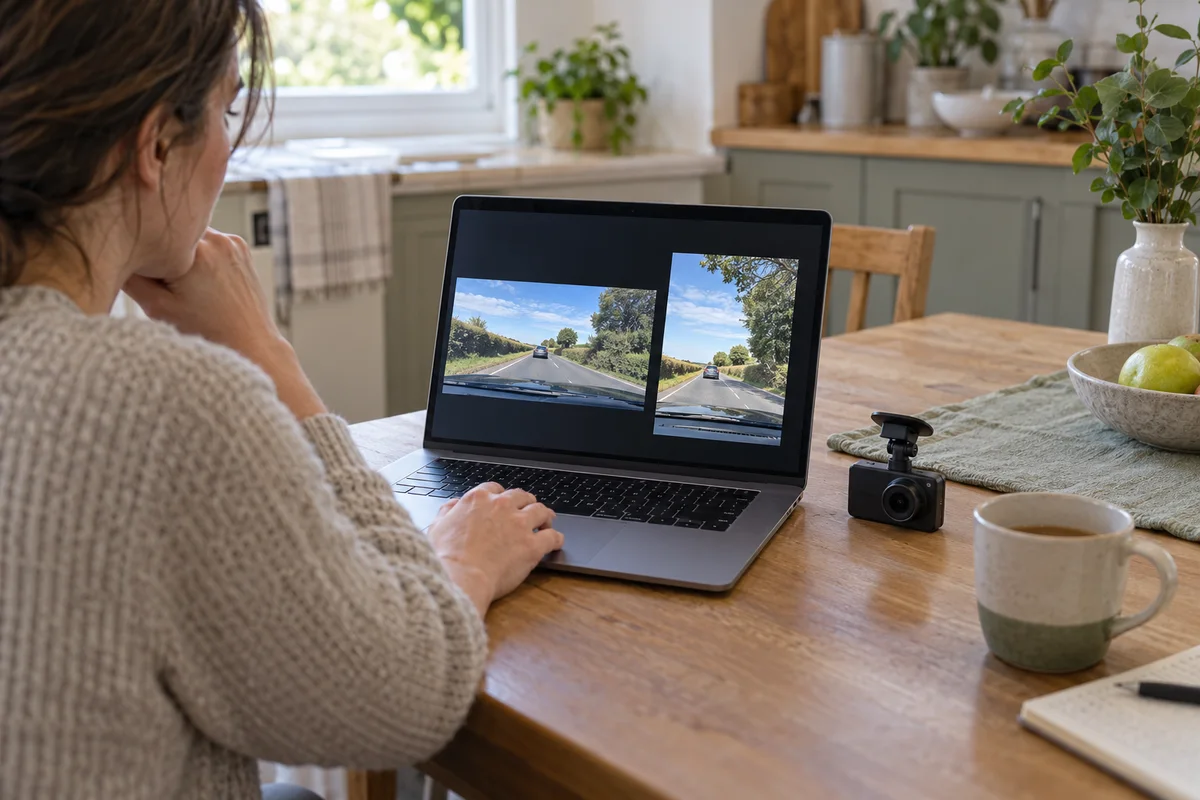
AI-generated scene illustration; not a photograph of the recommended product.
A camera menu offers both a regular 4K frame and a cinematic-looking 21:9 option. On the phone, the wide version fills the screen neatly. Later, when you review an overhead sign or something close to the bottom of the view, the shape of the recording matters more than its attractive preview.
Before buying a VIOFO A329S for a particular road-view task, compare the saved frame rather than the word “4K” alone. This is an ordinary configuration decision, not evidence of a new camera release or a promise about incident footage.
The short answer
The A329S manual defines regular 4K as 3840 × 2160 pixels and its 4K 21:9 option as 3840 × 1600. The width is the same, but the second file has fewer vertical pixels. Its 2K alternatives similarly distinguish 2560 × 1440 from 2560 × 1080.
Those dimensions do not, by themselves, establish the exact optical field of view, where any cropping occurs, or which object will remain visible in your installation. Compare original recordings from the actual supported modes and check both channels before choosing the wider shape.
Contents
- The short answer
- Read the complete resolution line
- Separate frame shape from camera coverage
- Make a low-stakes comparison plan
- Check the rear file as well
- Keep HDR and frame rate separate
- Use a frame-selection card
- Buying advice
- Frequently asked questions
- Sources and verification
Read the complete resolution line
“4K” is a family label here, not a complete description of every output. Write down width, height, frame rate, connected channels and HDR state together. Changing the number of cameras or another recording option can change the available combinations.
The manufacturer’s two-channel product page lists regular and 21:9 combinations. Do not assume that a screenshot from a single-channel configuration proves what a front-and-rear package will offer. Confirm the exact kit and current manual before ordering.
For a simple arithmetic comparison, 1600 is about 74.1 percent of 2160. That means about 25.9 percent fewer vertical pixel rows in the specified file, not a measured 25.9 percent reduction in optical coverage. It also does not guarantee an identical percentage reduction in storage use.
Separate frame shape from camera coverage
A wide-shaped recording does not prove that the camera sees farther to either side. Sensor readout, processing, lens characteristics and installation can all matter, and the listed dimensions do not explain every part of that chain.
Start with the question the recording must answer. You might want to understand the positions of nearby vehicles, retain an overhead traffic signal, or keep useful context near the road surface. Those are different priorities from producing a cinematic travel montage.
Avoid inferring coverage from a phone player that fills its screen by enlarging or trimming an image. Look for the player’s fit-to-window behavior and inspect the actual file dimensions. A display choice can otherwise be mistaken for a camera limitation.
Make a low-stakes comparison plan
Preserve any important existing footage first. Do not change a recording configuration while driving, and do not repeat a hazardous journey to collect examples. Set up and review only while safely parked.
Use an ordinary, safe scene with recognizable features near the upper and lower parts of the view. Record your current supported configuration, then compare the alternative under reasonably similar conditions. This is an owner acceptance exercise, not a standardized product test.
Keep the mount and aiming unchanged during the comparison. If you move the camera and change the frame shape together, it becomes difficult to tell which change caused a missing feature. Follow all installation rules and keep visibility and safety equipment unobstructed.
Check the rear file as well
A front-and-rear system should be evaluated as two views. The rear lens, glass, mounting position and obstacles differ from the front. A useful wide front frame does not establish that the rear file retains the context you need.
Export the original files from the same period through the supported process. Check the actual dimensions, not just a screenshot of a combined live preview. Our multiplex-view guide explains why a convenient combined view is a separate output question.
Do not buy a replacement rear camera because one player displays letterboxing. First establish whether the bars belong to the saved image, the player’s display area or its scaling setting. Unnecessary accessory purchases cannot fix a misunderstanding of playback.
Keep HDR and frame rate separate
The A329S manual restricts front 4K 60fps to HDR being disabled. A comparison that changes frame shape, frame rate and HDR simultaneously cannot isolate the effect of the wider frame.
Our HDR and frame-rate guide addresses that tradeoff. Keep those choices in the setup note, but do not let this article become an argument that one configuration is universally best.
A brighter image or smoother preview is not proof of readable moving plates. We have not measured identification performance in any of these modes. If that expectation drives the purchase, reject unconditional assurances and evaluate the actual limitations carefully.
Use a frame-selection card
Record these fields before deciding:
- Exact A329S package and connected cameras.
- Current firmware and supported recording combination.
- Saved width, height, frame rate and HDR state.
- Upper and lower scene features that matter to your task.
- Whether the original front and rear files include those features.
- Whether the playback application is fitting or filling its window.
Keep a representative ordinary clip with the note where privacy permits. That makes a later reset or configuration change easier to recognize without relying on memory or a promotional screenshot.
Buying advice
Consider A329S when its verified front-and-rear capabilities, installation requirements and supported configurations match your recording task. Treat 21:9 as a choice to evaluate, not a reason by itself to replace an otherwise suitable camera.
Pass on an upgrade justified solely by a wider-looking phone preview. An existing supported full-height mode may already provide the context you want. If the needed view cannot be established, resolve that uncertainty before paying for extra accessories.
The A329S overview covers the wider product decision. The commercial link on this page is for the camera listing, not a guarantee that a particular configuration or installation will capture every event.
Frequently asked questions
Is A329S 4K 21:9 the same pixel size as regular 4K?
No. The manual lists 3840 × 1600 for the wide option and 3840 × 2160 for regular 4K.
Does the wide file prove a wider optical view?
No. File dimensions alone do not establish the exact optical coverage or processing method. Check original recordings from the actual installation.
Will the file be exactly 25.9 percent smaller?
Not necessarily. That percentage compares vertical rows. File size also depends on bitrate, duration and encoding behavior.
Should both channels be checked?
Yes. Inspect the original front and rear files separately; one preview does not verify both saved views.
Sources and verification
Checked October 25, 2026. Dimensions are manufacturer specifications; calculations are illustrative. No optical-coverage, plate-reading or storage-size test is claimed.
Keep reading
Related guides
 Garage & Workshop
A229 Plus Privacy Mode: Check the Short File Window
Check how A229 Plus Privacy Mode limits ordinary saved files before assuming a larger card will retain a full commute or erase every trace.
Read guide → Garage & Workshop
A329S Exposure Value: Check Each Camera Separately
Use a controlled A329S exposure-value comparison without mistaking a brighter preview for recovered detail or a guaranteed readable plate.
Read guide → Garage & Workshop
A229 Plus USB Cable: Data Is Not Vehicle Power
Identify the A229 Plus short USB data cable separately from vehicle power and hardwiring before buying replacement accessories or a camera kit.
Read guide →