
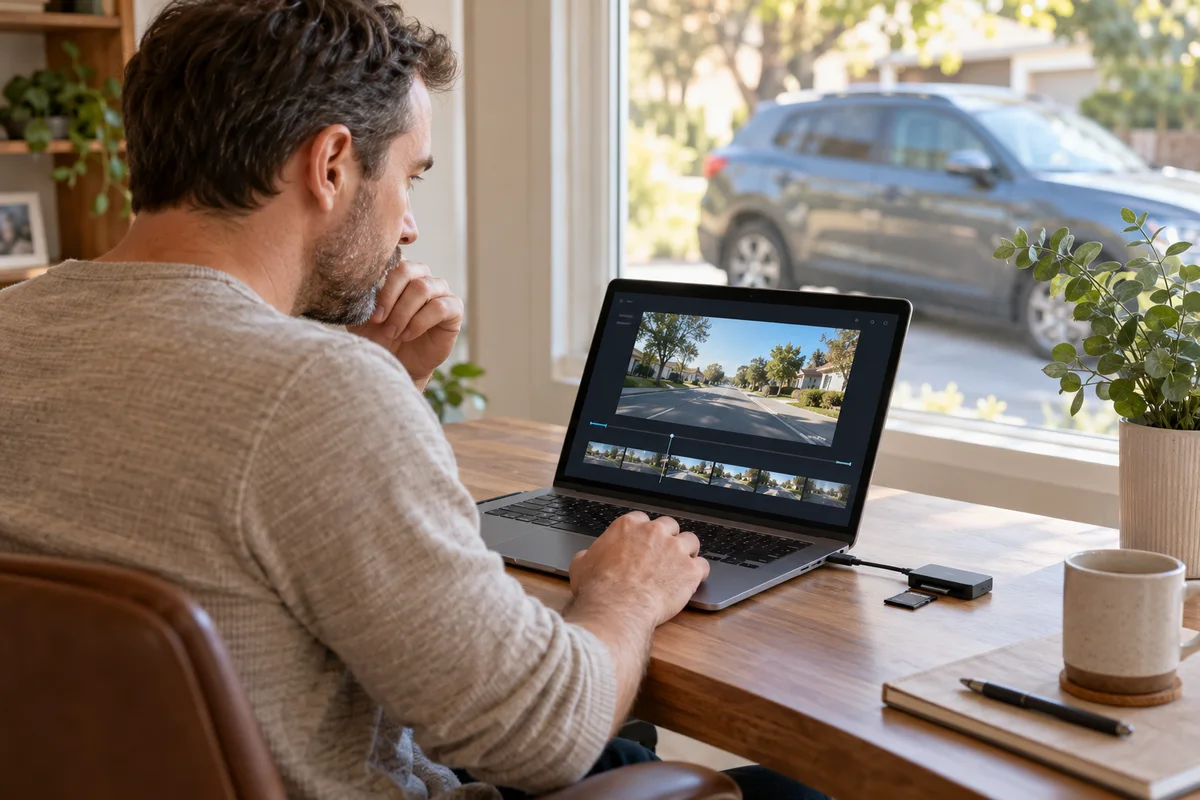
AI-generated scene illustration; not a photograph of the recommended product.
The journey lasted forty minutes, but the card reader shows many short files. That does not necessarily mean the camera stopped repeatedly. With A329S, loop recording divides a recording session into files. The selected clip length is a packaging choice, not a promise about how much history the card retains.
The short answer
The current A329S manual lists loop intervals of 1, 2, 3, 5 and 10 minutes. It describes replacing the oldest files as available recording space fills. Choosing ten-minute clips does not turn a card into a ten-minute recorder, and choosing one-minute clips does not automatically create more total recording capacity.
Choose a supported interval around retrieval convenience, then verify ordinary original files from the actual channels and settings. Keep important footage separately. This article explains the interval decision, not a guaranteed retention duration or a claim that every transition is flawless.
Contents
- The short answer
- Give the three time settings different names
- Compare intervals using a simple file-count example
- Choose around the next retrieval task
- Verify the boundary in original files
- Keep retention math separate
- Make a segmentation decision card
- Buy for recording and retrieval together
- Frequently asked questions
- Sources and verification
Give the three time settings different names
Clip length is the duration selected for an individual loop file. Retention is the period of history still available before recordings are overwritten. Playback duration is how long the selected file or collection takes to watch.
Those values can differ. A folder of three-minute files may represent hours of driving, while a short protected file may contain the moment you need. The interval setting alone cannot tell you which older events remain.
The A329S manual separates loop recording, emergency recording and parking behavior. Do not use the normal-loop interval as a universal description of every event clip or parking mode.
Our storage guide covers the card-and-SSD arrangement and estimating retained history. This article’s different task is selecting file segmentation and checking what that choice means when you retrieve a journey.
Compare intervals using a simple file-count example
For an illustrative uninterrupted thirty-minute interval in one channel, one-minute segmentation would produce roughly thirty full-duration segments; five-minute segmentation would produce roughly six. Start and stop boundaries can create shorter files.
This is arithmetic, not an observed A329S recording. Multiple channels, the actual recording mode and how files are stored can change the folder you encounter. Do not use the example as a guaranteed file count.
Shorter files can make a narrow time selection easier to transfer, while longer files can reduce the number of individual items you manage. Either choice can be inconvenient if your phone, recipient or transfer method handles the resulting files poorly.
Neither approach guarantees better picture quality by itself. Resolution, frame rate, bitrate and channel configuration are separate decisions. Changing clip length is not a substitute for selecting an appropriate recording setup.
Choose around the next retrieval task
Describe the situation in which you expect to look for footage. You may need a short moment after a parking complaint, a sequence spanning an intersection, or a broader part of a journey. These tasks do not necessarily favor the same number of files.
For a narrow event, shorter segments may reduce the amount of unrelated material in a transfer. However, the event can occur near a boundary, requiring adjacent files. Never assume one locked segment contains every relevant moment.
For a longer sequence, larger segments may simplify browsing but create bigger individual transfers. Check the supported transfer method on the devices you actually use, not only a specification for fast Wi-Fi.
Do not change recording settings while driving. Configure and assess the arrangement while safely parked, following current instructions. Avoid inventing a test incident or abrupt maneuver merely to trigger emergency recording.
Verify the boundary in original files
After changing the supported setting, review an ordinary recording from the new configuration. Check the beginning and end of neighboring files, their timestamps and the channels expected for that period.
A filename sequence is useful evidence of organization, not proof of complete uninterrupted content. Open the originals and assess what is actually present. This guide has not measured frame continuity, missing frames or transition behavior.
Do not confuse a playback application’s pause between loading files with a proven gap in recording. Equally, do not dismiss a real missing interval because the filenames appear consecutive. If something is unclear, preserve the original material and ask support.
The GPS playback guide addresses player compatibility, embedded data and sharing. Its checks remain useful, but changing a loop interval does not remove location data or make a recording anonymous.
Keep retention math separate
VIOFO’s recording-time support guidance distinguishes configurations and bitrate. Treat its estimates as configuration-dependent rather than universal promises.
Splitting a fixed amount of video into different file durations does not automatically create extra useful storage. The total data written, media allocation and recording behavior still matter. Do not buy a smaller card on the assumption that short clips solve capacity.
Similarly, an attached SSD does not turn an overwrite-based recorder into a permanent archive. Confirm the supported destination for the intended mode and save important originals independently. Do not remove a card that the selected parking mode still requires.
A useful note has two fields: chosen loop interval and observed retained history under a representative routine. Leaving them in separate fields makes it harder to mistake a settings label for a retention measurement.
Make a segmentation decision card
| Question | Useful record |
|---|---|
| Which recording mode? | Normal driving or the specifically identified parking mode |
| Which interval? | Supported menu value actually selected |
| Which channels? | Views expected in the original recording |
| Which transfer method? | Supported route tested with ordinary files |
| Boundary check? | Adjacent original files reviewed |
| Preservation? | Important originals copied separately |
Keep the firmware version with the card. After an update or reset, verify the actual menu and new files rather than assuming yesterday’s choice remains unchanged.
For an owner helping a family member retrieve recordings, a clear note can be more valuable than selecting the longest interval. The objective is a file organization the household understands when it matters.
Buy for recording and retrieval together
A329S belongs on a shortlist when its recording configuration, supported media and retrieval workflow fit the vehicle and household. Include compatible storage and any required power arrangement in the decision.
Do not replace an otherwise suitable camera merely because its ordinary loop files are short. First confirm that segmentation is working as intended and assess whether another supported interval improves the workflow.
Pass on a purchase justified by an unqualified claim of weeks of preserved evidence. A high-capacity recorder still needs a preservation routine. The partner link below is for the complete A329S camera offer, not a card, SSD or permanent cloud archive.
Frequently asked questions
Does a one-minute setting mean only one minute is retained?
No. It describes individual file segmentation, not total available history.
Does ten-minute segmentation prevent overwriting?
No. The manual describes loop overwriting when recording space fills. Preserve important originals separately.
Should every file have exactly the selected duration?
Session boundaries and other recording modes can differ. Check the relevant mode and actual originals before diagnosing a problem.
Can an event span two loop files?
Yes, plan to inspect adjacent files rather than assuming one segment contains the full sequence.
Sources and verification
Checked October 22, 2026. File-count examples are arithmetic illustrations. No camera, boundary-continuity or retention test was performed.
Keep reading
Related guides
 Garage & Workshop
A229 Plus Rear Video: Rotation Is Not Mirroring
Distinguish upside-down A229 Plus rear footage from left-right mirroring, then verify a new original file before changing the physical mount.
Read guide → Garage & Workshop
RLink J2534 for Ford: Check the FEPS Exception
Check RLink J2534's published FEPS programming exception before treating broad Ford software coverage as approval for a specific vehicle job.
Read guide → Garage & Workshop
A329S GPS Playback: Check the File Before Sharing
Separate A329S video playback, GPS data and visible stamps, then review the actual sharing copy without promising automatic anonymity.
Read guide →