
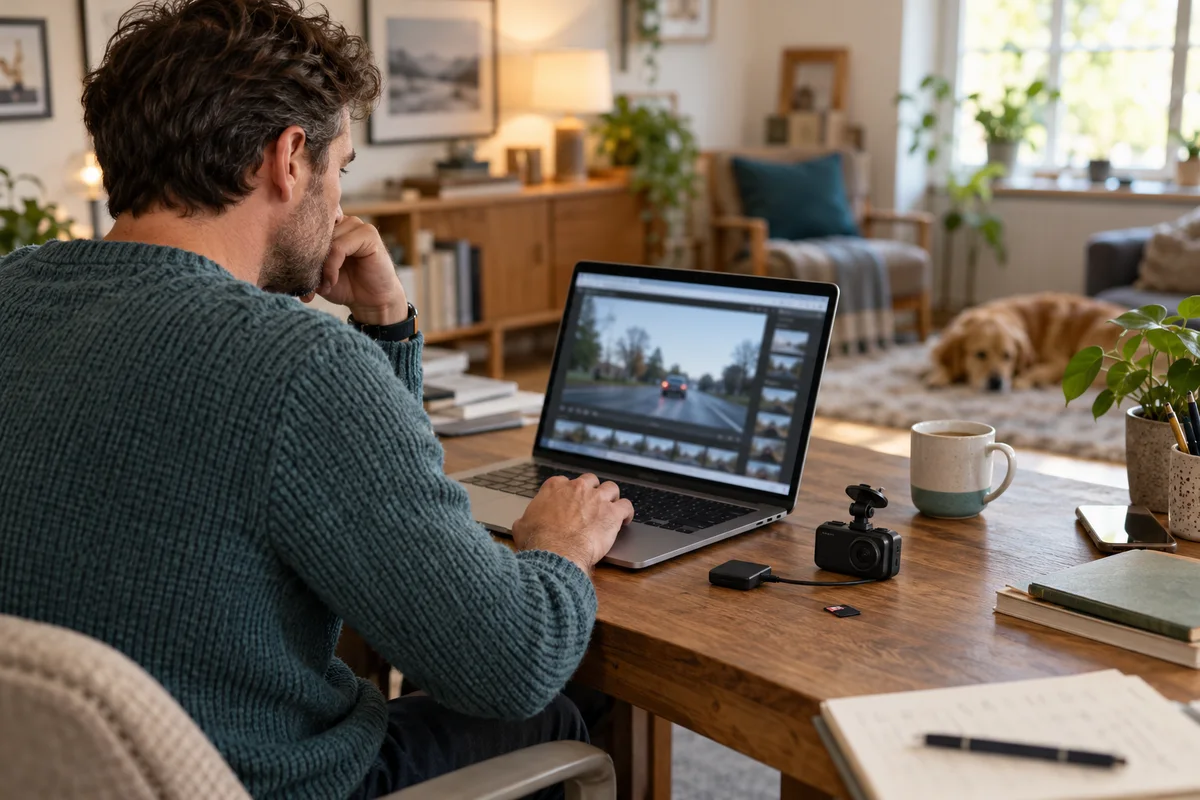
AI-generated scene illustration; not a photograph of the recommended product.
A driver opens a saved A329S clip and sees the road but not the route information expected from a GPS-equipped camera. Another person wants to post that clip publicly. These are related but different questions: what the file contains, what the player shows and what the recipient will receive.
The short answer
The A329S manual says its GPS logger includes location information in recorded videos and describes computer playback through VIOFO Player. A normal video image alone does not establish whether location data is absent. Review the original with an appropriate supported player before deciding what to share.
The manual and the GPS-module page name different computer-player routes: VIOFO Player and Dashcam Viewer. Confirm current software and operating-system support with VIOFO. Do not download an arbitrary “GPS codec” or promise that hiding a visible speed stamp removes embedded data.
Contents
- Separate the image from the recorded data
- Use a supported playback route
- Preserve the original before making a sharing copy
- Review a public copy as a separate deliverable
- Make a playback and sharing card
- Buy for a retrieval workflow you can operate
- Frequently asked questions
- Sources and verification
Separate the image from the recorded data
Visible stamps and a player’s map are not the same thing. A video may display a timestamp or another imprint while a compatible player reads additional information associated with the file.
The A329S manual’s GPS description explicitly distinguishes collecting position and speed from other settings. Do not conclude that a file contains no route information simply because a basic media player shows only the road scene.
Conversely, a blank map does not establish a hardware failure. The recording conditions, logger setting, GPS reception and player compatibility each need consideration. We have not inspected your file or certified any particular desktop setup.
This is different from the A229 Plus GPS tracker guide, which explains why recording a route is not live remote tracking. Here the task is reviewing an already recorded A329S file before forwarding it.
Use a supported playback route
Work while safely parked or at home, never while driving. Follow the manual’s shutdown instructions before removing the memory card. Use an appropriate reader and preserve the original files.
The current manual directs computer users to VIOFO Player and describes adding videos from the DCIM folder. The GPS-module product page instead mentions Dashcam Viewer. That naming difference is worth checking against the current official support route.
Use official downloads and confirm system requirements. Do not enter account credentials into a random file-conversion site or install a third-party utility solely because its advertisement mentions a camera model.
A successful player launch is only the first check. Open the relevant original clip, verify that it plays, and inspect any position or speed information the supported software presents. If it cannot read the data, keep that as an unresolved result rather than claiming the data is absent.
Preserve the original before making a sharing copy
Keep an unchanged original and work on a separate copy if a different format or an edited excerpt is needed. The save-before-formatting guide covers preservation of recordings; this page adds the GPS and recipient-review step.
The manual notes that front and rear recordings are separate files. Select the correct channel and time range. A convenient clip from one view may not show the context available in another.
Do not assume screen recording or transcoding creates a fully anonymous file. A copy can still reveal the route through road signs, recognizable buildings, audio, visible stamps or remaining metadata. An export setting must be understood and checked rather than treated as a privacy certificate.
For an insurer, investigator or another legitimate recipient, ask what original material they need and how they want it delivered. This guide is not legal advice and does not tell you to alter evidence or discard originals.
Review a public copy as a separate deliverable
A clip suitable for a private report is not automatically suitable for a public social post. Start by asking whether publication is necessary and what information it needs to convey.
Inspect the final file, not only the editing timeline. Watch the actual export from beginning to end with sound if present. Look for addresses, faces, vehicle details, identifying audio and a route revealing a home or regular destination.
If location-data removal is required, obtain a suitable verified workflow rather than guessing from the absence of an on-screen map. Where you cannot establish the result, do not describe the copy as anonymized. Consider not publishing it.
Changing the camera’s GPS setting today does not erase information in earlier files. The manual also describes consequences for position, speed and time synchronization when GPS logging is disabled. Review the operational tradeoff before making any settings change; this article does not automatically change it for you.
Make a playback and sharing card
| Check | Record |
|---|---|
| Camera | Exact A329S model and firmware |
| Original | Date, channel and unchanged backup location |
| Software | Official source, version and supported system |
| Playback | Video readable; route data present or unresolved |
| Recipient | Private submission or public audience |
| Copy | Exact exported file, not just an edit project |
| Privacy review | Image, audio, stamps and data checked |
| Unknowns | No anonymity claim until resolved |
The card is deliberately short. It makes the handover reproducible without pretending to be a forensic chain-of-custody system. Keep private information out of any public record of the checklist itself.
If someone else in the household retrieves recordings, include them in the normal-use practice. A feature that only one person can access on one unavailable laptop may not support the purchase as well as expected.
Buy for a retrieval workflow you can operate
A329S may suit a driver who wants its supported recording capabilities and can manage storage, computer access and careful retrieval. Compare the A329S review for broader hardware tradeoffs.
Do not buy it because a GPS label appears to promise automatic, privacy-safe sharing. Software support and the recipient’s needs remain separate tasks. A camera with more recorded information can also require a more deliberate sharing decision.
The partner CTA is for the A329S camera listing, not a desktop software license or a GPS-data removal service. Confirm the selected camera package and official software route before paying for any additional component.
Frequently asked questions
Does ordinary video playback show every piece of GPS data?
Not necessarily. Use the supported player and do not infer absence from a basic player’s display.
Does turning off a visible speed stamp erase location data?
Do not assume so. Visible imprints and recorded data are different questions.
Will disabling GPS remove it from old clips?
No such retroactive effect is established. Treat existing recordings as unchanged.
Which desktop player should I use?
The current sources name VIOFO Player and Dashcam Viewer. Confirm the current official recommendation for your system and exact files.
Sources and verification
Checked October 21, 2026. No camera file, software installation or metadata-removal workflow was tested.
- A329S English manual, V26.01.09 — computer playback, separate channels and GPS logger description.
- VIOFO A329/A329S GPS module page — location/speed playback and alternative player naming.
Keep reading
Related guides
 Garage & Workshop
A229 Plus CPL Filter: Choose CPL-200, Not CPL-100
Choose the A229 Plus front-camera CPL-200, distinguish rear filters and check bundle contents without promising to erase every reflection.
Read guide → Garage & Workshop
A329S Has No HDMI: Plan External Viewing Separately
Separate A329S camera inputs and USB storage from the older A329's HDMI output before buying for a dedicated external monitor.
Read guide → Garage & Workshop
RLink Updates: Drivers Are Not Vehicle Calibration
Separate RLink Platform, interface driver updates and OEM vehicle software before assuming a free update renews every programming entitlement.
Read guide →