
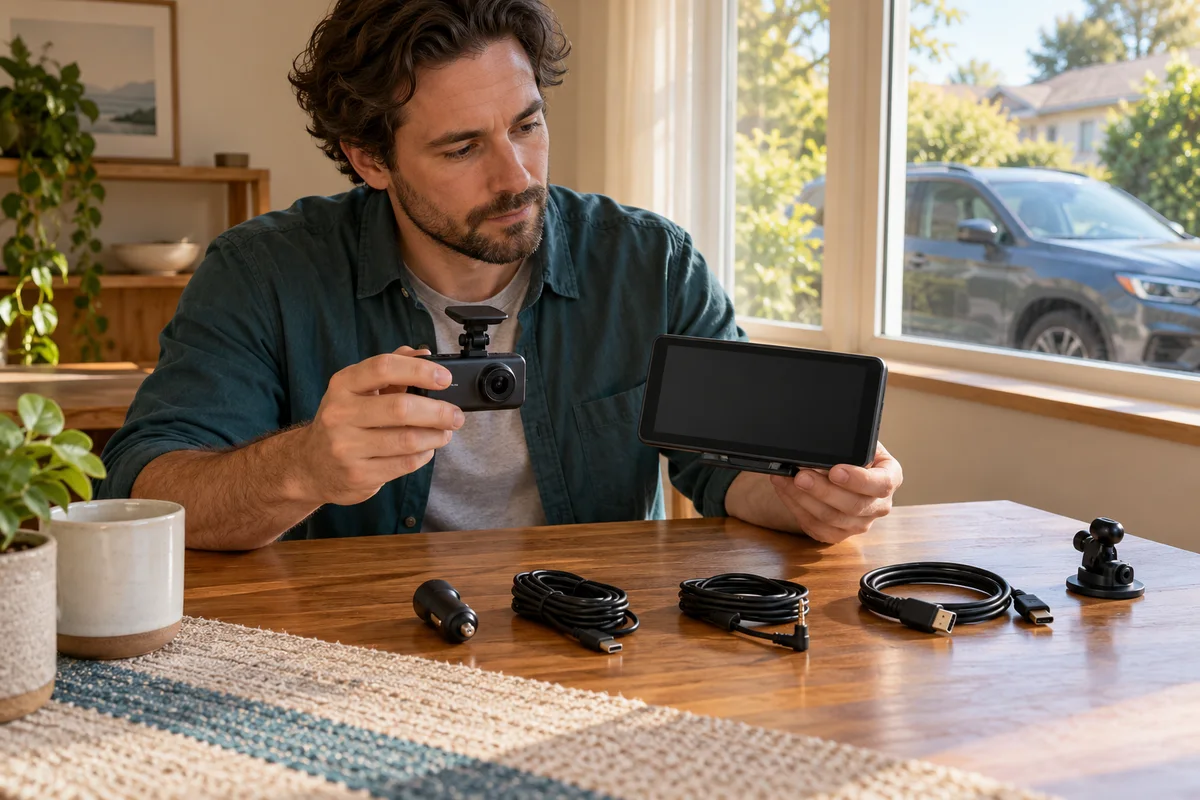
AI-generated scene illustration; not a photograph of the recommended product.
A driver wants a large parked-viewing screen rather than leaning toward the dash camera’s small display. An older A329 tutorial shows a Micro HDMI cable connected to a monitor. The newer A329S name looks close enough, so the same cable goes on the shopping list.
That small model suffix changes the purchase. A supported recording camera and a dedicated external-monitor system are not automatically the same product, even when their resolution headlines look similar.
The short answer
Do not buy A329S expecting the original A329’s HDMI output. The A329 manual labels a Micro HDMI port and describes external display use; the current A329S manual instead labels camera inputs, card storage and USB power/data/SSD connections, with no HDMI output.
If live external display is essential, obtain an explicitly supported complete solution before purchase. A USB connector or extra camera input does not establish monitor output, and a cable cannot add a missing hardware function.
Contents
- The short answer
- Compare the exact hardware drawings
- Separate four viewing tasks
- Do not turn a camera input into a monitor output
- Choose a supported review workflow instead
- Use an external-display purchase worksheet
- Firmware cannot be assumed to create a physical socket
- Decide whether A329S is still the right recording purchase
- Frequently asked questions
- Sources and verification
Compare the exact hardware drawings
Start with the model’s own manual rather than a general VIOFO video. The original A329 manual explicitly describes viewing on a television or monitor through Micro HDMI.
The A329S manual, current version marked V26.01.09, shows different port roles. Its printed pages 3–4 identify the main unit’s connections. Read those labels instead of guessing from the shape of a socket.
This is a documentation comparison, not a hands-on teardown. It does not imply every A329-family accessory, firmware or camera module is interchangeable.
Keep a copy of the applicable drawing with a planned installation. A seller’s reused image or a tutorial whose title omits the suffix should not overrule the actual unit’s supported connections.
Separate four viewing tasks
Reviewing a saved clip, checking framing while parked, displaying a live feed on a separate monitor and using a reversing aid are different requirements.
The first two may be served through documented local viewing arrangements. The latter two need their own explicitly supported system and installation. A device that records behind the car does not automatically provide an approved reversing-camera experience.
Write the desired task in ordinary language: “I want to review yesterday’s clip at a desk,” or “I need a dedicated installed display.” Do not leave it at “video out,” which hides whether real-time display is actually needed.
If reversing visibility is the concern, use suitable vehicle equipment and qualified installation advice. This guide does not endorse a dash cam as a substitute for the vehicle’s approved safety systems.
Do not turn a camera input into a monitor output
An additional camera port receives a compatible camera signal. That is not the same role as sending a display signal to a screen.
Likewise, the A329S manual assigns the side USB connection power/data/SSD roles. The presence of USB-C does not establish DisplayPort video output or an HDMI conversion path.
Do not order a passive adapter on the assumption that every USB-C connector has every possible USB-C feature. Ask for documentation that explicitly names video output on the source device.
Avoid forcing a connector into a similar-looking port or trying cables intended for unrelated camera families. The supported role matters before the connector shape and before the accessory price.
Choose a supported review workflow instead
For saved footage, identify the manufacturer’s documented camera, phone or computer review path. Confirm the exact files can be retrieved and played without inventing a live-monitor connection.
Our A329S home-network access guide addresses local file access. That network feature is not a wired HDMI output or a guarantee of continuous remote live viewing.
If a large screen is needed only to inspect saved files at home, an ordinary compatible computer workflow may be sufficient. There is no reason to mount a second display in the vehicle for a desk-based task.
Preserve important footage before experimenting with storage, settings or updates. A connection-shopping problem should not erase the recording that motivated the purchase.
Use an external-display purchase worksheet
| Requirement | Evidence needed |
|---|---|
| Source | Exact camera model and documented output function |
| Display | Supported input, format and intended installed use |
| Connection | Correct signal direction and approved equipment |
| Power | Complete supported supply arrangement |
| Task | Saved playback, parked framing or another explicitly supported role |
| Vehicle | Suitable installation without visibility or safety interference |
| Gap | Any unverified function resolved before payment |
Keep the worksheet short enough to send to a seller or manufacturer. “Will this exact camera send a supported live signal to this display?” is more useful than asking whether both products have USB.
Do not buy the display first and then search for a speculative adapter. Confirm the whole arrangement while both purchase decisions are still reversible.
Firmware cannot be assumed to create a physical socket
A new menu or firmware file does not make every hardware function of a neighboring model available. Do not install an A329 file on A329S to pursue an HDMI feature.
Our A329S firmware identity guide explains why model and configuration matching remain necessary. It is not a route to adding undocumented external display support.
If a seller proposes a firmware workaround, ask for current official instructions for the exact hardware. Without them, do not present the arrangement as a supported buying solution.
Keep expectations modest even for a model that documents external display. Output existence alone does not qualify latency, installation, vehicle display compatibility or reversing use. None of those characteristics was tested here.
Decide whether A329S is still the right recording purchase
Consider A329S when its documented recording and retrieval functions address the actual task and HDMI is not a requirement. An absent feature does not make it a poor recorder; it makes it unsuitable for a purchase that depends on that feature.
Pass when live wired monitor output is essential and no supported arrangement has been established. Compare a purpose-built solution with explicit display documentation instead of choosing by recording resolution alone.
The partner destination below is the current A329S offer, not an external-monitor bundle. Confirm camera channels, accessories, current seller terms and your supported retrieval workflow before ordering.
We have not connected a monitor, measured video delay or evaluated a vehicle safety installation. This article prevents a model-name assumption from becoming an unsupported cable purchase.
Frequently asked questions
Can I reuse an A329 HDMI tutorial for A329S?
No. Verify the exact hardware manual; the original model’s HDMI function should not be transferred to A329S.
Does the side USB-C port prove HDMI adapter support?
No. Its documented power/data/storage roles do not independently establish video output.
Is phone file review equivalent to a dedicated live monitor?
No. Retrieval, parked configuration and continuous external display are different tasks.
Can a firmware update add the missing physical HDMI port?
No update can add a physical socket. Do not use another model’s firmware to pursue undocumented hardware support.
Sources and verification
Checked October 20, 2026. The A329S port drawing was visually checked, and the original A329 manual’s HDMI section was read. No connected-display or driving test was performed.
- A329S English manual: current port roles and playback
- Original A329 English manual: Micro HDMI and external viewing
- VIOFO official manual directory: separate model entries
Keep reading
Related guides
 Garage & Workshop
A229 Plus CPL Filter: Choose CPL-200, Not CPL-100
Choose the A229 Plus front-camera CPL-200, distinguish rear filters and check bundle contents without promising to erase every reflection.
Read guide → Garage & Workshop
RLink Updates: Drivers Are Not Vehicle Calibration
Separate RLink Platform, interface driver updates and OEM vehicle software before assuming a free update renews every programming entitlement.
Read guide → Garage & Workshop
A229 Plus Cabin Camera: Choose the Interior View
Decide whether an A229 Plus interior camera solves a real passenger-area recording need before paying for a third channel and installation.
Read guide →