
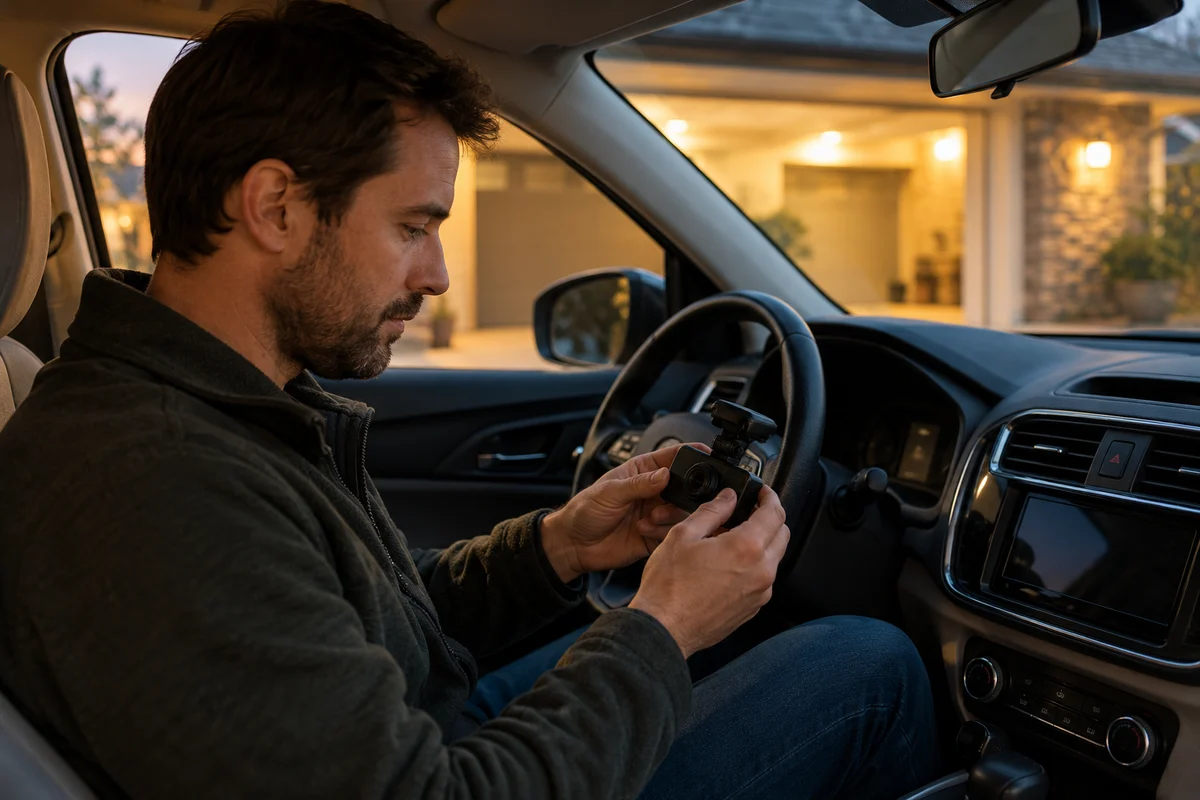
AI-generated scene illustration; not a photograph of the recommended product.
A parked driver reviews footage from a brightly illuminated garage entrance. The scene was readable to the eye, but the recording contains moving bands or pulsing light. A new camera can seem like the next obvious purchase when the existing image looks unfamiliar.
For A329S, first distinguish the documented Frequency option from frame rate, wireless frequency, and exposure controls. The menu provides a relevant question to investigate, but not a promise to eliminate every lighting artifact. The decision should concern useful recordings under the actual conditions, not whether one control has a reassuring name.
The short answer
The A329S manual describes Frequency as a setting intended to minimize flickering and banding in recorded video. That is not the same as choosing recording frame rate or a Wi-Fi band, and it does not guarantee that every LED sign, lamp, or display will appear continuously lit.
Review the exact current instructions, actual menu, and original files. Configure only while safely parked and change one supported option at a time. We have not measured flicker, tested lighting sources, or established a universal best value for this camera.
Contents
- The short answer
- Identify the artifact
- Three meanings of frequency
- A safe comparison
- Limits of the setting
- A support record
- Buying advice
- Frequently asked questions
- Sources and verification
Identify the artifact
Begin with a plain description of what the original recording shows. Dark horizontal bands, changing brightness, motion blur, reflections, and a small distant subject are not interchangeable observations. Avoid calling every image problem flicker.
Record where the effect appears. Is it confined to an illuminated sign, visible across a lit wall, or present throughout the image? Note the approximate conditions and relevant recording settings without turning those notes into a certain diagnosis.
The A329S manual supplies the limited purpose of the Frequency control. Its wording supports investigating that option for the relevant artifact. It does not establish that any observed problem must originate there.
Keep a representative original before changing the configuration. A compressed message attachment can introduce a separate set of artifacts. A support inquiry should identify whether the file is original, edited, or a screen recording.
Three meanings of frequency
The camera’s Frequency setting is described in relation to flicker and banding. Frame rate describes the recording cadence of the selected video mode. A wireless band concerns communication with another device. Choosing one does not select the others.
This distinction matters because informal advice can use the same word for all three. A suggestion about faster wireless transfer cannot be applied to video flicker merely because both settings mention frequency.
Our HDR and frame-rate guide handles the available recording configuration. The home-network file guide handles another communication task. Neither replaces the manual’s separate description of the flicker-related option.
Ask a precise question when obtaining support: which menu item is being discussed, on which camera and firmware, for which observed artifact? That small clarification can prevent a series of unrelated settings changes.
A safe comparison
If you own the camera, check current manufacturer instructions and document the original configuration. Use an ordinary permitted stationary scene where a comparison can be made without affecting other people or manipulating traffic equipment.
Do not stop in an unsafe place, drive repeated hazardous maneuvers, or adjust a camera while the vehicle is moving. A consumer image check should not create the event it is intended to document.
Change only the relevant supported setting, then compare appropriate original files using the same playback setup. Note differences in lighting and scene conditions. An uncontrolled observation may help a support conversation, but it is not an independent performance test.
Keep the firmware version, recording resolution, frame rate, HDR choice, and affected channel with the note. If the actual menu differs from the retained manual, ask VIOFO which instructions apply rather than assuming a control from another model behaves identically.
Limits of the setting
Minimizing a recording artifact does not mean every electronic light source must become perfectly readable. A small sign can present more than one difficulty, including its size in the image and the available exposure conditions.
Do not promise that a setting makes all traffic signals, illuminated advertisements, or vehicle lamps appear the same as they looked to an observer. This guide has not characterized those sources, and the manufacturer wording does not grant that universal conclusion.
Nor should a useful-looking preview be treated as proof that every saved channel has improved. Review the actual files relevant to the task. A problem confined to one recording or channel should be described that way.
Our exposure-value guide explains why brightness adjustment is another separate choice. Raising brightness is not a general solution for banding, and the Frequency option is not a guarantee against an overexposed image.
A support record
Write seven fields: exact model, firmware version, relevant menu setting, channel and recording mode, observed artifact, original-file location, and conditions. Include what actually changed and leave suspected causes explicitly uncertain.
If you share a sample, review it for faces, addresses, audio, vehicle identifiers, and other private material first. Use the official support route when the necessary evidence should not be public. Do not publish an entire journey to demonstrate a brief lighting problem.
VIOFO’s current FAQ is an official entry point for model-specific support. A response should apply to your exact version and conditions. A forum claim about another camera can identify a question, but it cannot establish an answer for this one.
Do not install unofficial firmware or a purported fix from an unrelated download site merely to eliminate the artifact. Preserving a supported configuration matters more than achieving one attractive frame through an undocumented change.
Buying advice
Shortlist A329S when its supported recording configuration and original-file workflow fit the vehicle and the household’s needs. The Frequency option is a documented adjustment to understand, not an independent reason to buy a higher-priced camera.
For an existing owner, replacement is premature until the actual limitation is identified. A configuration question, a playback issue, and a physical camera fault call for different responses. Support evidence helps distinguish them without diagnosing from one screenshot.
Pass on a seller’s promise of universally flicker-free LED recordings unless the exact claim has applicable evidence and clearly stated conditions. No such guarantee is made here. Compare real requirements, complete package contents, and permitted return conditions.
The partner link below concerns the camera offer. It does not include a lighting assessment or a guarantee that a particular sign will be legible. The sensible purchase is one whose documented limitations are compatible with the task.
Frequently asked questions
Is the Frequency menu the same as frames per second?
No. The manual describes its purpose as minimizing recorded flicker and banding. Frame rate is a separate recording choice.
Will it fix every LED sign?
No universal result is established. Lighting, subject size, exposure, and other conditions still need consideration.
Should I change several image settings together?
That makes a comparison harder to interpret. Follow supported instructions and keep a clear record of relevant changes.
Can I adjust the camera while driving to compare results?
No. Configuration and review belong in a safe parked setting, without creating road hazards or staging an incident.
Sources and verification
Checked October 29, 2026. The Frequency description was read in the complete retained A329S manual. This is a settings and procurement framework, not a flicker test.
Keep reading
Related guides
 Garage & Workshop
A329S Bitrate and Storage
Compare A329S bitrate settings through original-file detail and practical storage tradeoffs instead of treating Maximum as a universal quality guarantee.
Read guide → Garage & Workshop
A329S Settings Exports
Separate an A329S configuration export from video backup and firmware before deciding how to document a household dash-camera setup.
Read guide → Garage & Workshop
A329S Snapshot Files
Separate A329S still snapshots from complete original video files when choosing what to save, review and share after a drive.
Read guide →