
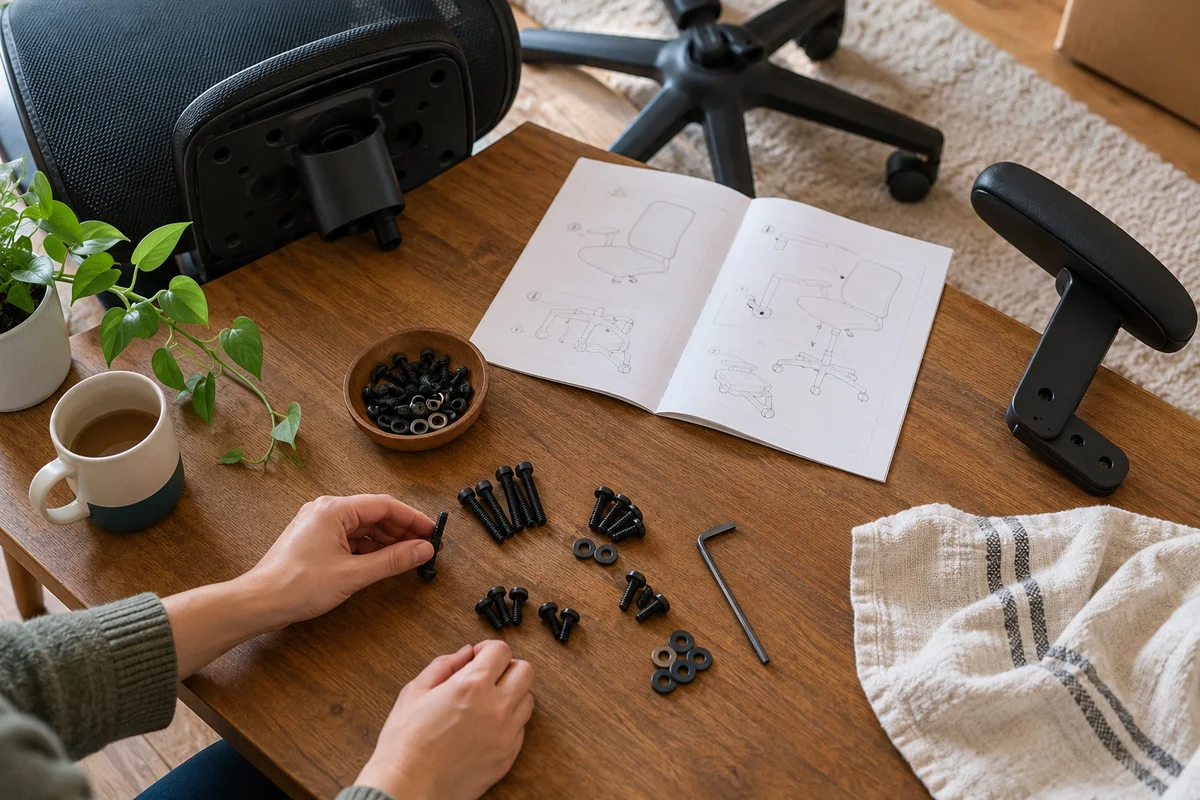
AI-generated scene illustration; not a photograph of the recommended product.
The chair is ready to assemble, but a fastener is missing. A nearby drawer contains a screw that looks almost right. For a load-bearing office chair, appearance is not enough. Identify the exact connection before replacing hardware or deciding that the entire chair needs to be returned.
The short answer
ProtoArc sells an EC300-specific replacement hardware kit containing several different fastener types. Its list includes both metric and quarter-inch designations, including two different armrest lengths. Match the model, manual callout and installation location; do not treat the kit as a bag of interchangeable chair screws.
Ask ProtoArc for confirmation if the manual and received hardware differ. Do not use a partially assembled or structurally uncertain chair while waiting for an answer.
Contents
- Identify the connection before the screw
- Read the kit as a location map
- Do not infer a thread from its appearance
- Ask support before buying the wrong solution
- Keep a hardware record with the manual
- Choose repair or replacement on confirmed facts
- Frequently asked questions
- Sources and verification
Identify the connection before the screw
A chair arriving in a flat pack has several visually similar joints. The armrest, backrest, tilt mechanism and headrest do different jobs. A screw left over from one step does not automatically belong in the empty hole noticed at another.
Start with the model label and the EC300 assembly manual. Identify the component and the manual’s hardware callout. Compare that information with the received kit without forcing a trial fit.
Take clear photographs of the location and the relevant hardware packaging for support. Keep unrelated personal information out of the images. The useful detail is the part and connection, not the entire contents of your room.
Our delivery and assembly planning guide deals with getting a chair from carton to desk. This is the narrower but different decision about a missing or questionable fastener after the hardware has been inventoried.
Read the kit as a location map
The official replacement page lists these EC300 hardware groups. The table records its published identifiers, not a new assembly procedure or an instruction to substitute generic parts.
| Callout | Listed location and designation |
|---|---|
| G1 | Five-star base, M8×16 |
| G2-Long | Armrest, 1/4×60 |
| G2-Short | Armrest, 1/4×50 |
| G3 | Tilt mechanism, M8×35 |
| G4 | Lumbar support, ST6×20 |
| G5 | Backrest, M8×20 |
| G6 | Headrest, M5×16 |
The listing describes 23 replacement screws and a T-handle Allen wrench. Confirm the current package rather than assuming every loose washer, cap or other chair component is included.
Do not infer an omitted thread pitch, strength grade or torque specification from this abbreviated list. Those details require the actual manual or manufacturer confirmation. In particular, a shared nominal diameter does not make two lengths interchangeable.
Do not infer a thread from its appearance
A screw can appear to start in a hole while still being wrong. Trial-and-error tightening risks damaging the connection and makes a missing-part problem more complicated.
Do not force resistance, enlarge a hole, cut a fastener shorter or use an impact tool to make a questionable part fit. If the supplied instructions do not establish the correct item, stop before loading the chair.
The presence of metric and quarter-inch wording on the official kit is another reason to avoid selecting only by head shape. A hex socket tells you which tool engages the head, not the full thread specification or structural suitability.
This guide does not provide a torque chart. Adding an unsourced number would make the instructions look more precise without making the assembly safer. Follow the supplied method and obtain clarification for anything missing.
Ask support before buying the wrong solution
A newly delivered chair with missing hardware may call for a seller or manufacturer remedy rather than an immediate accessory purchase. Describe what arrived, the model, the manual step and the missing item.
Ask whether the appropriate part can be supplied under the applicable order terms. Do not assume that buying the retail kit is required, that it will be free or that a return is the only available route.
For an older chair, distinguish a lost screw from a damaged threaded connection. A new screw does not necessarily repair a stripped insert, cracked component or deformation. Ask for a supported diagnosis before buying parts.
ProtoArc’s EC300 FAQ requests order information, model and relevant video or photographs for unresolved problems. Use that support channel instead of interpreting a hardware kit as authorization for structural modification.
Keep a hardware record with the manual
| Record field | What makes it useful |
|---|---|
| Model | Exact EC300 identification |
| Manual | Revision or copy supplied with the chair |
| Connection | Component and callout, not “the long screw” |
| Observation | Missing, received incorrectly or visibly damaged |
| Evidence | Focused photographs and packaging inventory |
| Support decision | Confirmed part and permitted next step |
| Purchase | Exact confirmed kit or replacement order |
Store any genuinely unused supplied hardware in its labeled packaging. Do not merge it into a household jar of mixed fasteners and expect to identify it later.
Keep the record factual. It should not say that all hardware was tested or that the chair is structurally certified because one screw was replaced. We have not inspected your chair or verified an individual repair.
Choose repair or replacement on confirmed facts
A model-specific part route is valuable when it resolves a confirmed problem without discarding an otherwise suitable chair. It is not a reason to keep using a chair with uncertain structural integrity.
If you are considering a new EC300, include support and parts availability in the ownership comparison alongside body fit. Read the EC300 review for the broader product context, without treating it as a repair authorization.
The partner link below leads to the EC300 chair listing, not the replacement screw kit. An owner who only needs approved hardware should not buy another chair because this page includes a commercial CTA.
Pass on an improvised repair if the correct part cannot be established. A delayed supported solution is preferable to a fastener that merely looks convincing in a photograph.
Frequently asked questions
Does the kit fit EC200 too?
The listing identifies EC300 and does not guarantee other-model compatibility. Ask before applying it to another chair.
Are the two armrest lengths interchangeable?
Do not assume so. They have distinct callouts and lengths; match the manual’s location.
Does the listed size provide every thread detail?
No. The short designations do not establish omitted pitch, grade or tightening specifications.
Should a missing screw mean buying a whole chair?
Not automatically. Contact the seller or manufacturer for the correct remedy and confirm whether the problem is limited to missing hardware.
Sources and verification
Checked October 21, 2026. No assembly, torque, structural loading or repair test was performed. This is an evergreen parts-identification guide.
- ProtoArc EC300 replacement hardware kit — exact model and listed callouts.
- ProtoArc EC300 assembly and adjustment resources — model-specific instruction route.
- ProtoArc EC300 support FAQ — unresolved-problem documentation and support context.
Keep reading
Related guides
 Home Office
EC300 Chair Noise: Make a Support Record Before Buying
Record EC300 chair-noise triggers, safe observations and support evidence before spending on speculative parts or replacing the whole chair.
Read guide → Home Office
EC300 4D Armrests: Upgrade the Reach, Not the Chair
Compare standard EC300 arm support with ProtoArc's separate 4D replacement pair, checking model confirmation, desk reach and total cost.
Read guide → Home Office
Used EC200 Chair: Do Not Assume Warranty Transfers
Compare a used EC200 offer with a qualifying new purchase: check non-transferable warranty, condition, seller terms and actual replacement costs.
Read guide →