
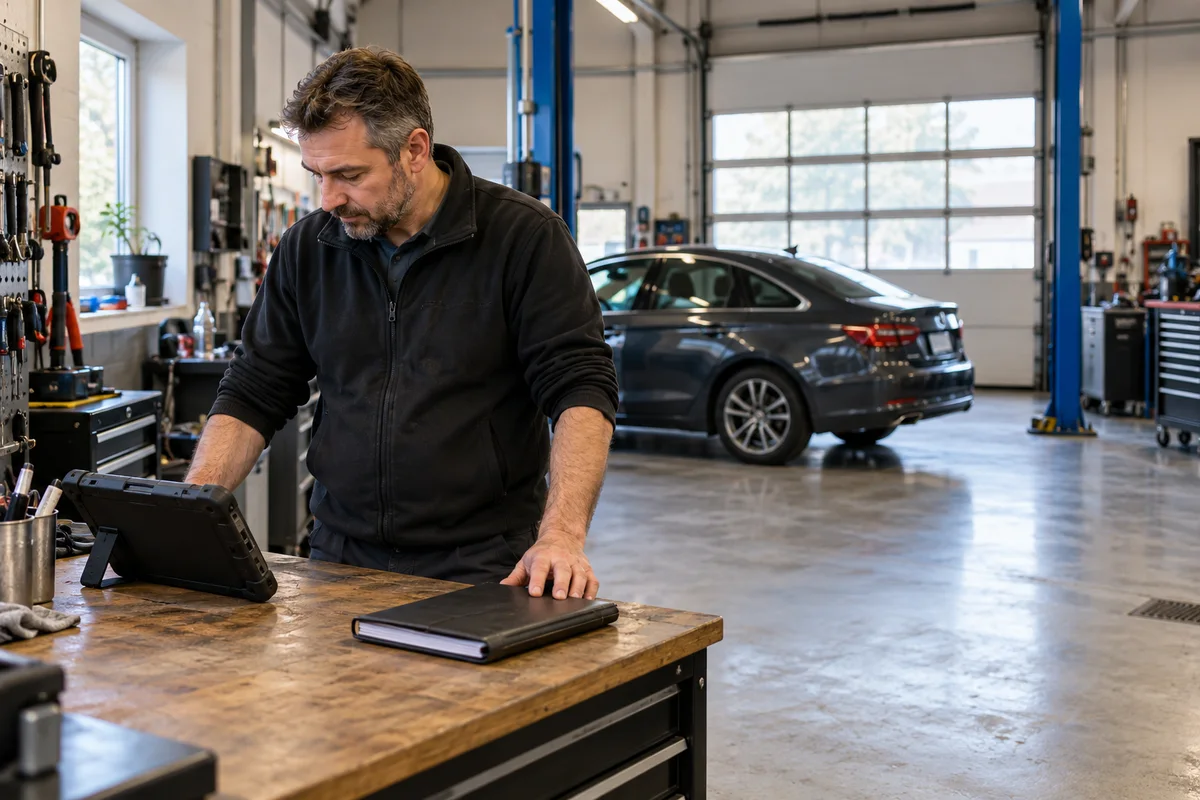
AI-generated scene illustration; not a photograph of the recommended product.
An independent workshop wants to keep more work in-house. A diagnostic tablet shows an ADAS menu, and a buyer assumes that selecting the function will make the shop ready for calibration jobs.
For TOPDON Phoenix Plus 2, the tablet is only one part of that purchasing question. Before spending, establish the separate equipment, software activation, exact vehicle coverage, facility requirements, and professional capability needed for the actual work.
The short answer
Phoenix Plus 2’s manual says its ADAS function requires a separate calibration device and activated ADAS software, with additional optional hardware purchased separately. The menu is not proof that a complete calibration setup is included.
Buy only after the complete supported workflow is confirmed for the intended vehicles and operations. This guide is a procurement framework for qualified workshops, not a calibration procedure or permission to attempt safety-critical work.
Contents
- The short answer
- Start with the jobs the shop actually receives
- Separate the tablet from the calibration equipment
- Treat software activation as its own line item
- Qualify the facility before buying equipment
- Build a complete-scope quote request
- Distinguish diagnosis from completed calibration
- Compare in-house work with a referral arrangement
- Resolve the last unanswered question before ordering
- Frequently asked questions
- Sources and verification
Start with the jobs the shop actually receives
Write down the vehicle, system, and repair-related task you want to handle. A broad brand count does not establish coverage for every camera, radar, configuration, model year, or operation.
Ask for operation-specific confirmation using the appropriate vehicle details through a trusted support channel. Keep customer identifiers private and provide only what the supplier genuinely needs.
Our Phoenix Plus 2 review gives broader diagnostic context. General diagnostic coverage should not be converted into a promise of complete ADAS calibration capability.
Separate the tablet from the calibration equipment
The tablet’s software interface helps access a supported workflow. It does not replace the physical equipment and setup that the exact procedure requires.
TOPDON’s manual makes the additional-hardware requirement explicit. Do not treat a menu screenshot as a packing list, and do not assume the necessary equipment is hidden in the standard diagnostic package.
Ask for a complete, model-specific bill of materials and the relevant current documentation. Do not assemble a mixed system from visually similar targets, stands, or accessories without explicit support for the entire arrangement.
Treat software activation as its own line item
The manual also identifies ADAS software activation. That is a separate question from whether the tablet powers on, receives ordinary updates, or displays an ADAS icon.
Confirm the current entitlement, activation process, supported region, term if applicable, renewal conditions, and relationship to the selected hardware. Obtain the answer for the exact package rather than assuming another Phoenix model’s offer applies.
This article does not quote a subscription price or promise an activation code is included. The seller must establish those current order details. Our update and renewal guide addresses general tablet ownership, not automatic ADAS entitlement.
Qualify the facility before buying equipment
A workshop may have space for ordinary scanning but not the facility required for its proposed calibration work. Identify the applicable vehicle-maker and equipment-maker requirements before committing to an in-house service.
Ask about the relevant working area, environmental conditions, alignment and measurement prerequisites, and any specialized equipment needed for the specific operations. Have a qualified supplier or responsible professional assess the actual site.
Do not use this article as a layout specification or substitute for official procedures. An empty-looking bay in a photograph is not evidence that the shop meets calibration requirements.
Build a complete-scope quote request
| Quote field | What the supplier should address |
|---|---|
| Vehicle scope | Exact supported models, systems, and operations |
| Tablet | Exact Phoenix Plus 2 version and compatible interface |
| Calibration hardware | Required supported components and exclusions |
| Software | Activation, region, term, and updates |
| Facility | Applicable site and prerequisite requirements |
| Training | Required professional capability and support |
| Documentation | Required process and completion records |
| Ownership | Delivery, service, warranty, and future costs |
Ask for exclusions as clearly as inclusions. A concise statement of what the shop still cannot do is more useful than a long generic feature list.
Keep the quote connected to the intended workload. A package covering operations the shop rarely encounters may not solve its actual referral bottleneck.
Distinguish diagnosis from completed calibration
A diagnostic scan, a cleared fault code, or an available service function is not by itself evidence that a required calibration was completed correctly.
Likewise, a successful software connection does not establish that all physical prerequisites were satisfied. Follow the exact authorized process and required documentation through qualified personnel.
The active-test limits guide discusses another boundary: commanding a component is not proving a diagnosis. Here the boundary is between diagnostic access and the complete ADAS service capability being purchased.
Compare in-house work with a referral arrangement
A complete in-house setup may make sense when the shop has suitable recurring work, supported vehicle coverage, a qualified team, an appropriate facility, and a maintainable ownership plan.
Referral can be the better decision when the volume is uncertain, requirements vary widely, or the site cannot meet the necessary conditions. Compare actual complete quotes and service arrangements rather than estimating savings from the tablet price alone.
We have not measured job volume, labor savings, payback, calibration accuracy, or shop profitability. Any financial comparison must use the workshop’s own verified costs and workload, not invented industry averages.
Resolve the last unanswered question before ordering
A useful support request says: “We want this exact operation on these vehicles using Phoenix Plus 2. Please confirm the complete supported hardware, activation, site prerequisites, training, and documentation required.”
If the answer names another tablet or package, do not silently carry its capabilities back to the original offer. Reconcile the exact model, region, and contents.
Consider Phoenix Plus 2 when its ordinary diagnostic role is independently worthwhile and any planned ADAS expansion is properly scoped. Do not buy it solely because an icon appears to promise a turnkey calibration business.
Frequently asked questions
Does the ADAS menu mean calibration hardware is included?
No. The manual explicitly identifies additional optional hardware that must be purchased.
Is ordinary tablet updating the same as ADAS activation?
Do not assume so. Confirm the exact current entitlement and activation requirements.
Does clearing a warning prove calibration is complete?
No. Follow the required qualified procedure and documentation. A cleared code is not a universal completion certificate.
Should every workshop bring calibration in-house?
No. Compare complete supported capability, facility, personnel, workload, and referral options.
Sources and verification
Checked October 18, 2026. The procurement boundary is based on TOPDON’s manual and product information. No calibration, vehicle diagnosis, or safety-system test is claimed.
- Phoenix Plus 2 official manual, ADAS section, printed page 30
- Phoenix Plus 2 current product and add-on information
Keep reading
Related guides
 Garage & Workshop
A229 Plus GPS: Recording a Route Is Not Live Tracking
Use Teen Driver Safety Week to separate dash-cam route evidence from live location expectations and agree on a transparent family plan.
Read guide → Garage & Workshop
A329S Voice Control or BTR200: Choose the Control
Compare spoken commands and an optional BTR200 control for a simple dash-cam task without confusing notifications or saved clips with backup.
Read guide → Garage & Workshop
A229 Plus Static Sticker: Check the Glass Before Mounting
Separate static film from mount adhesive, and confirm tint and removal requirements before installing an A229 Plus.
Read guide →